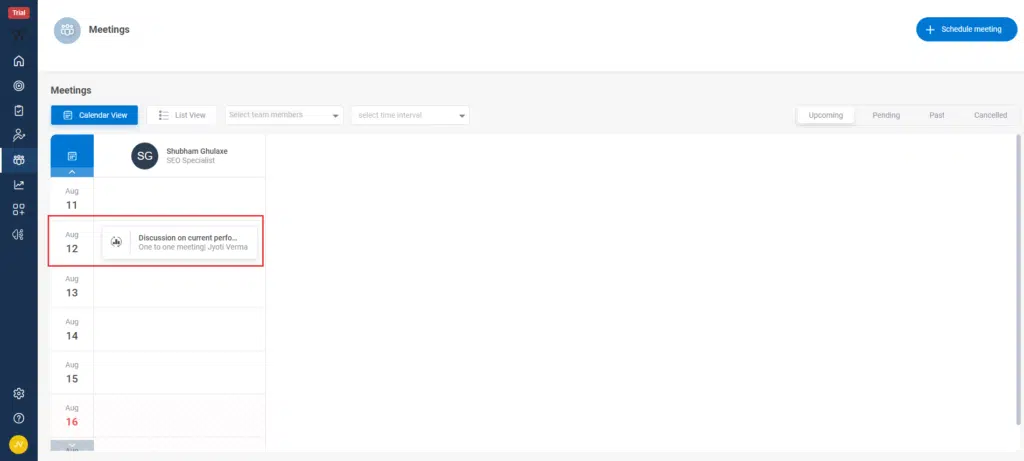
Step 1: On the PMS homepage to Review one-on-one Performance through Meeting click on the “Meeting Icon” on the left side bar, click on it ,a Meeting screen will appear.

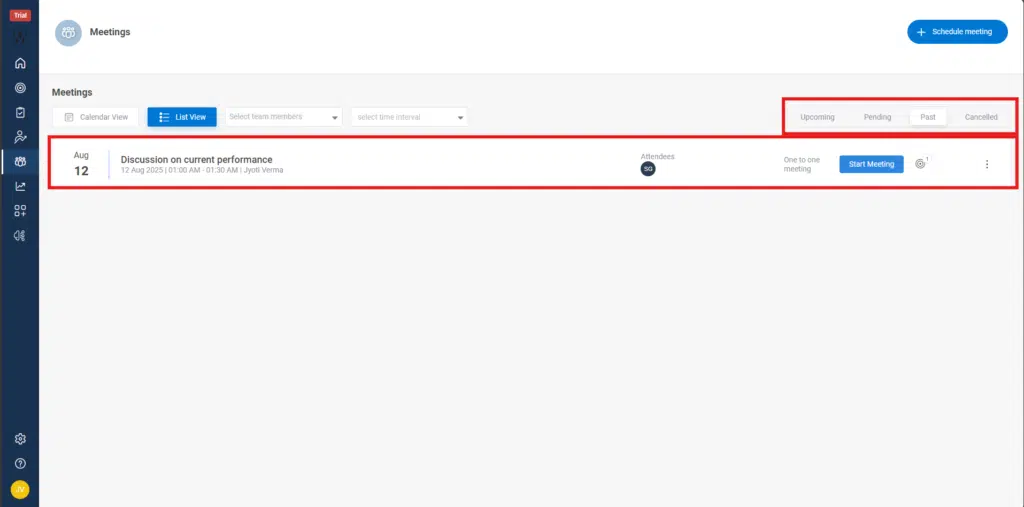
Step 2: You will land on the Meetings page, where you can view your meetings in Calendar View or List View.
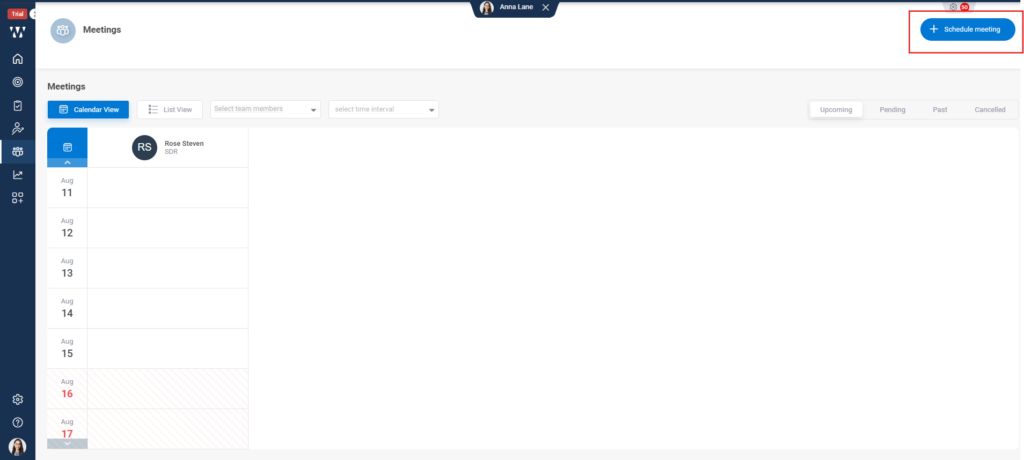
Step 3: Schedule a New Meeting
Click the ‘Schedule Meeting’ button located at the top right corner, highlighted in the red box.
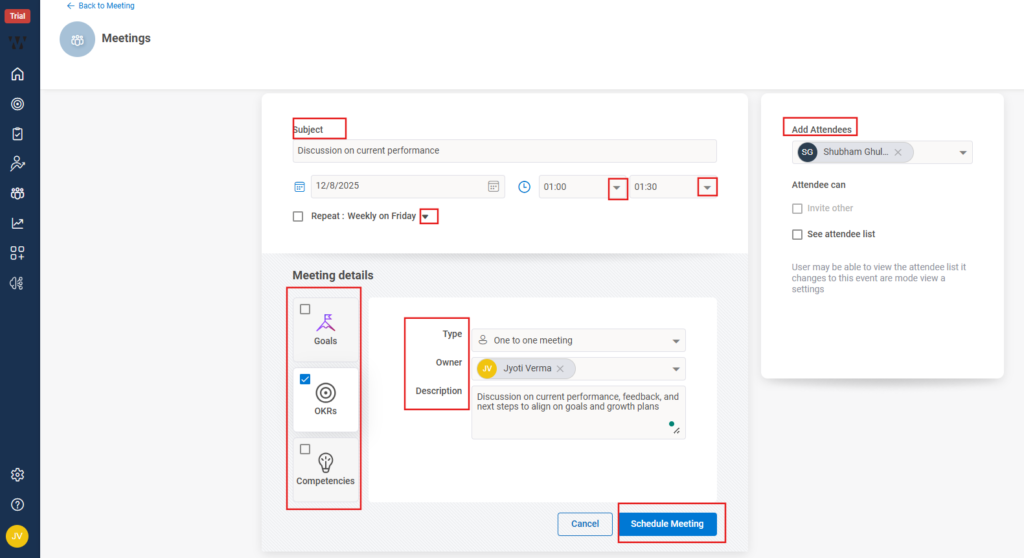
Step 4: A new window will open where you have to fill following details to schedule the meeting.
Enter the Subject for your meeting.
Select the Date and Start/End Time for the review.
If needed, set it to repeat (e.g., weekly, monthly).
Add Meeting Details
Under Type, select One-to-One Meeting.
Choose the Owner (usually the manager conducting the review).
Add a short Description outlining the agenda or discussion points.
Select Attendees
In the Add Attendees panel, search and select the employee(s) you want to review.
If necessary, allow them to invite others or view the attendee list by checking the relevant boxes.
Link Performance Data (Optional but recommended)
Use the Goals, OKRs, or Competencies tabs to attach related performance data so both parties can review them during the meeting.
Save the Meeting
Click Schedule Meeting.
Step 5: Once you click the ‘Schedule Meeting’ button, the meeting will appear on your calendar, and the employee will receive a notification.
At the scheduled time, access the meeting through the Meetings section or directly from your dashboard.
Step 5: Once you click the ‘Schedule Meeting’ button, the meeting will appear on your calendar, and the employee will receive a notification.
At the scheduled time, access the meeting through the Meetings section or directly from your dashboard.