
Execute
Where goals become
daily action and delivery.
Strategy does not fail because of bad goals. It fails because the daily work never gets connected to those goals — and the problems building mid-cycle never get surfaced until it is too late to act. Execute gives every task a strategic home, keeps KRs updated automatically and runs the review cadence that catches challenges before they become missed quarters.
Step 2 of the DEEP AI Framework. Where aligned goals meet the daily work that actually delivers them — with automation removing the friction and review cycles catching problems early.
Execute features
From task to Key Result.
Automatically, continuously, visibly.
Every Execute feature is designed around one principle: the work people do every day should visibly move the goals that matter, without requiring a separate system update to prove it.
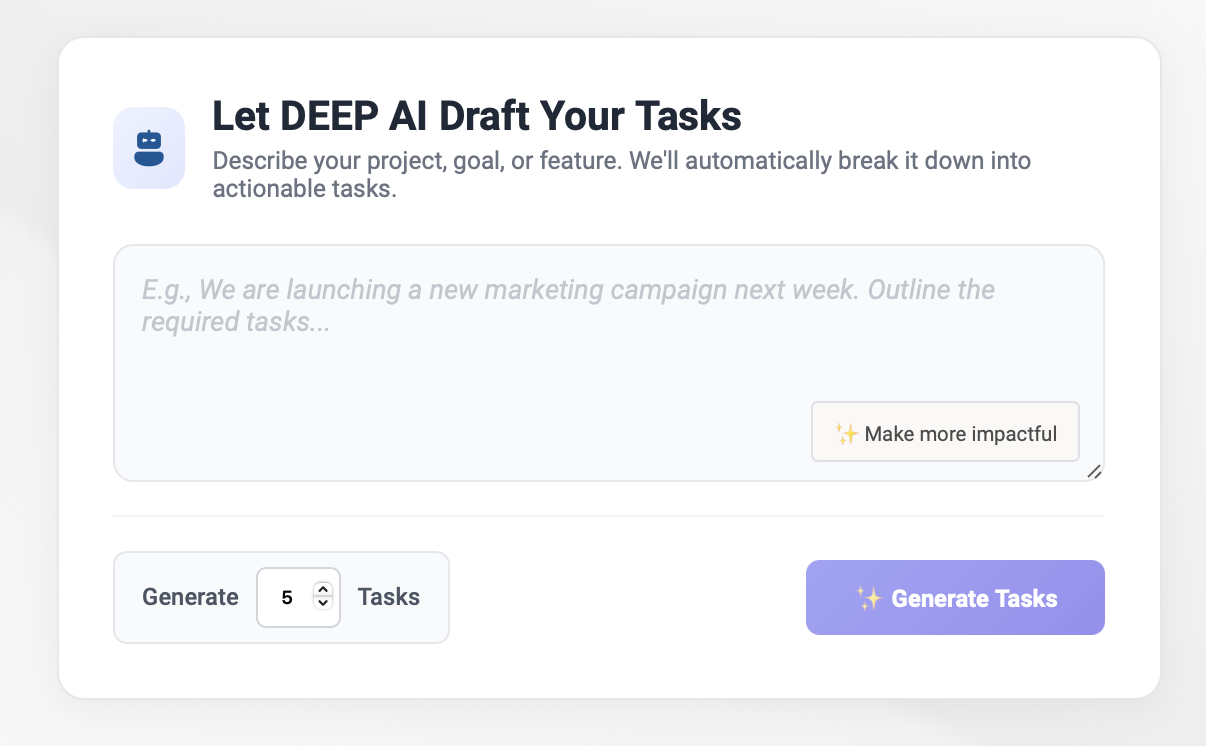
Create tasks the way you think about work — in plain language.
The DEEP AI Task Co-pilot takes a description of what needs to happen and creates a structured task complete with Project linkage, Owner, Priority and suggested Delivery Date. Bulk creation from an initiative description generates multiple tasks in one prompt. Every task created has a strategic origin — suggested KR linkage is part of the Co-pilot output, not an afterthought.
- Plain language task creation — AI handles structure, ownership and priority
- Project, Owner, Priority and Delivery Date populated from context
- Bulk task generation from initiative or goal description
- Co-pilot suggests KR linkage at creation — one click to connect
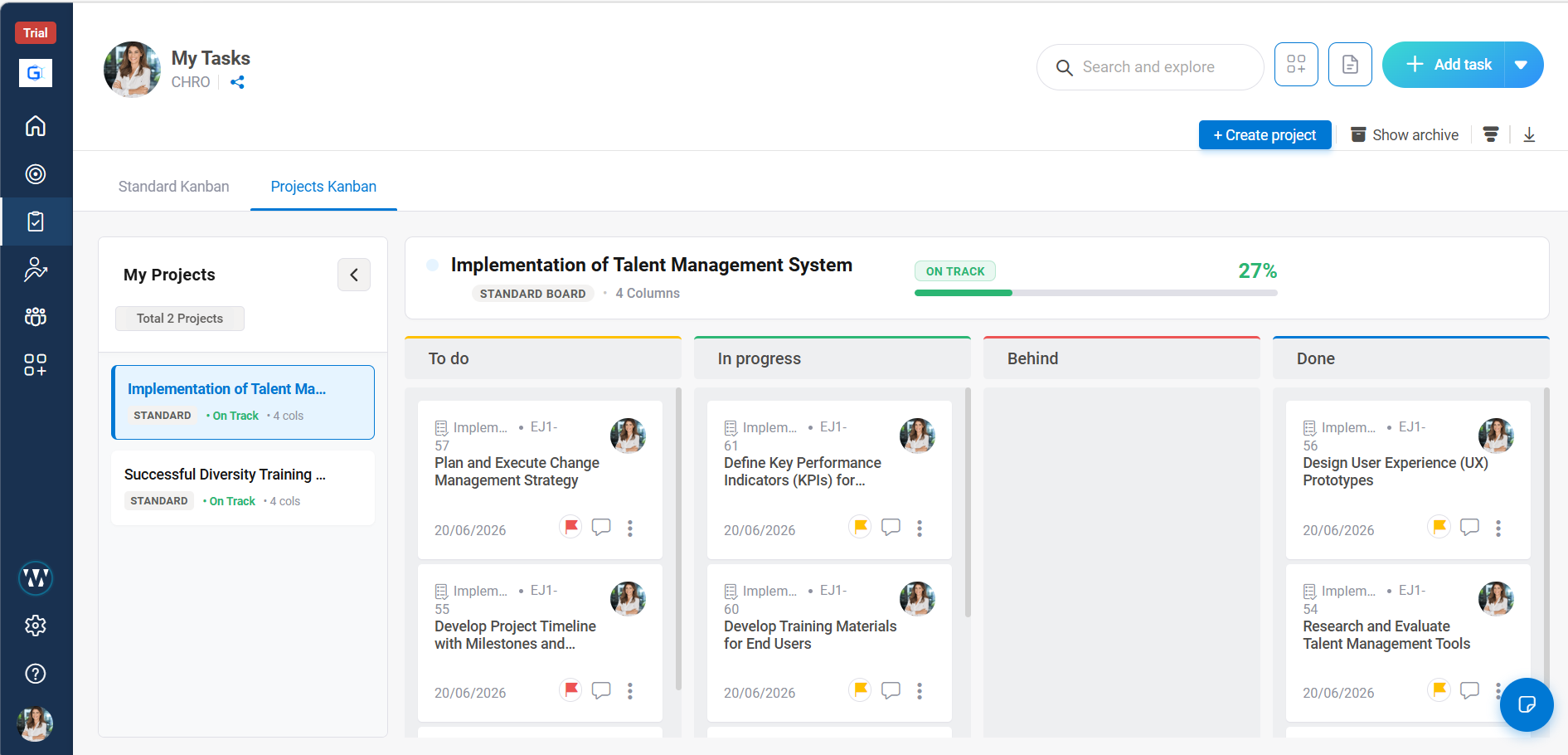
Every project. Every task. Every KR. One execution view.
Execute supports multi-project task management with flexible Kanban stages per project and a cross-project board view for managers running several workstreams simultaneously. Any task — in any project — can be linked to a Key Result. When the task is completed, the KR progress updates automatically. No check-in. No manual update. Work done is strategy moved.
- Multi-project Kanban with per-project stage configurations
- Link any task to one or more KRs with configurable contribution weight
- KR progress auto-updates when linked task moves to completed stage
- Bulk actions — re-assign, reprioritise, re-link to KRs — across multiple tasks
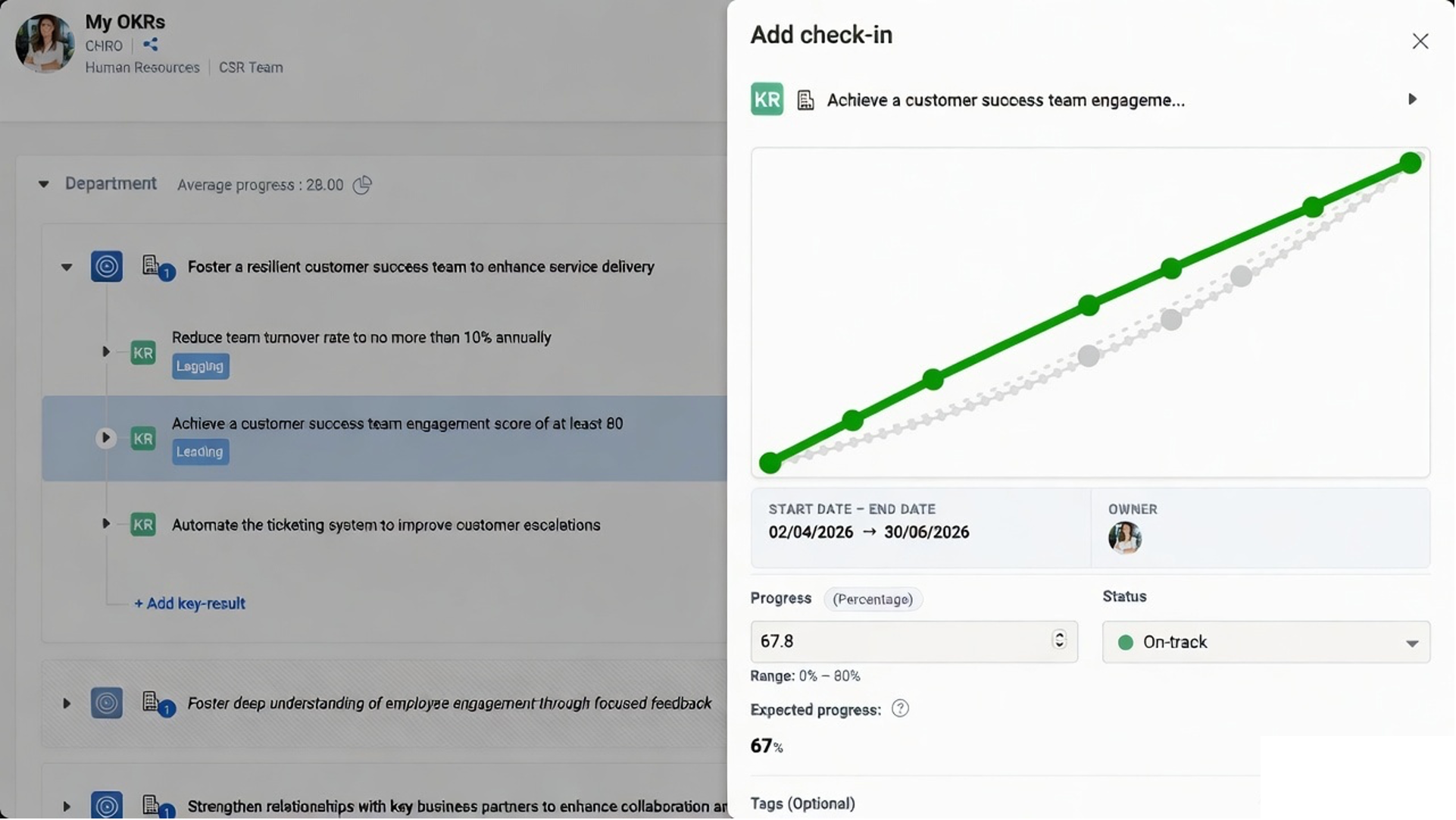
Weekly or bi-weekly. Under three minutes. Always current.
Consistent check-ins are what keeps OKRs alive between the planning session and the quarter-end review. Worxmate's check-in cadence is configurable to weekly or bi-weekly cycles, automated with reminders, and designed to take under three minutes. Progress percentage and confidence score captured together — giving leaders both where you are and where you are going, not just one of the two.
- Configurable weekly or bi-weekly cadence per team or individual
- Automated reminders with one-click progress update workflow
- Progress percentage and confidence score captured simultaneously
- At-risk OKRs flagged automatically when confidence drops below threshold
- Check-in data feeds directly into the PCA Review Cycle and Axis AI
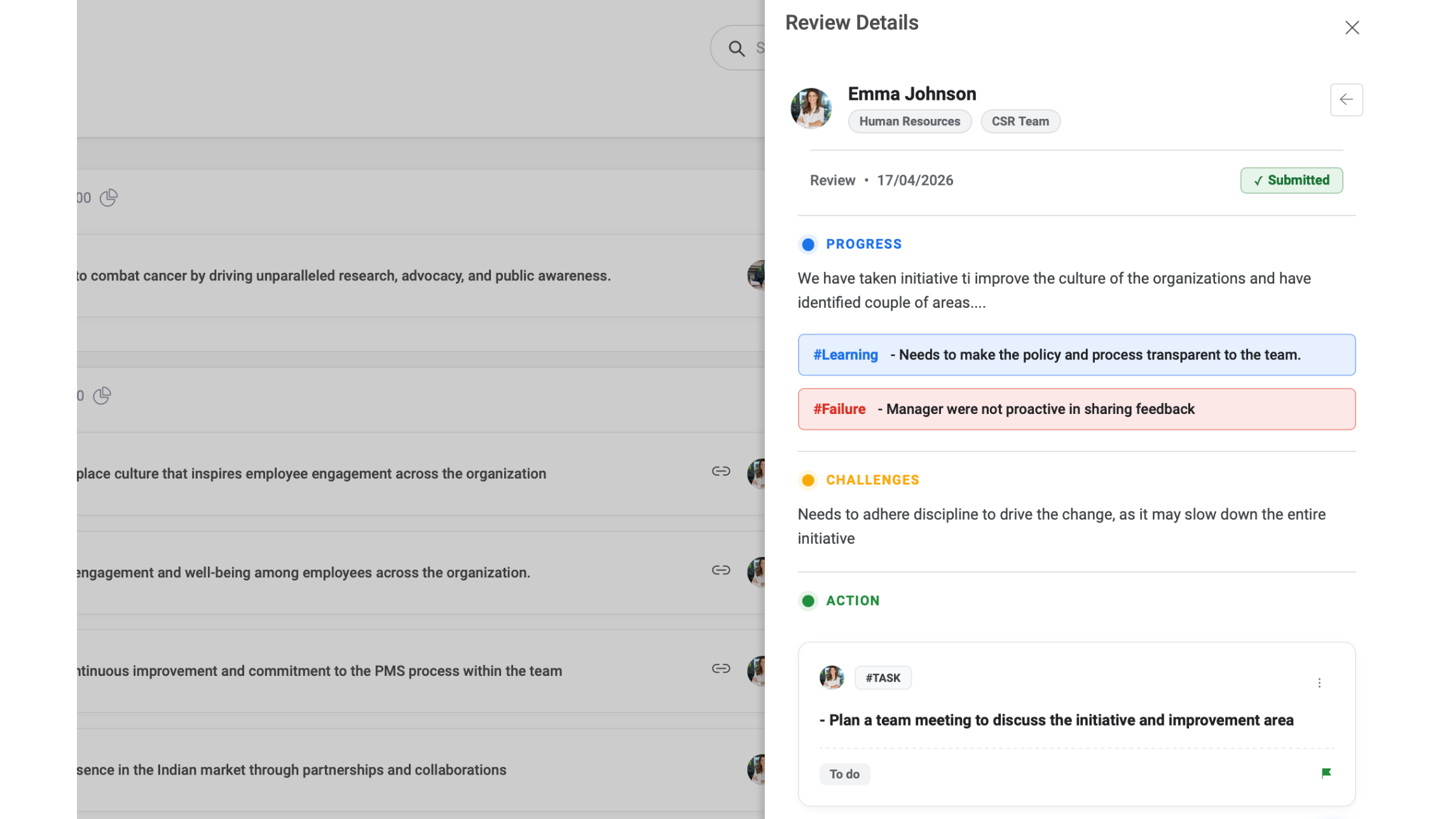
Progress, Challenges, Actions — every cycle, on record.
The PCA Review Cycle is a structured weekly or bi-weekly review session that runs separately from the check-in progress window. Based on the check-in data logged, the review cycle prompts teams to capture not just where they are but what is getting in the way and what they are doing about it. Challenges surfaced here are addressed in the same cycle — not discovered at quarter end.
Alongside Progress and Challenges, the PCA cycle includes a dedicated Failures and Learnings capture — making honest mid-cycle reflection a structural habit rather than an uncomfortable retrospective exercise.
- Progress — quantitative update against each KR, linked to check-in data
- Challenges — named blockers, dependencies and risks surfaced for action
- Actions — specific next steps assigned to owners with due dates
- Failures — honest logging of what did not work and why
- Learnings — captured alongside failures and carried forward to the Plan stage
▶ Evaluate — Measure what is actually working
AI forecasting, department heatmap, scorecards and KPI boards
