
Where your daily work
meets your strategy.
Or stands
entirely on its own.
Worxmate Task Management is a full-featured AI-powered task and project execution module. Use it independently to manage work, run projects and track delivery across teams — or connect it to your OKRs so every task you complete moves a Key Result automatically. The choice is yours. The intelligence is built in either way.
Task Management — at a glance
Worxmate Task Management is a complete module in its own right. Teams can manage tasks, run projects, track workload and get executive visibility without setting up OKRs or performance management. When you are ready to connect tasks to Key Results — or link projects to Objectives as Initiatives — that connection is a single click, not an integration project.
Core features
Six features. Built for teams
that want execution to mean something.
From AI-generated tasks to project Kanbans with bulk actions — every feature is designed around the idea that completing work should visibly move the goals that matter.
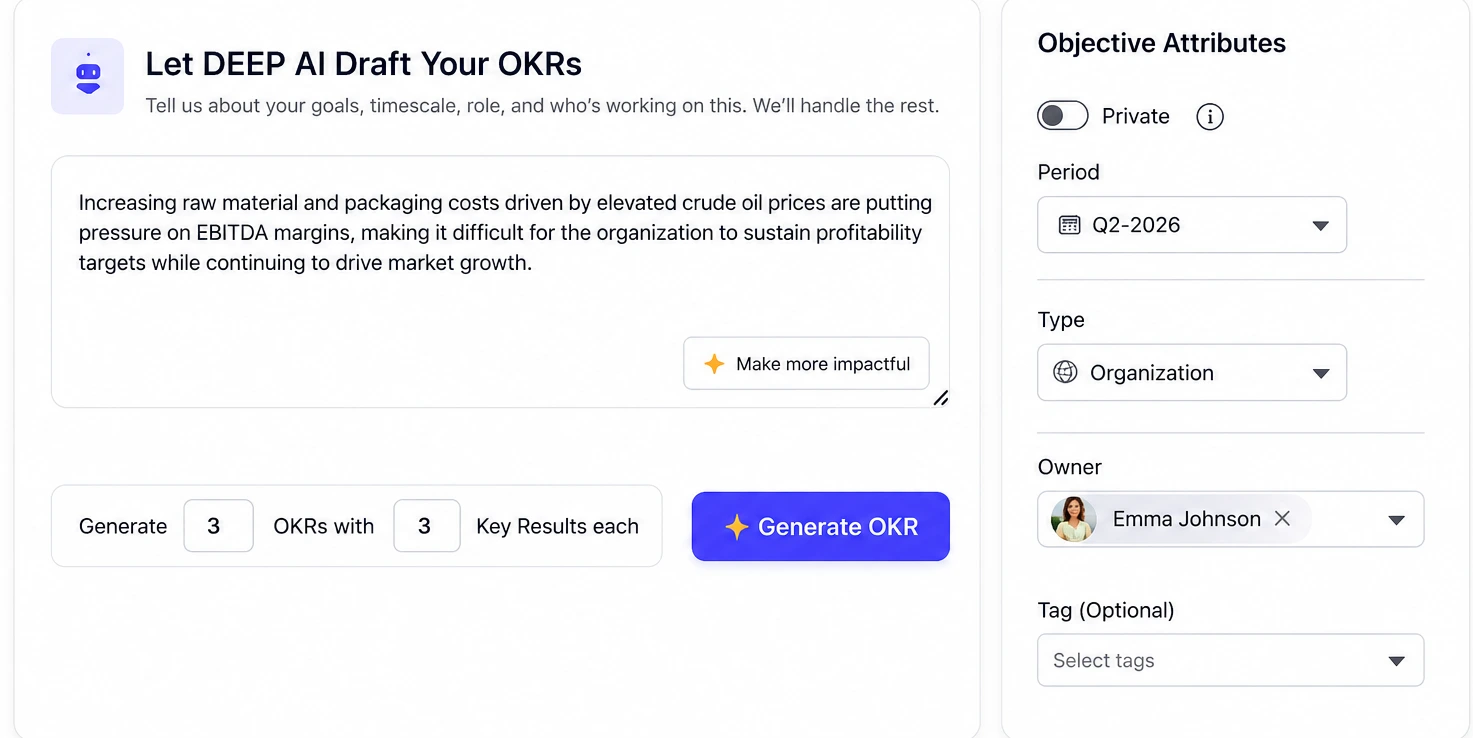
Tell the AI what you need to do. It creates the task structure.
Creating tasks manually takes time nobody has. The DEEP AI Co-pilot — the same intelligence that powers Worxmate's OKR writing — takes a plain-language description of what needs to happen and turns it into a complete, structured task with the right project linkage, owner, priority and suggested due date.
- Describe the task in plain language — AI structures it completely
- Automatically suggests Project linkage, Owner assignment and Priority level
- Bulk task generation from a goal or initiative description
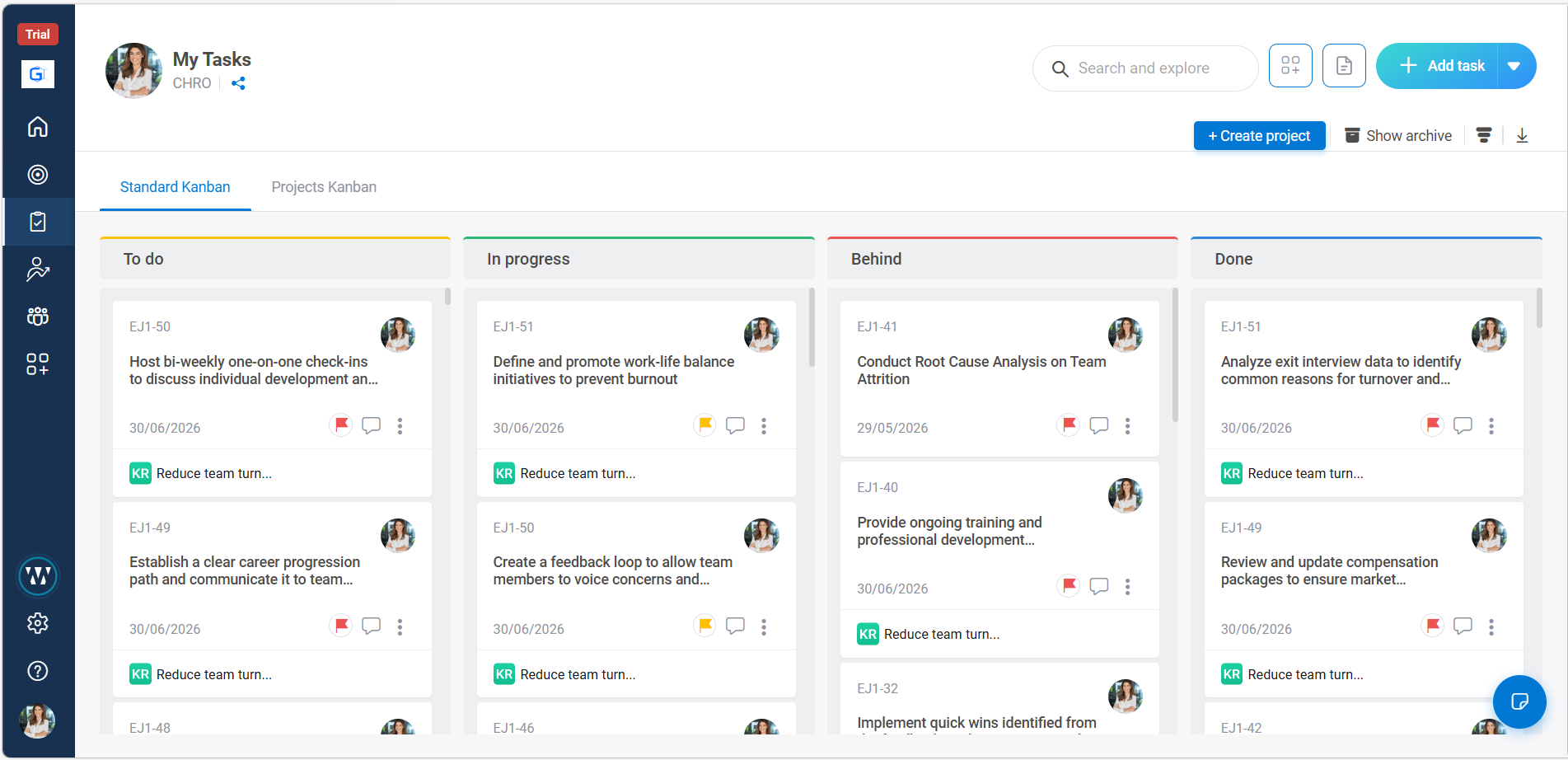
Your board. Your stages. Your workflow.
Not every team works the same way. Worxmate's Standard Kanban is fully flexible — users can create, rename, reorder and remove stages to match their actual workflow, not a generic template.
- Create and name your own stages — no fixed column structure imposed
- Filter by owner, priority, due date and linked Key Result simultaneously
- KR progress bar visible on each task card — track goal movement inline
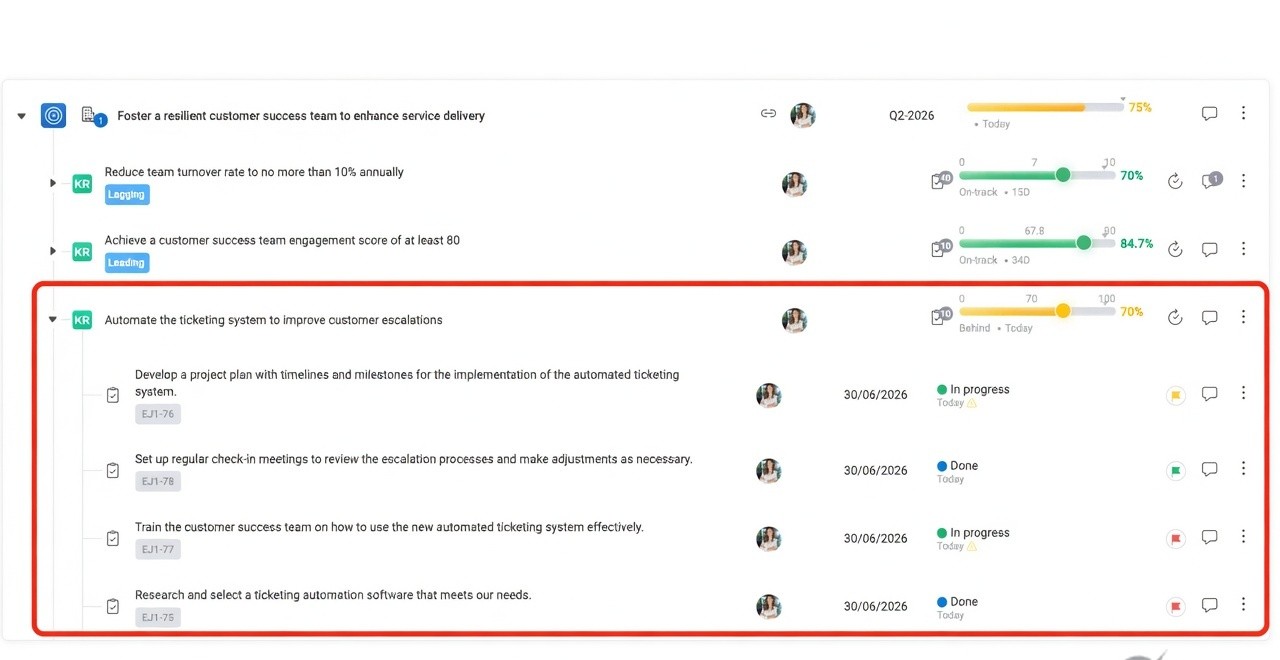
Complete a task. Move a Key Result. No check-in needed.
The most common OKR failure is not poor goal-setting — it is the disconnect between the daily work people do and the Key Results that work is supposed to move. Worxmate's KR linkage closes that gap structurally.
- KR progress updates automatically when the task moves to your "Done" stage
- Contribution weight configurable — task worth 5% or 50% of a KR's progress
- Team members see the OKR impact of their daily work without switching context
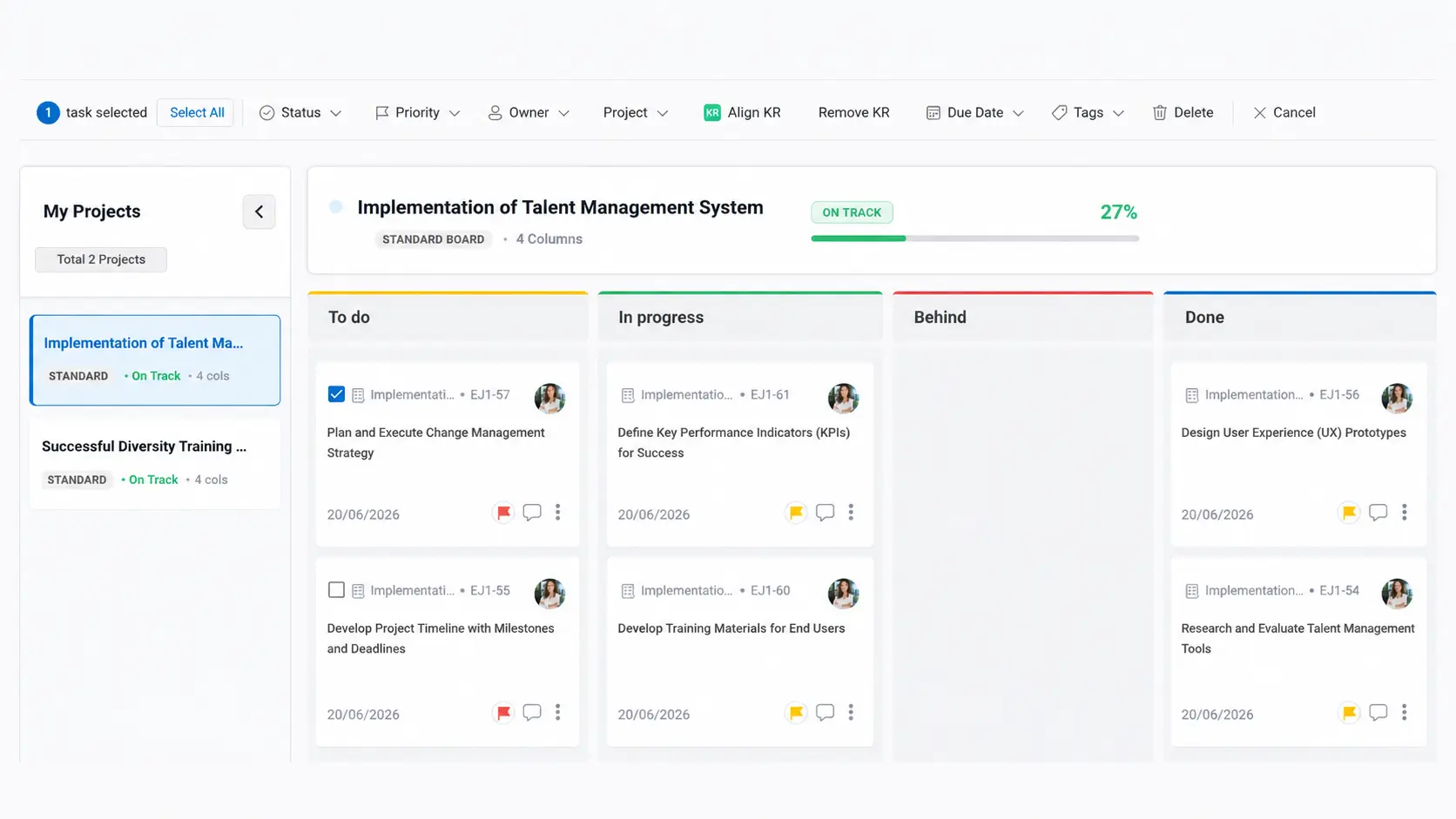
Multiple projects. One view. Full control.
When you are running multiple projects simultaneously, visibility across all of them becomes the bottleneck. Project Kanban gives teams a multi-project execution view with flexible stages per project — and bulk actions.
- Manage multiple projects in a single board view with per-project stage configurations
- Bulk actions — delete, re-assign, change status, align to KRs
- Project health indicators visible at the board level
Dashboards
Six views. Every decision-maker covered.
Worxmate Task Management includes six built-in dashboards — each designed for a different audience and a different decision. Not just reports to read, but views to act from.
What is everyone working on today? Which tasks are blocked? Who needs help? The Daily Scrum Board surfaces the real-time team execution picture — ideal for stand-ups and daily check-ins without a single status message needed.
Everything that should have been delivered but has not. Grouped by owner, project and priority — with one-click escalation and re-assignment available directly from the view. No more chasing individuals manually.
Who is overloaded and who has capacity? Team Workload shows the distribution of active tasks, priorities and estimated effort across every team member — making resource balancing a data-driven conversation rather than a manager's intuition.
Completion velocity, at-risk tasks, milestone progress and trend lines — all in one project health view. Managers see which projects are on track and which need attention before the delivery date forces the conversation.
A single-screen summary of execution health across all teams and projects — formatted for the 10-minute leadership review. Completion rates, blocked items, at-risk deliverables and OKR impact in one view. No drill-down required for the overview.
When Worxmate Task Management is used with the full platform, Orbit reads task completion patterns, workload concentration and collaboration signals from the task layer — surfacing burnout risk, disengagement and high-performer pressure that only becomes visible across the full execution picture.
The connection that changes everything
Task Management that knows what your strategy is trying to achieve.
Most task tools are isolated from the goals they are supposed to serve. Work gets done. Nobody knows which goals it moved. Worxmate Task Management is different because it was built inside the same platform as your OKRs — so the connection between daily execution and strategic intent is native, not bolted on.
Also included
Everything you need to run work
at any scale.
Beyond the six core features, Worxmate Task Management includes the operational layer for running tasks and projects across your entire organisation.
See Worxmate Task Management in action
A 30-minute demo covering DEEP AI Co-pilot, Kanban configuration, KR linkage and the six dashboards — as a standalone module or as part of the full Worxmate platform.