
Worxmate

WORXMATE
AI Intelligence Suite
Log In

Help Center > Frequently Asked Questions > IDP / PIP >How to generate a performance improvement plan (PIP)?

How to generate a performance improvement plan (PIP)?

Step 1: HR or managers can initiate an PIP by going to the Performance homepage, navigating to the ‘Low Performance’ section, and clicking on ‘View PIP’.
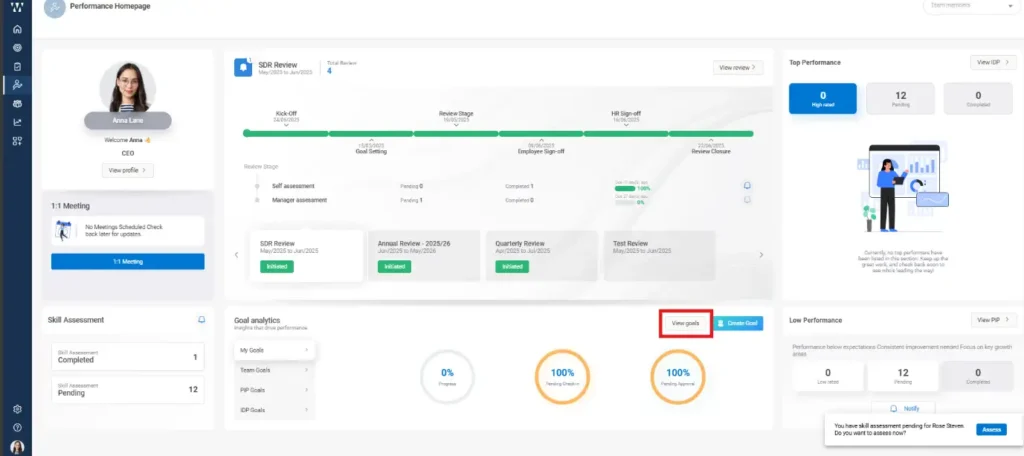
How to generate a performance improvement plan (PIP)

Step 2: On the next page, you will see the list of Low Performers along with the existing initiated PIPs. From there, click on ‘Initiate PIP’.
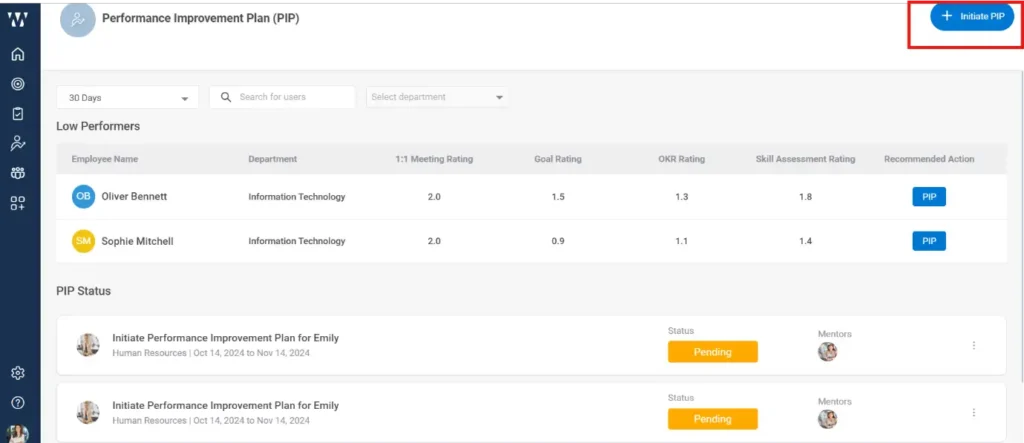
How to generate a performance improvement plan (PIP)

Step 3: Fill in all the required details such as PIP name, employee, mentor, duration, etc., and then click on ‘Save’.
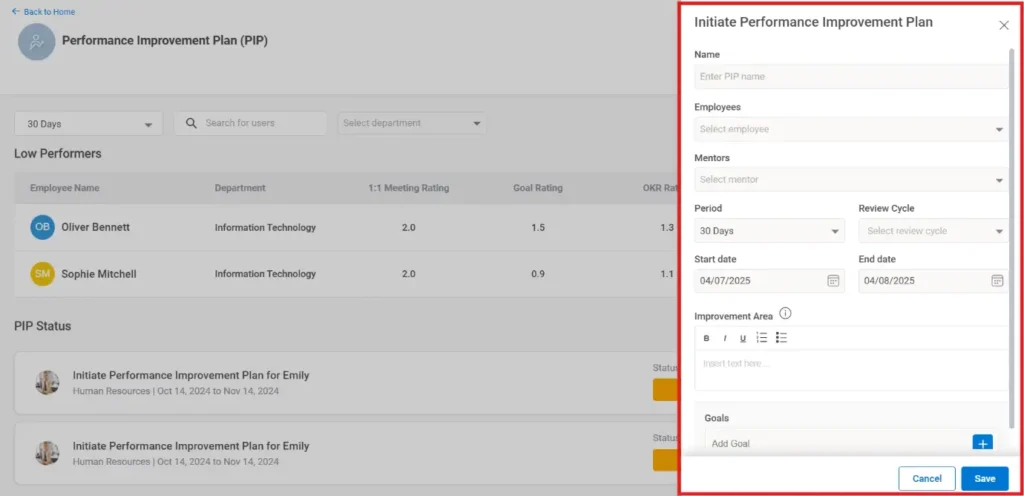
How to generate a performance improvement plan (PIP)

Step 4: The employee for whom the PIP is initiated, and the assigned mentor will both receive real-time notifications via email as well as through the product notification icon.
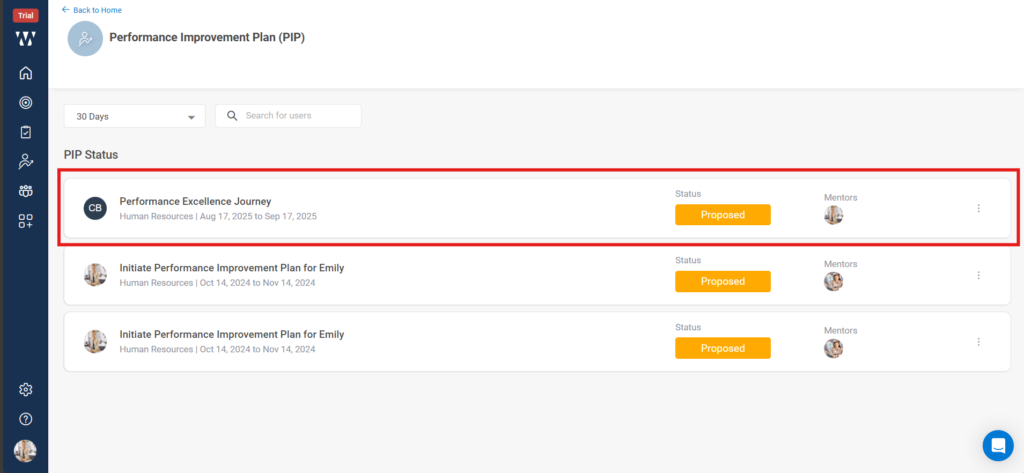

How to generate a performance improvement plan PIP step 4

Worxmate AI
Live 1-on-1 Walkthrough

See Worxmate AI in action.

We will configure live scenarios tailored to your company size, OKR cycles, and appraisal rhythms — zero generic pitch decks.

"Worxmate’s smart insights simplify team management—more intuitive than Zoho People."
— Senior HR Lead • Cloudaeon
    Available 30-Min Slots Pick a day
    Pick a date & time slot to proceed