
Worxmate

WORXMATE
AI Intelligence Suite

Help Center > Frequently Asked Questions > Q&A for Review Process >How do you enable/disable mandatory questions?

How do you enable/disable mandatory questions?

The questions that are set are used during the review cycle as a mandatory question and if you want to change or disable the question. The Steps are as follows:

Step 1: From the Homepage Navigate to the settings and click on it:
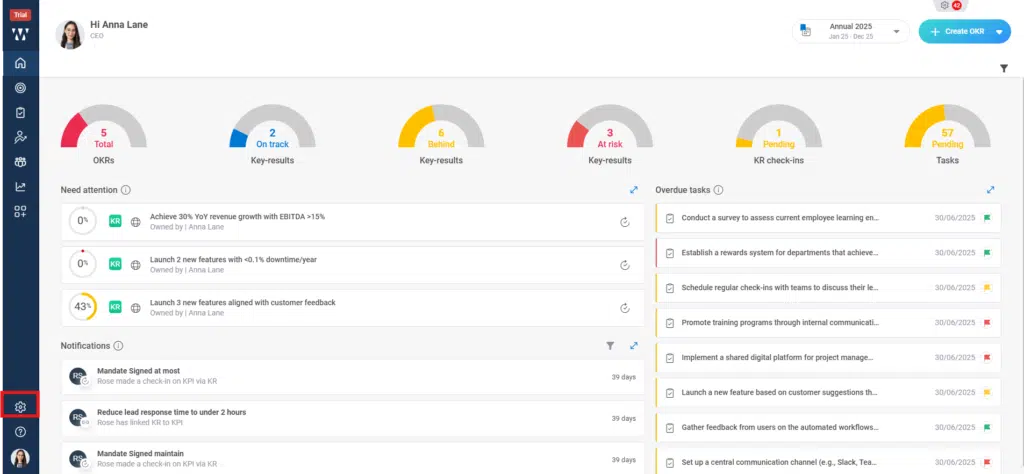
How do you enable-disable mandatory questions? Step 1

Step 2: Click on the performance module and go to the “Questioner” tab:

How do you enable-disable mandatory questions? Step 2

Step 3: The existing questioners will be shown to edit the particular click on the “Three dots” and click on “View”:
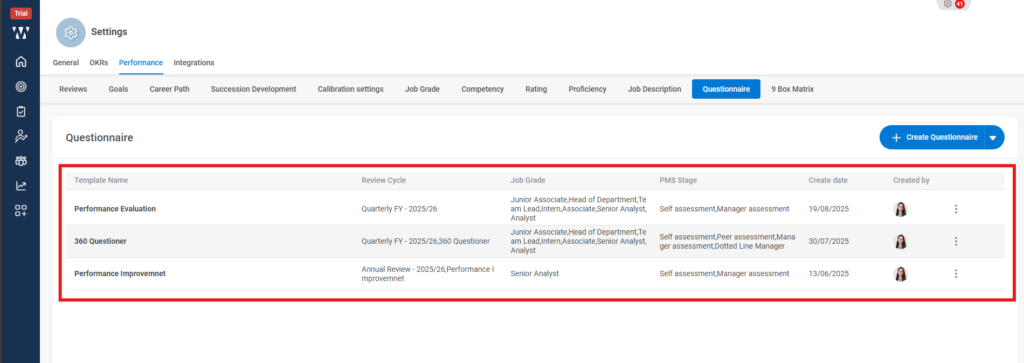
How do you enable-disable mandatory questions? Step 3

Step 4: Now you can see the questions, if you wish to disable the question then click on the three dots on the right side of the question and choose “Delete”. By deleting it, it will be removed from the mandatory questions list during the review cycle.
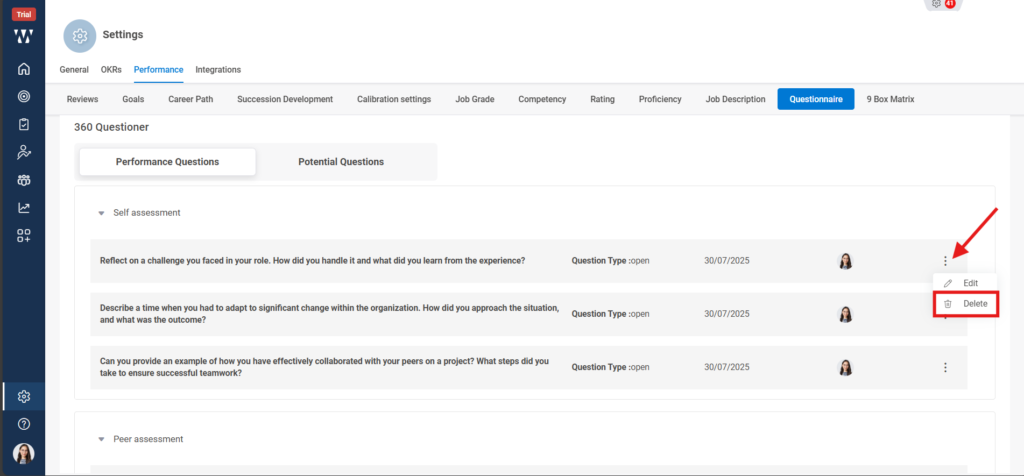

How do you enable-disable mandatory questions? Step 4

×
Worxmate AI
Live 1-on-1 Walkthrough

See Worxmate AI in action.

We will configure live scenarios tailored to your company size, OKR cycles, and appraisal rhythms — zero generic pitch decks.

"The fastest demo-to-value software we have evaluated this year." — Strategy Director, Marks & Spencer
🌐
Available 30-Min Slots Pick a day
Pick a date & time slot to proceed
Please enter a valid company work email.
Instant calendar invite sent. No spam guaranteed.