
Worxmate

WORXMATE
AI Intelligence Suite

Help Center > Frequently Asked Questions > Defining & Managing Goals >How do I review progress and update goal status?

How do I review progress and update goal status?

Step 1: From the Homepage, Navigate to the Performance Homepage:
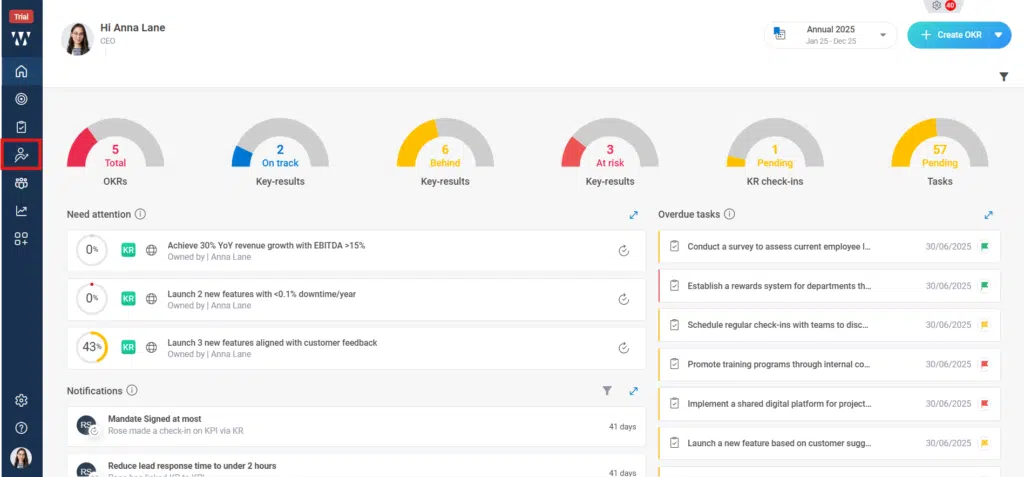
How do I review progress and update goal status? Step 1
Step 2: Go to the “Goal Analytics “Section and click on “View Goals”:
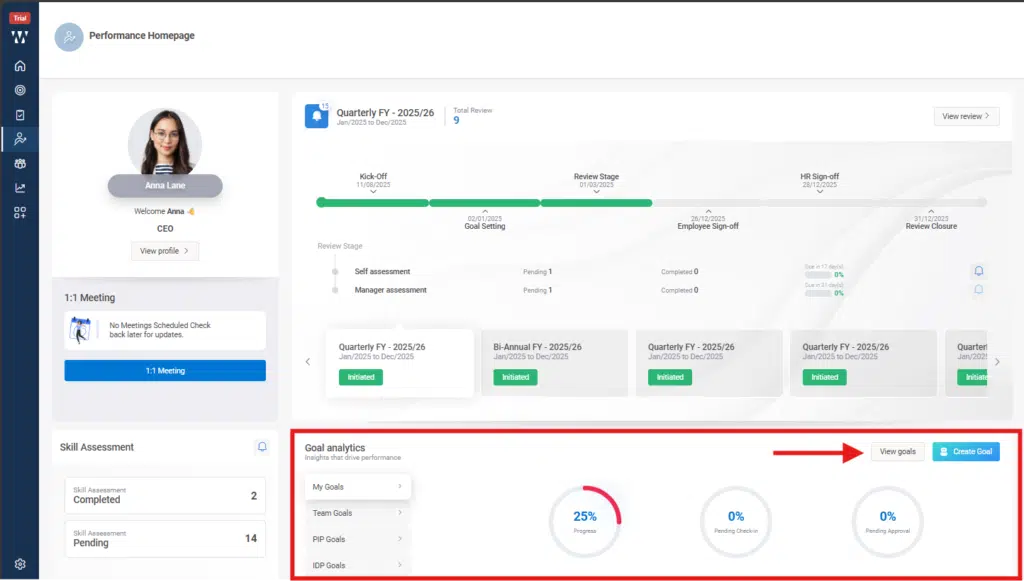
How do I review progress and update goal status? Step 2
Step 3: The window will appear where the existing goal will be there, to see the progress or to update goal status click on the small check in icon beside the comment icon as shown in the picture:
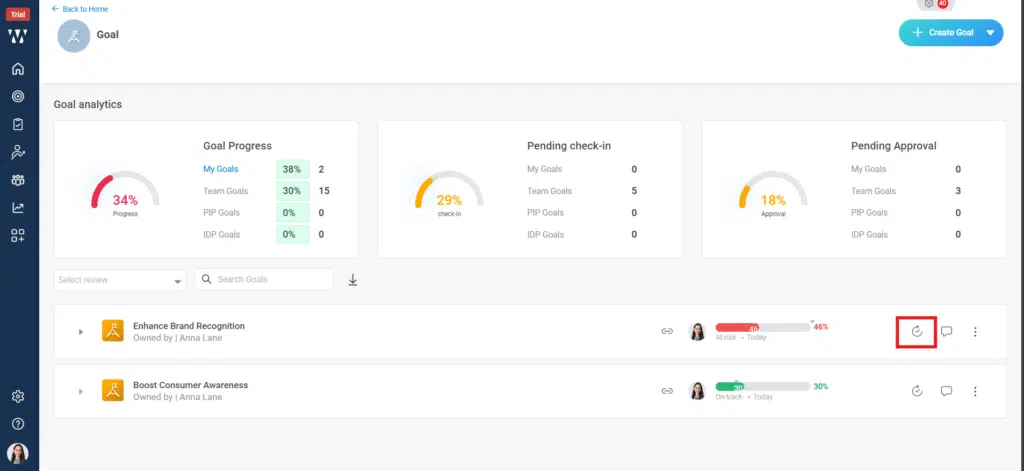
How do I review progress and update goal status? Step 3

Step 4: A check in window will appear where you can make the progress update and set the Goal status and click on “Save”:
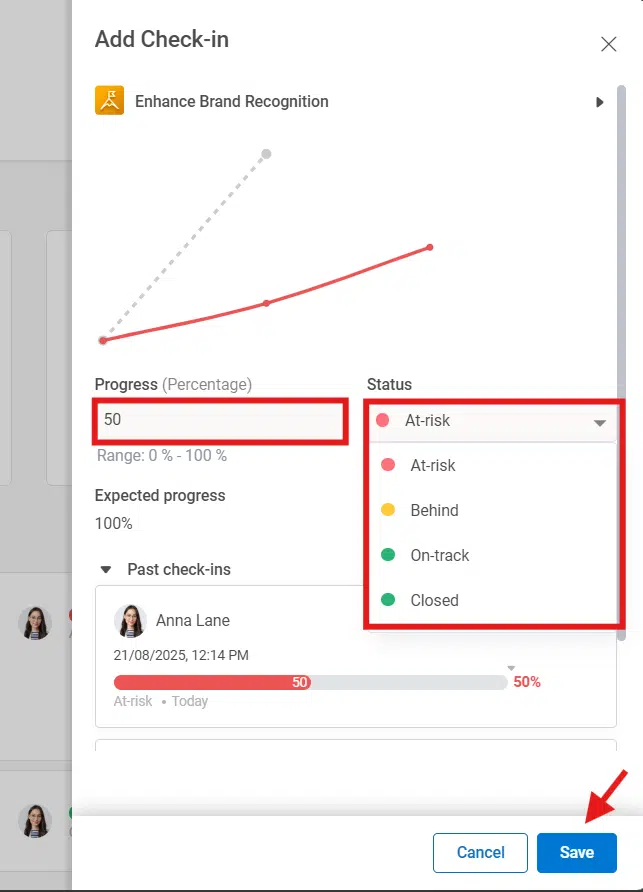
How do I review progress and update goal status? Step 4

Step 5: The final window with updated Goal status will appear on the main window:
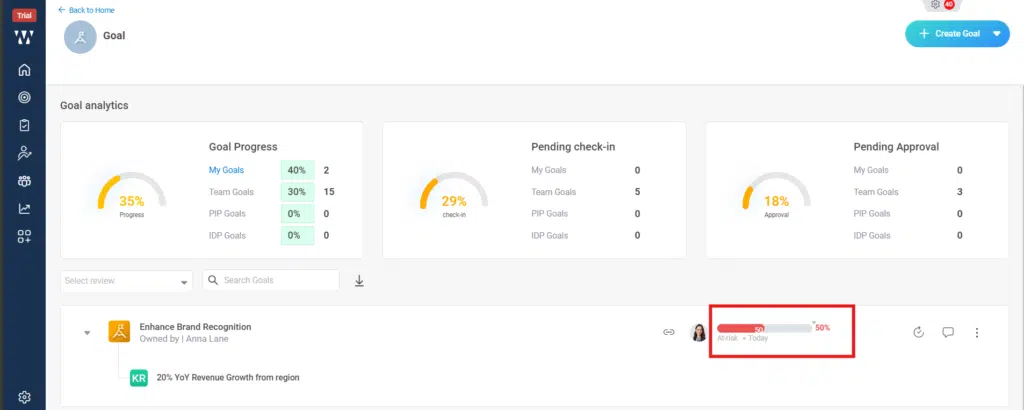
How do I review progress and update goal status? Step 5

Worxmate AI
Live 1-on-1 Walkthrough

See Worxmate AI in action.

We configure live scenarios tailored to your company size, OKR cycles, and appraisal rhythms — zero generic pitch decks.

"The fastest demo-to-value software we have evaluated this year." — Strategy Director, Marks & Spencer
Available 30-Min Slots Pick a day
Pick a date & time slot to proceed
Please enter a valid company work email.
