
OneLogin is an advanced identity and access management service designed to eliminate the hassle of managing multiple usernames and passwords. With OneLogin single sign-on (SSO), you can seamlessly access the Worxmate OKR software using your existing company credentials.
Step-by-Step Guide for Integration
Step 1: Login to Worxmate
- Open the Worxmate application.
- Log in to your Worxmate account using your existing credentials.
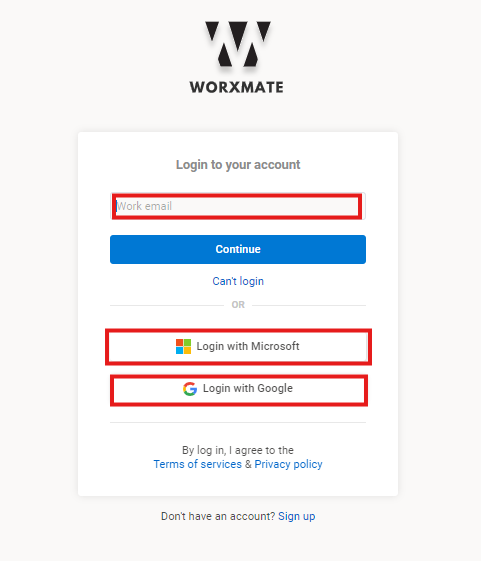
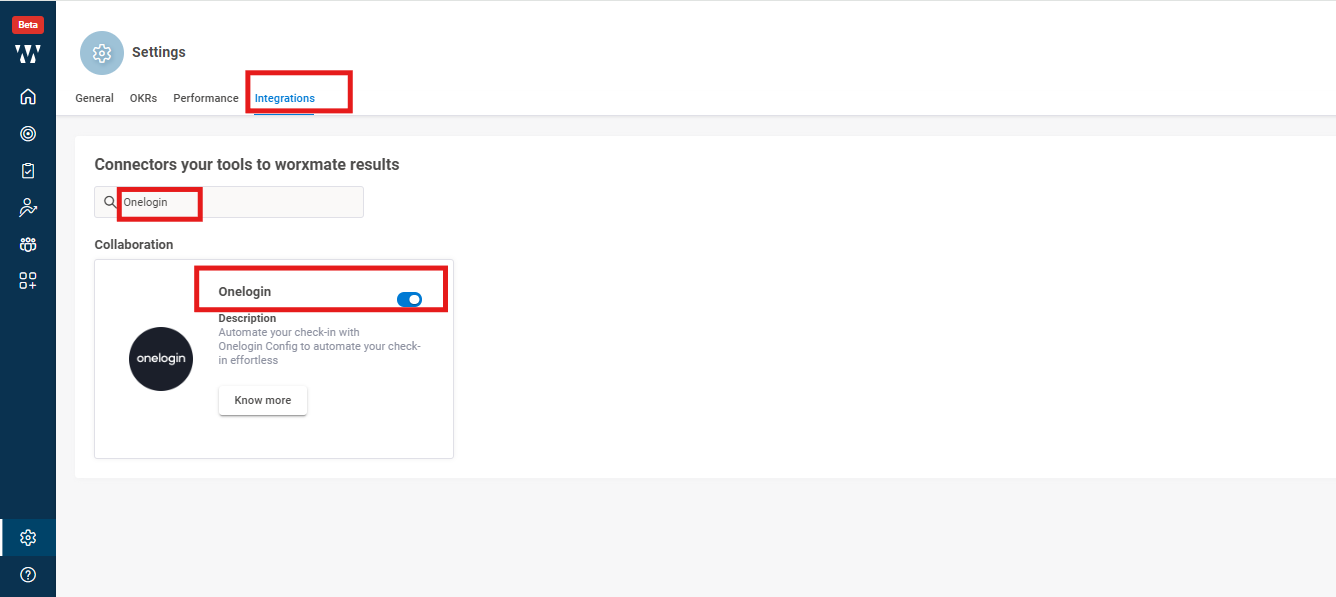
Step 2: Enable OneLogin Integration in Worxmate
- Navigate to the Settings page.
- Select the Integration tab.
- Find OneLogin in the list of integrations.
- Toggle the OneLogin switch to enable it.
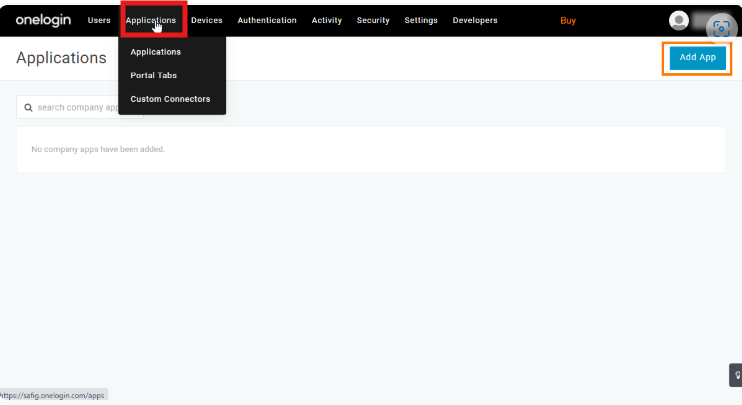
Step 3: Configure Worxmate in OneLogin
- Log in to your OneLogin Admin Account.
- Go to the Applications tab.
- Click the Add App button in the top-right corner of the page.
Step 4 : Add Worxmate as a Connector
- In the search bar, type Worxmate and select it from the results.
- Add Worxmate as a connector to configure it for your organization.
Step 5: Test Single Sign-On (SSO)
- Click on the Worxmate application in OneLogin.
- You will be redirected to the Worxmate application without entering a username or password, using OpenID Connect for authentication.
