
Worxmate

WORXMATE
AI Intelligence Suite

Help Center > Frequently Asked Questions > Working with OKRs > Are my OKRs visible to all? How do I set my OKR visibility

Are my OKRs visible to all? How do I set my OKR visibility

Working with Objective, Viewing an Objective

Transparency is one of the most powerful features of OKR’s.

Yes, every user can view your OKR’s, unless they are of type ‘Private’ as private objectives are visible only to the owner of the objective.

Worxmate allows you to quickly overview OKR’s of the other ‘Users’, ‘Teams’ and ‘Direct Reports’ through Explore button.
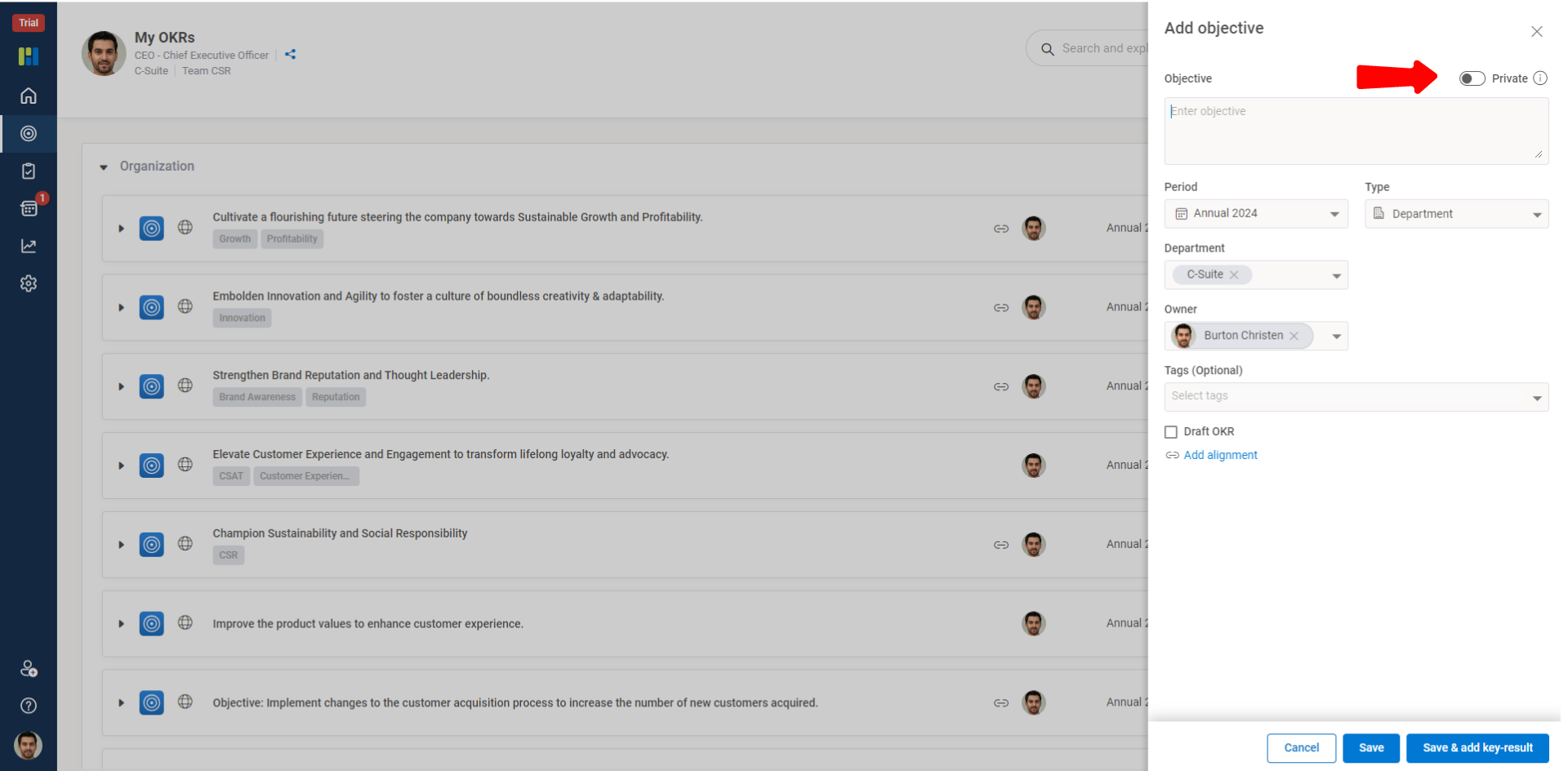
 
FAQ updated images

You can also start following Users with OKR’s of your interest through ‘Follow’ button and add Objectives of interest as ‘Favorite’ for a quick progression check.

×
Worxmate AI
Live 1-on-1 Walkthrough

See Worxmate AI in action.

We will configure live scenarios tailored to your company size, OKR cycles, and appraisal rhythms — zero generic pitch decks.

"Worxmate’s smart insights simplify team management—more intuitive than Zoho People."
— Senior HR Lead • Cloudaeon
🌐
Available 30-Min Slots Pick a day
Pick a date & time slot to proceed