
Worxmate

WORXMATE
AI Intelligence Suite

Help Center > Frequently Asked Questions > Working with OKRs > Can I edit or delete a Past check-in?

Can I edit or delete a Past check-in?

Working with Key-result, Check-in a Key-result

Worxmate allows a user to edit the check-in and enter accurate progression details however, the user who made the check-in cannot delete the check-in itself and can only edit it to enter a fresh progression or value.

 
  1. Click the three vertical dots ahead of the comment icon of the Key Result and click the Past check-ins to view all the past check-ins made.
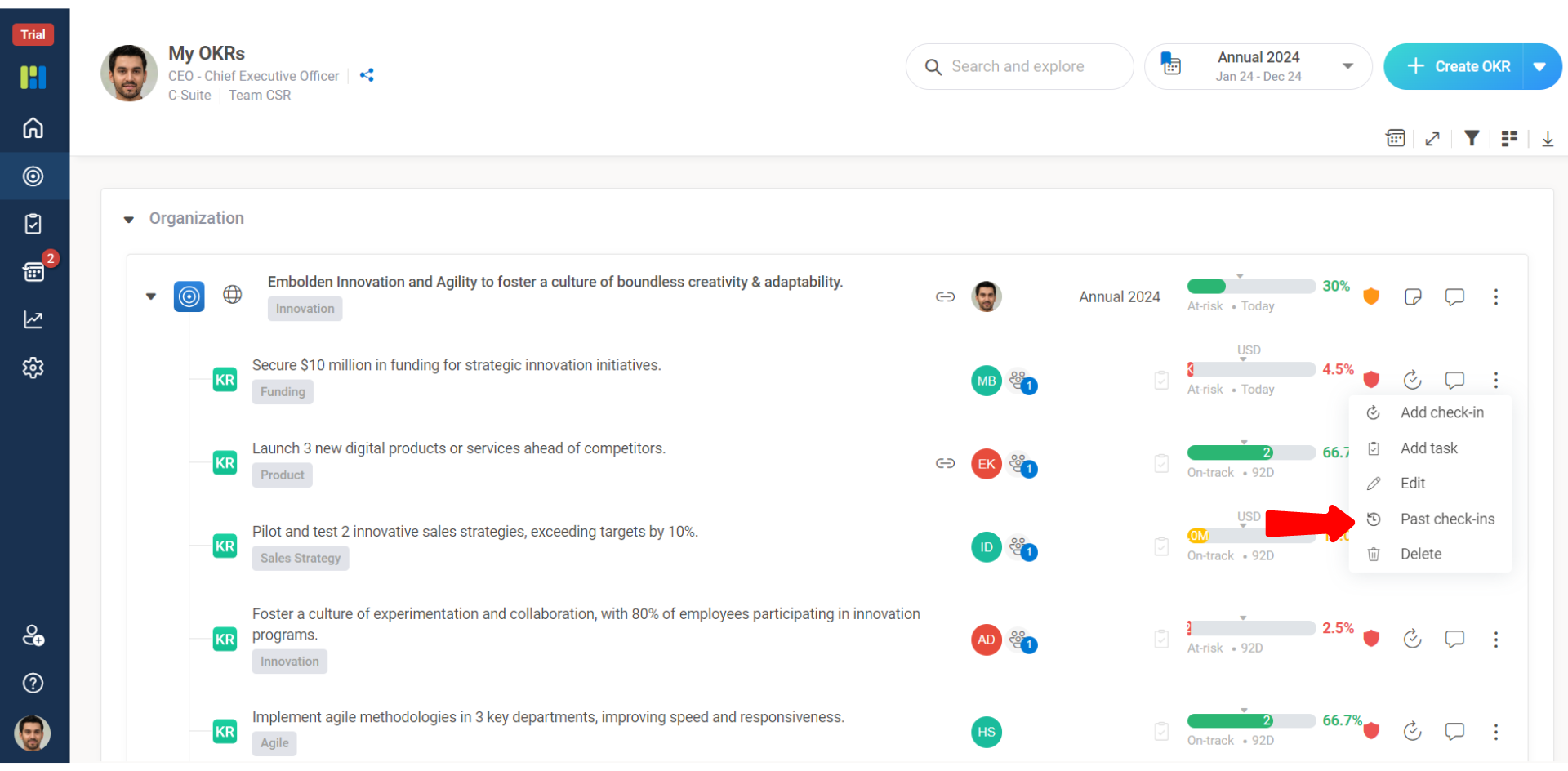
    1 11

    2. Click on the Pencil icon as shown below to edit the entered changes
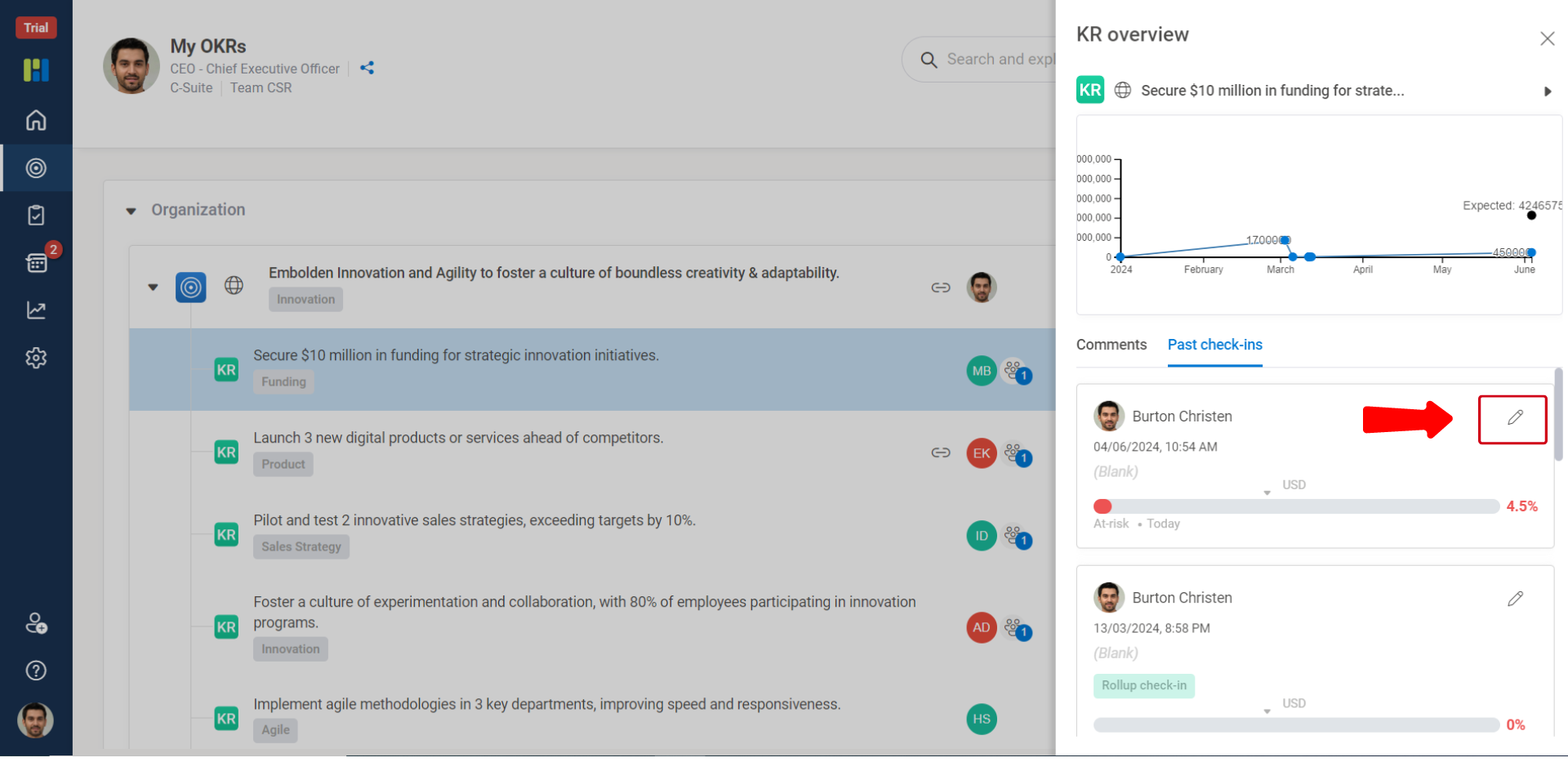
    2 6

    3. Edit and correct the information and click save to lock the changes.
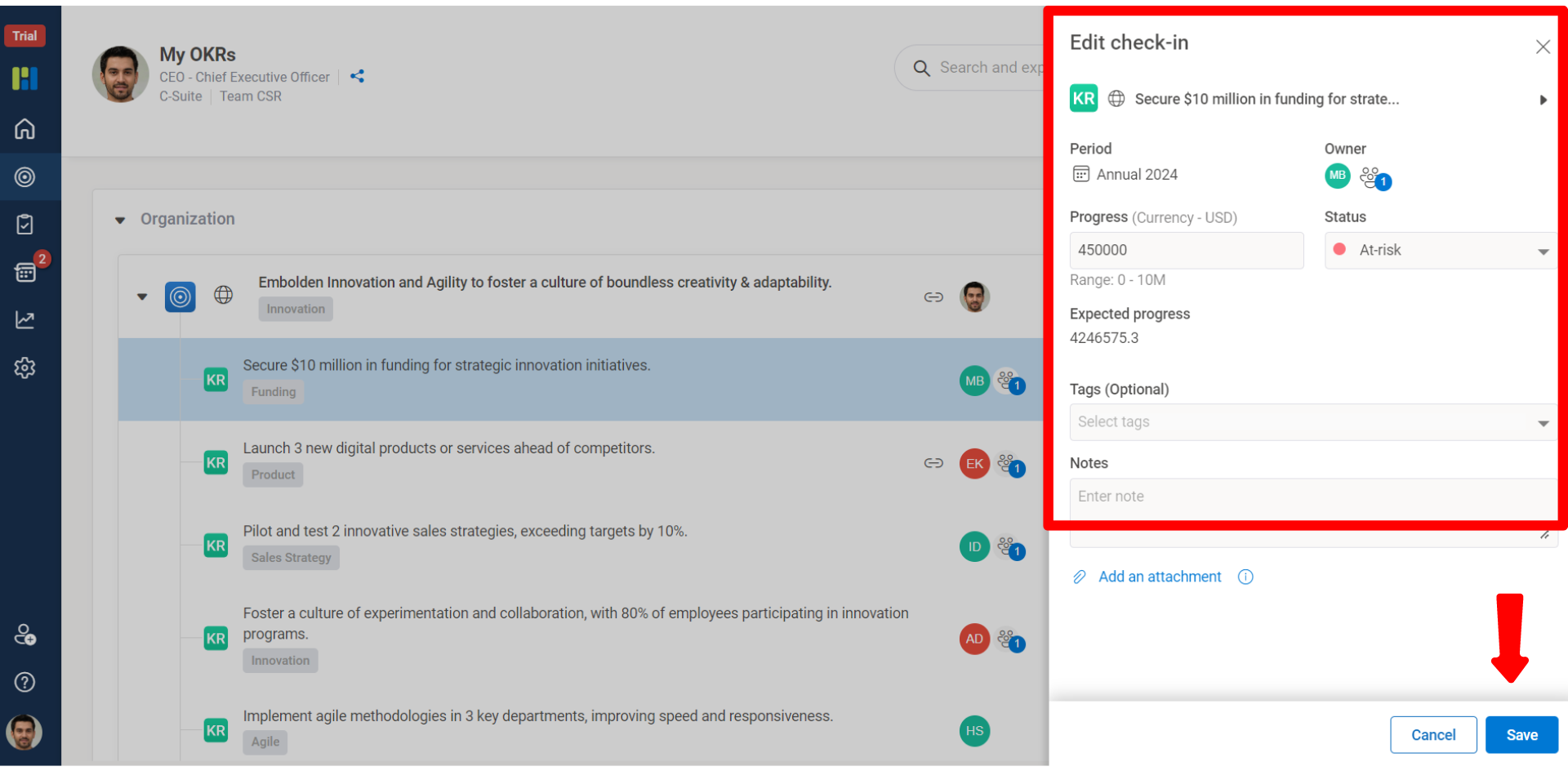
    3 3
×
Worxmate AI
Live 1-on-1 Walkthrough

See Worxmate AI in action.

We will configure live scenarios tailored to your company size, OKR cycles, and appraisal rhythms — zero generic pitch decks.

"Worxmate’s smart insights simplify team management—more intuitive than Zoho People."
— Senior HR Lead • Cloudaeon
🌐
Available 30-Min Slots Pick a day
Pick a date & time slot to proceed
