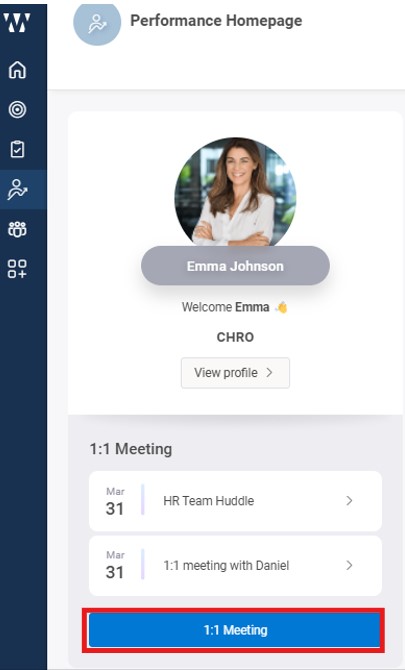
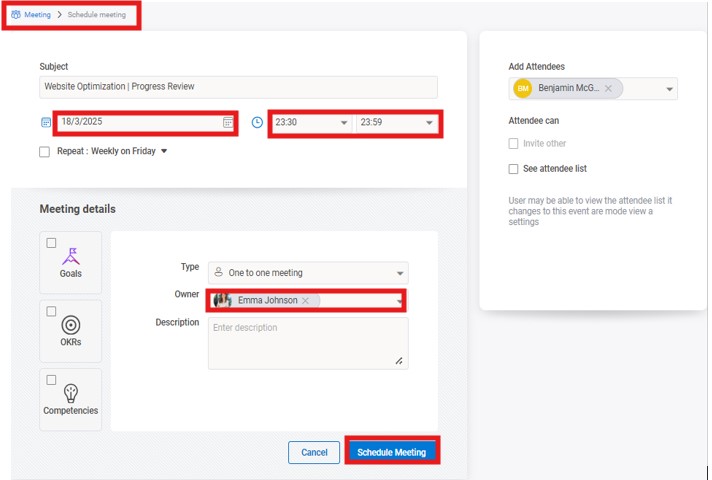
Select the “1:1 Meetings” option within the module, choose a participant, set the date and time, and add an agenda or notes. Post-meeting, updates and notes can be added directly to the meeting details.
 WORXMATE
Select the “1:1 Meetings” option within the module, choose a participant, set the date and time, and add an agenda or notes. Post-meeting, updates and notes can be added directly to the meeting details.

We will configure live scenarios tailored to your company size, OKR cycles, and appraisal rhythms — zero generic pitch decks.