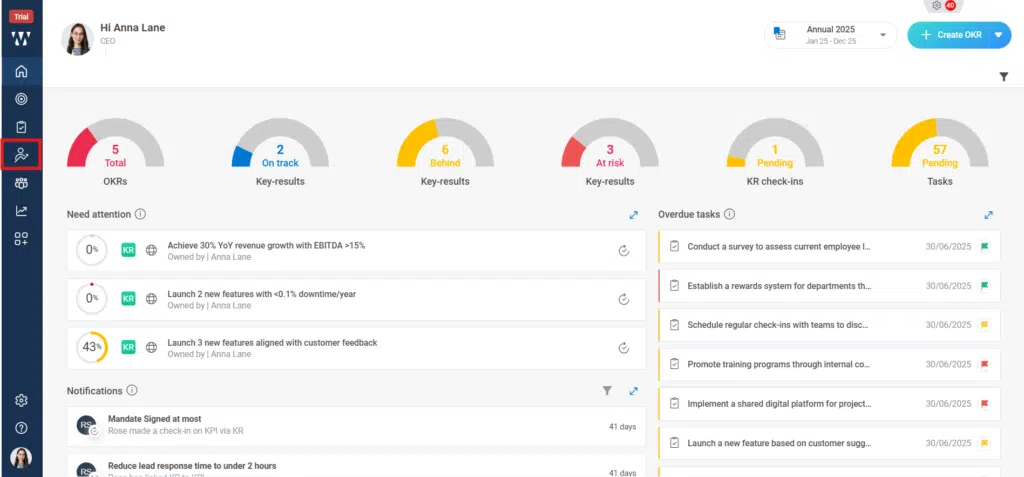
Step 1: From the Homepage, Navigate to the Performance Homepage:
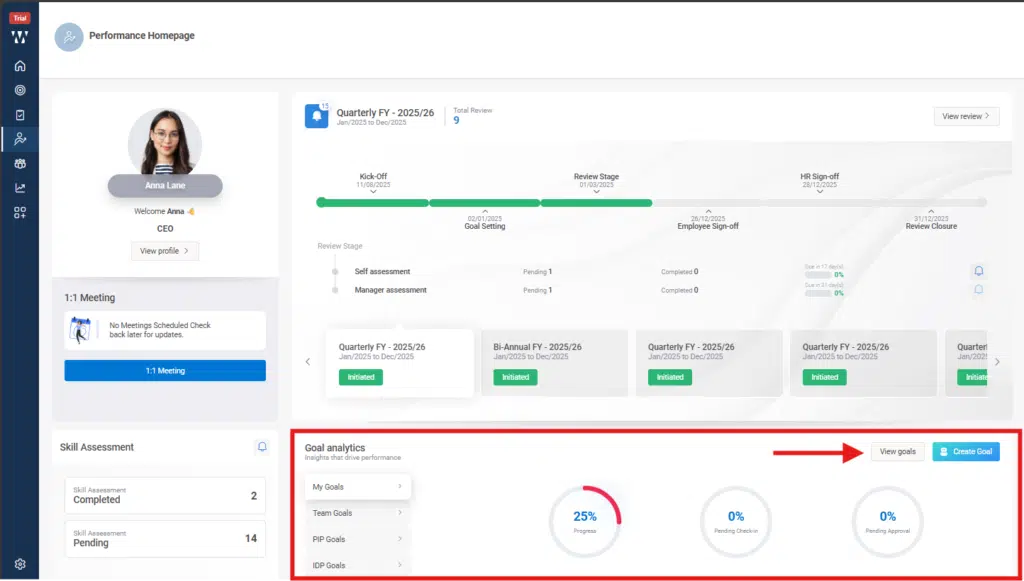
Step 2: Go to the “Goal Analytics “Section and click on “View Goals”:
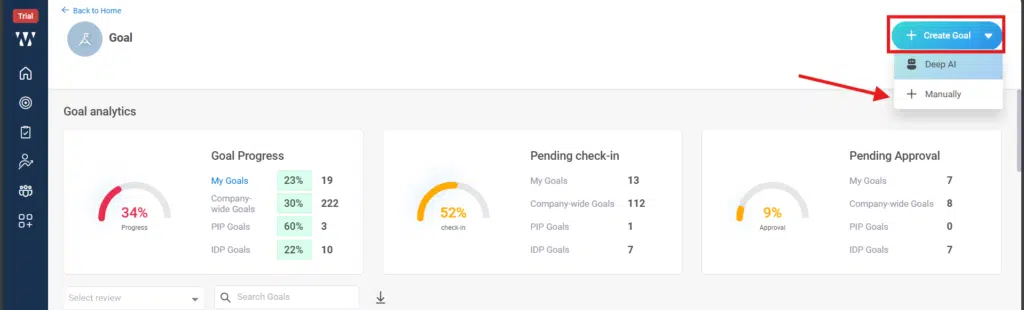
Step 3: Employees can create and propose their own Goals by clicking on the small dropdown beside “+Create Goals”, and select “+ Manually”:
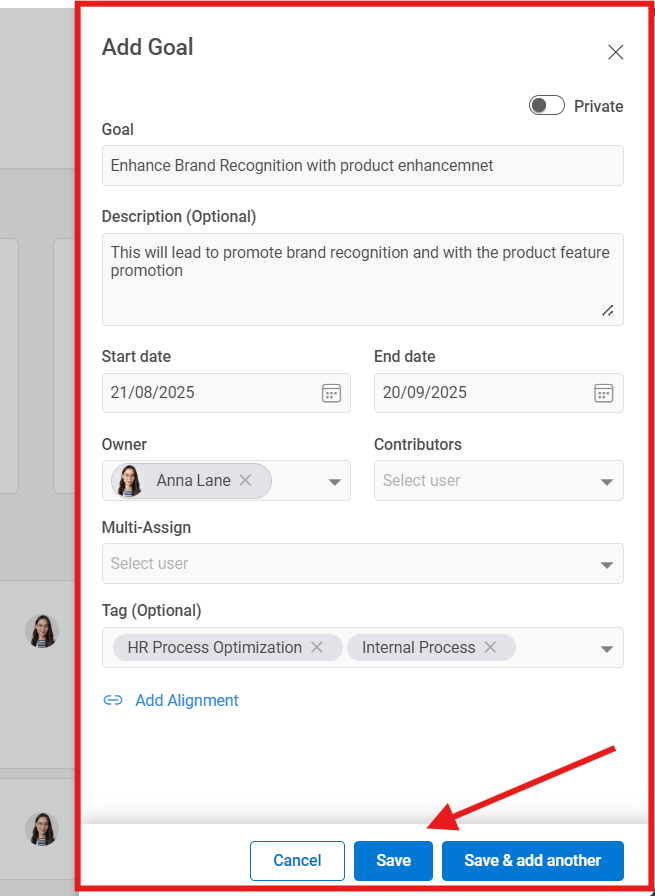
Step 4: A window will appear where you can “Add Goal”, and click on “Save”:
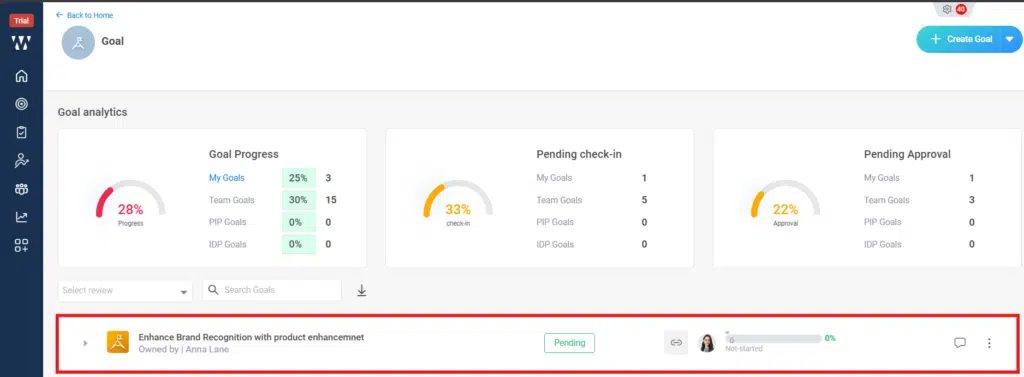
Step 5: The saved Goal will appear on the main window and will appears “Pending “until the Manager review it and approves it after approving employee can make the check ins: