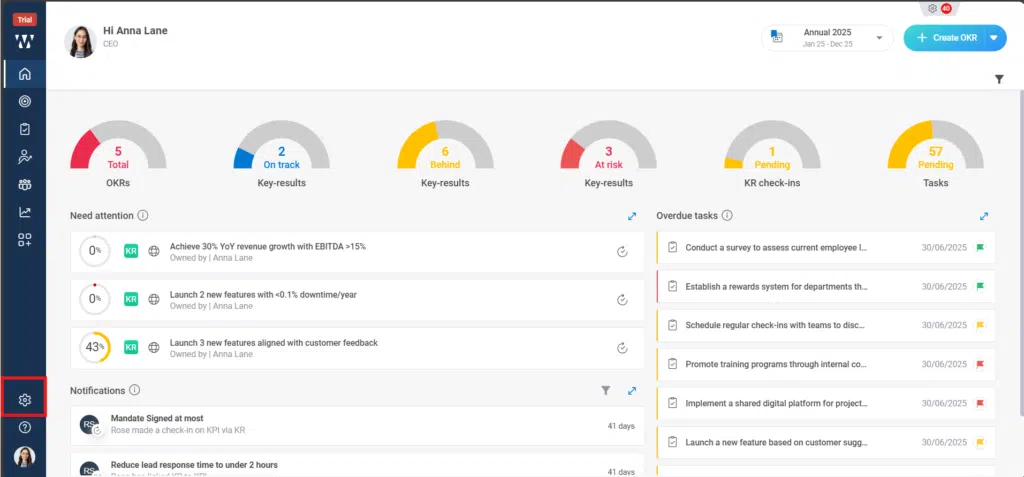
Step 1: From the Homepage, Navigate to the “settings”:
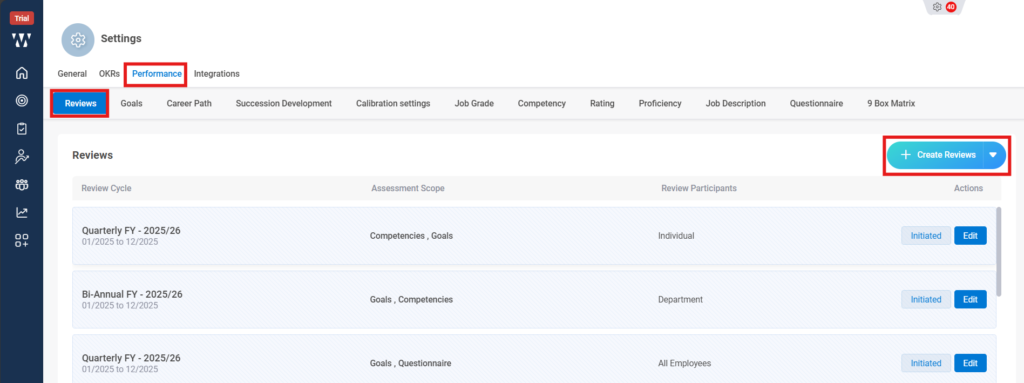
Step 2: From the performance Module stay on “review “tab and click on “Create Reviews”:
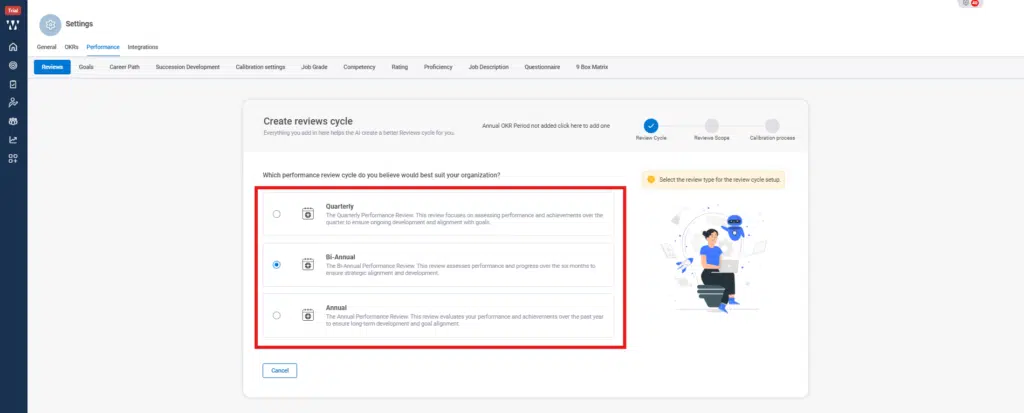
Step 3: Select the Review cycle preference:
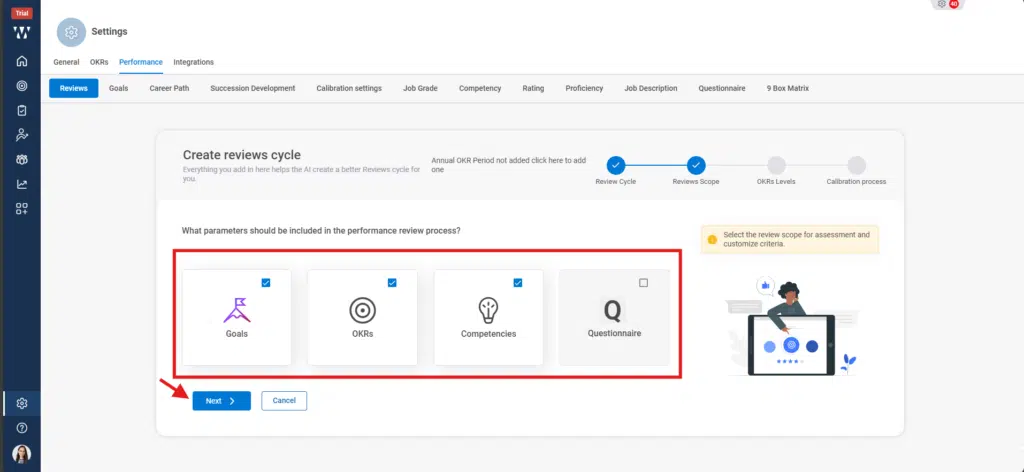
Step 4: Select the Parameter on which the review cycle will continue:
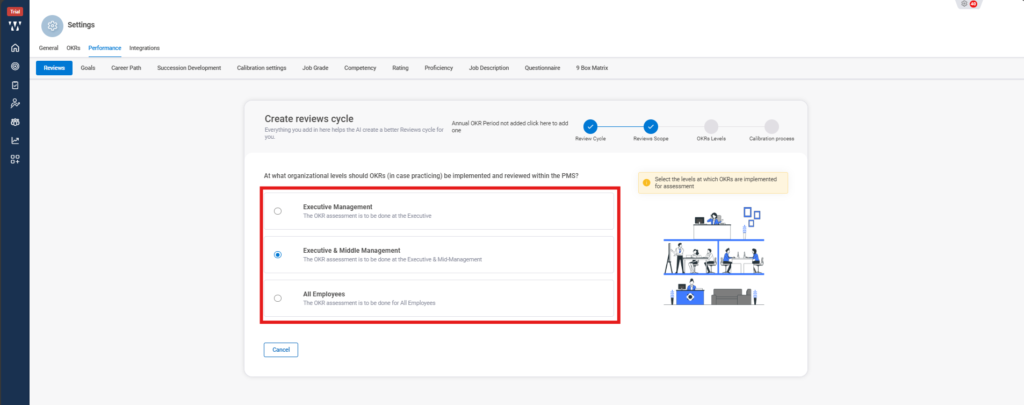
Step 5: Select the Organization level that will review the Cycle:
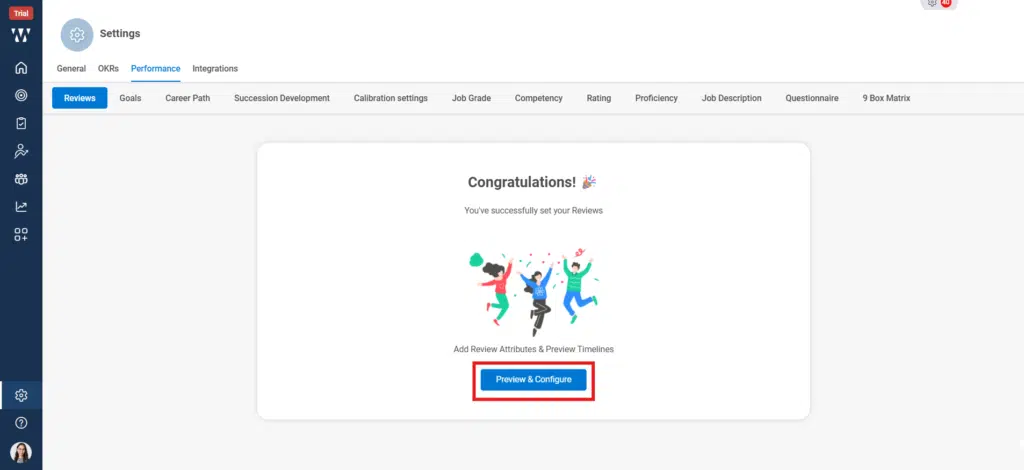
Step 6: Click on the Preview & configure:
Step 7: A Review cycle preview window will appear where you can edit the dates of stages and once the HR Sign off stage is done the review cycle will automatically gets close. And click on Initiate, the cycle will start automatically.
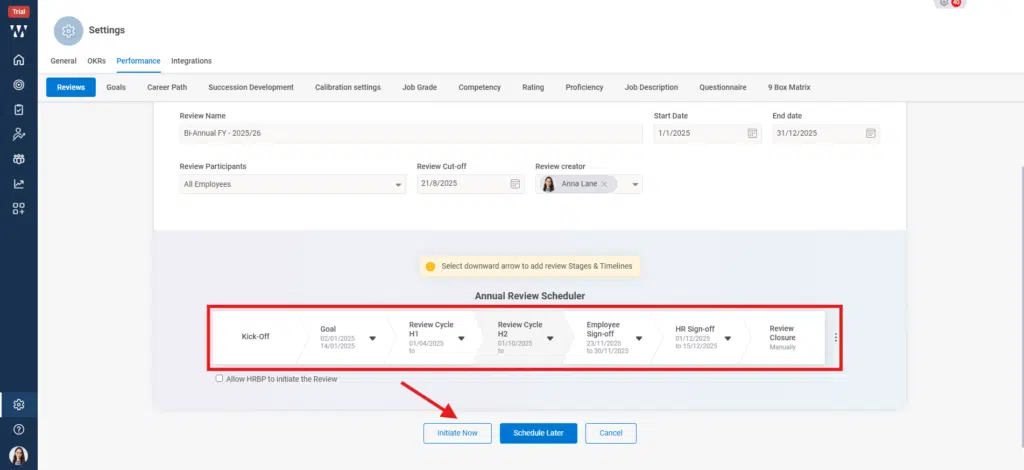
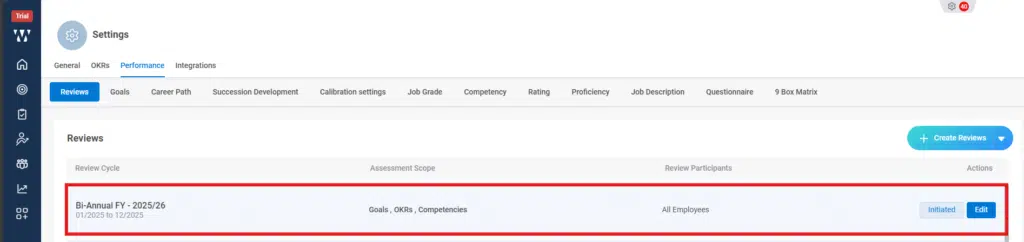
This is the final window of initiated Review Cycle