
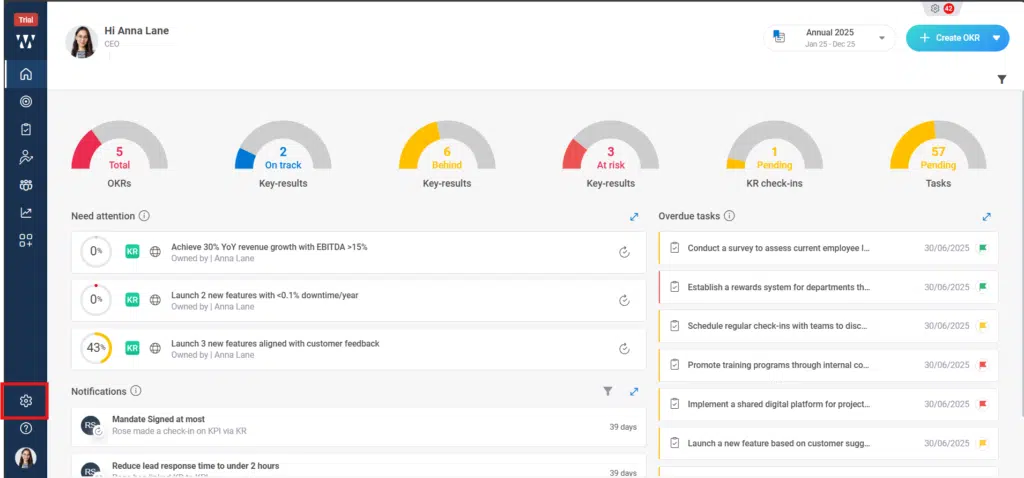
Step 1: From the Home Page, navigate to the “settings” Icon and click on it:
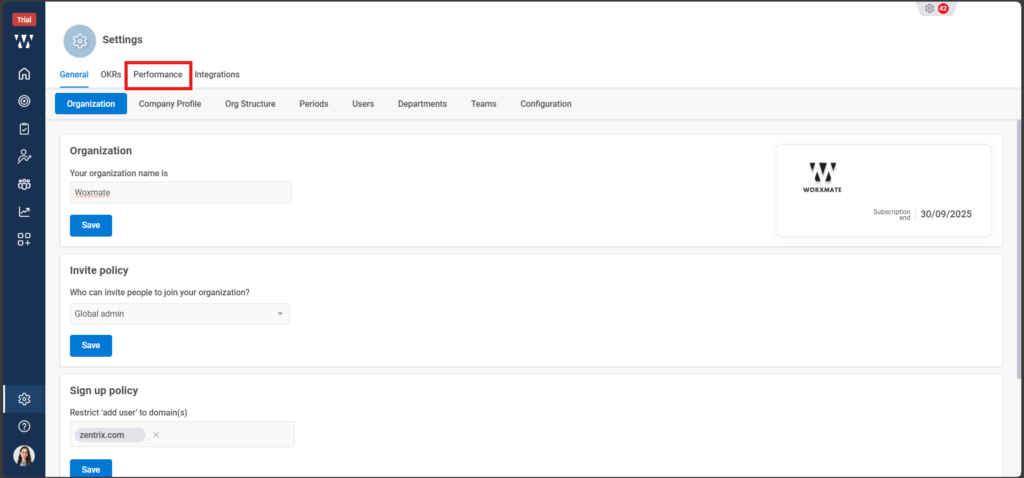
Step 2: After clicking on settings click on the performance Module where you can configure the org requirements setting of PMS cycle:
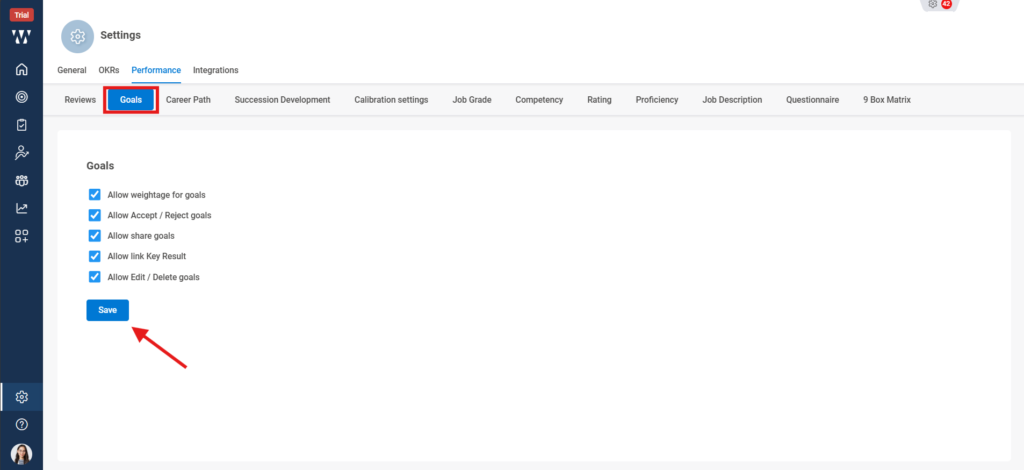
Step 3: The following settings in the Performance Module will appear, where the Org specific settings for the PMS cycle need to set:

Step 4: First set the Goals requirement settings, set the things that you want to have in your Org, when you are done click on “Save”:
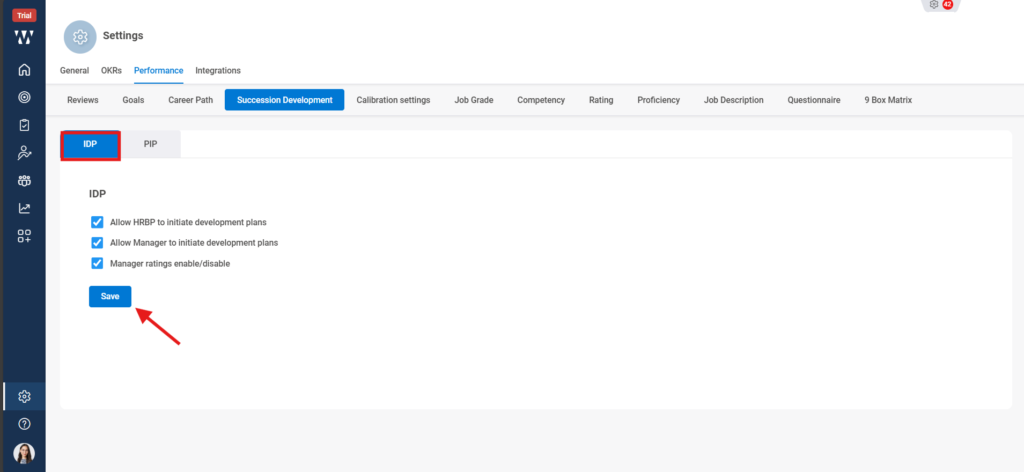
Step 5: Next Click on “Succession Development”, set the IDP setting and click on save:
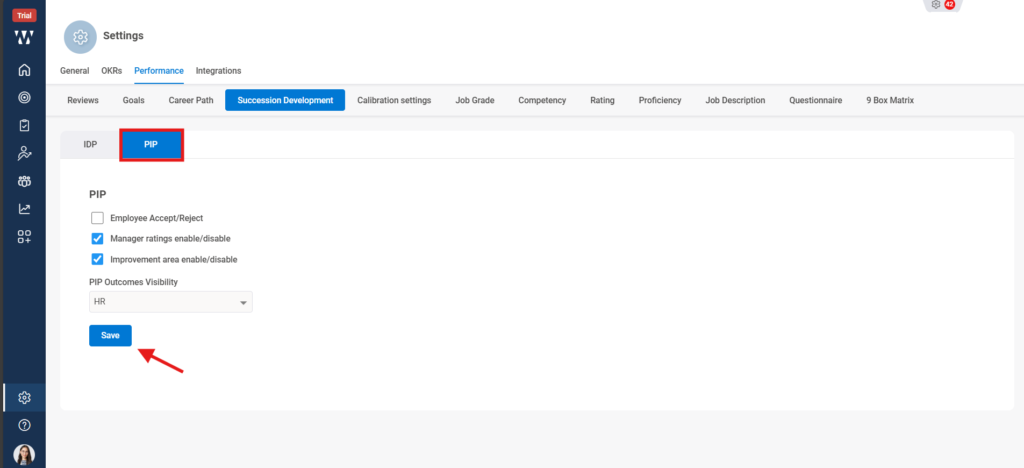
Step 6: After IDP, Click on PIP set the details and click on Save:
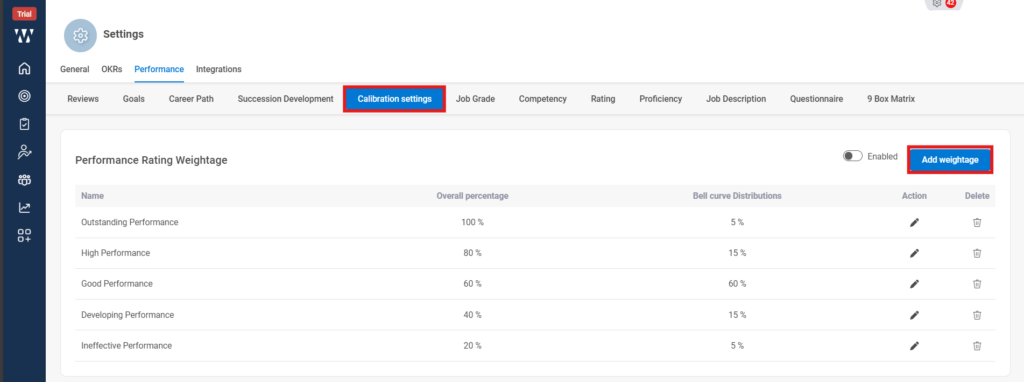
Step 7: After that click on “Calibration” and to add the new calibration scale click on “ Add Weightage”:
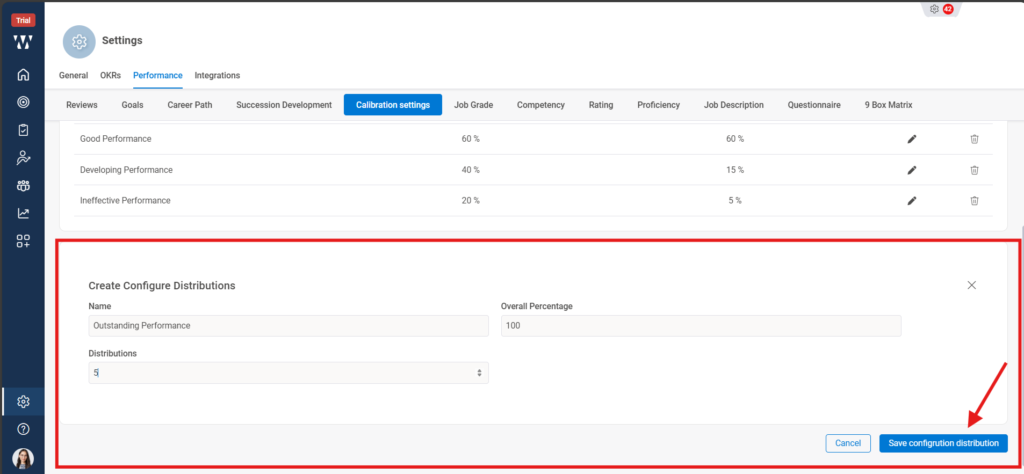
Step 8: The following window will appear from where you can set the details for the calibration i.e., Name, Overall Percentage and Distributions, so that it can provide Org specific “Bell Curve” and click on “Save configured distribution”:
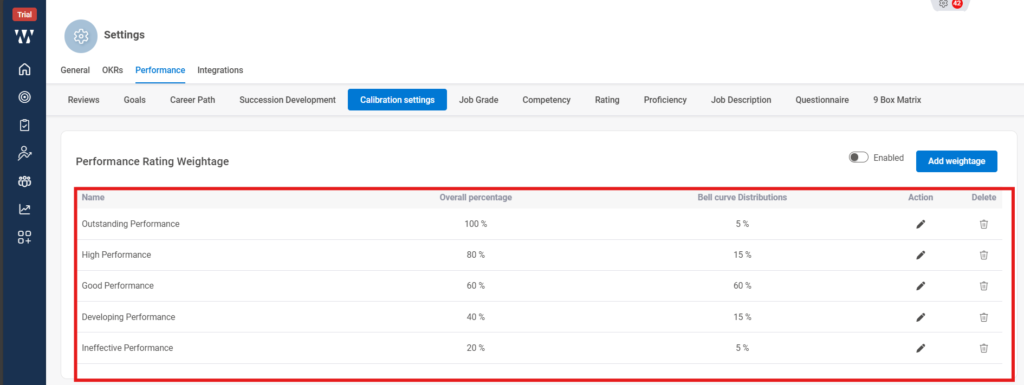
Step 9: The final window with the saved Calibration will appear:
Step 10: In Next step click on the “Job Grade” and to set the new one click on the “+ Create Job Grade”.
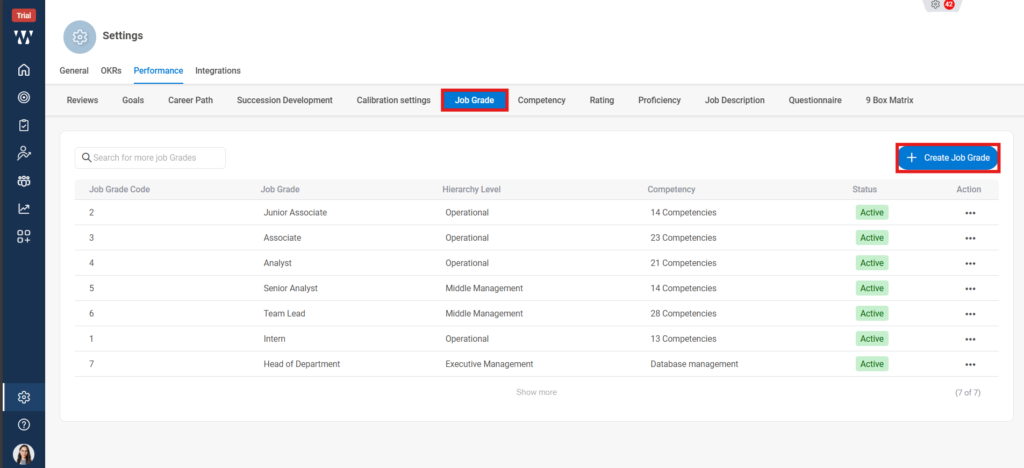
Step 11: A window will appear where the following information related to the Job grade to be filled and Click on “Save”.
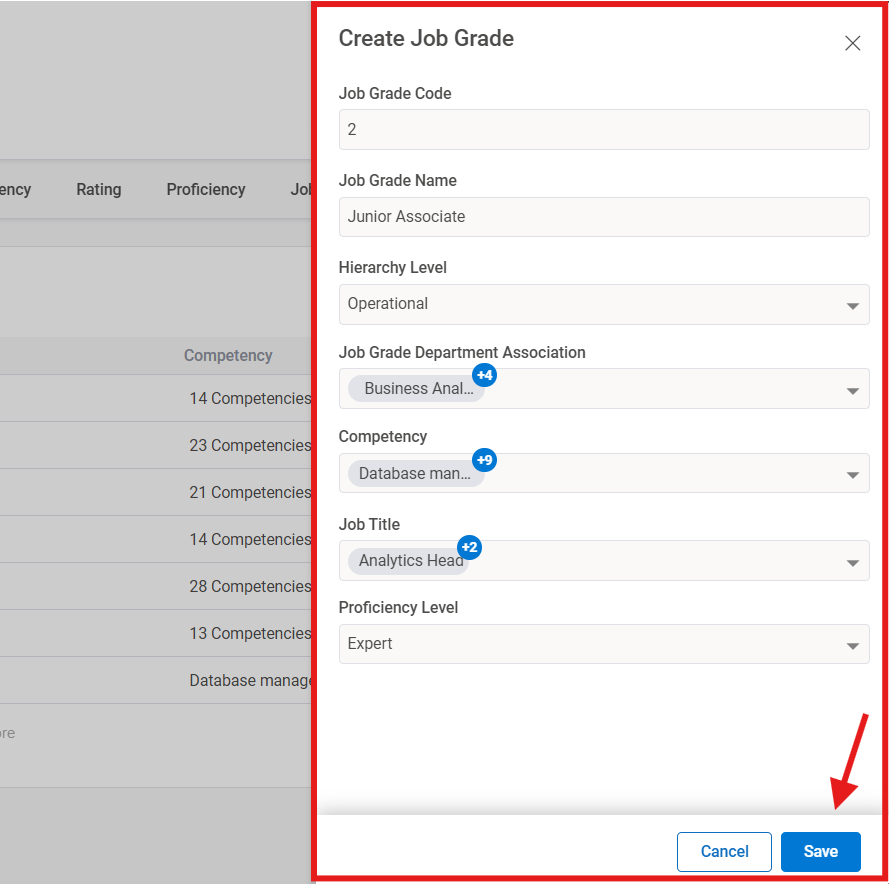
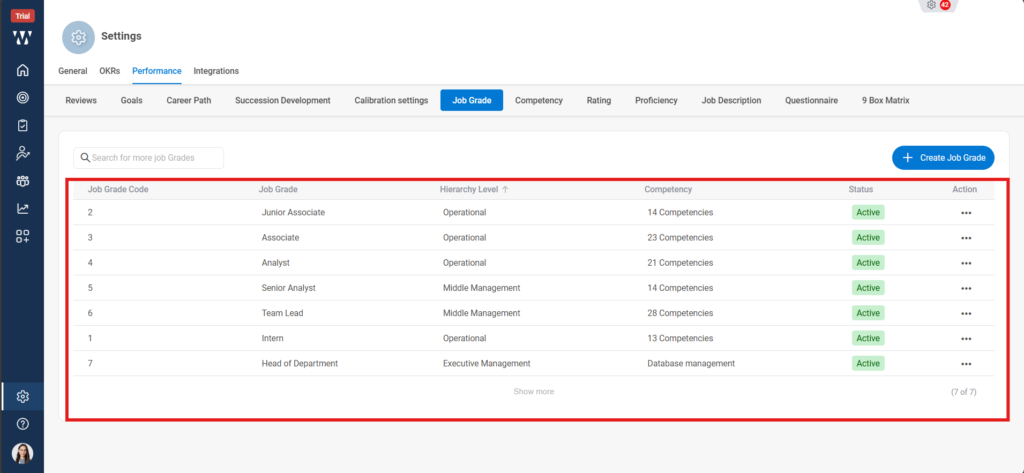
Step 12: The final Window will appear with Saved Job Grades:
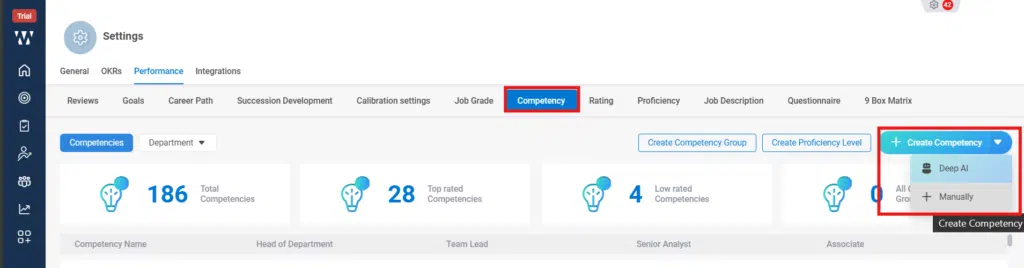
Step 13: Next click on the “Competency” And click on “Create Competency”, there will be two options how you can create Competency i.e., DEEP AI or Manually. Click on DEEP AI:
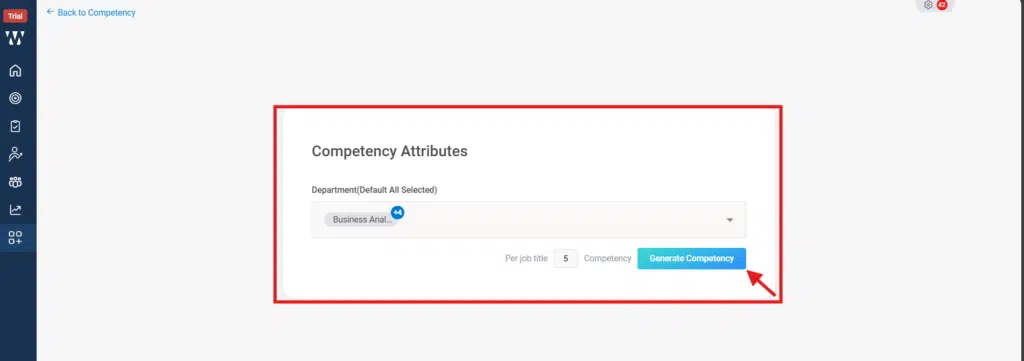
Step 14: For DEEP AI, Select the Departments that you want your competency , select how many Competency you want and click on “Generate Competency”:
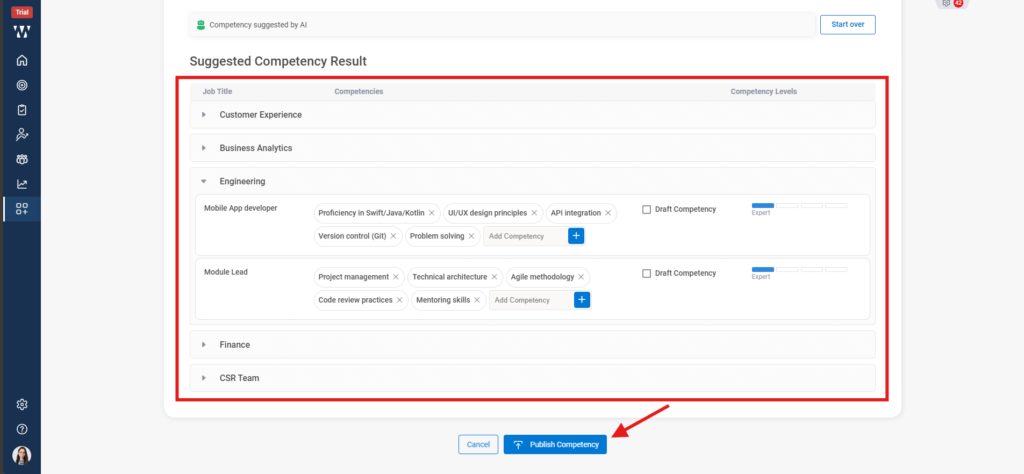
Step 15: The following window will appear with the suggested competencies; you can select the competencies and click on ‘Publish Competency’:
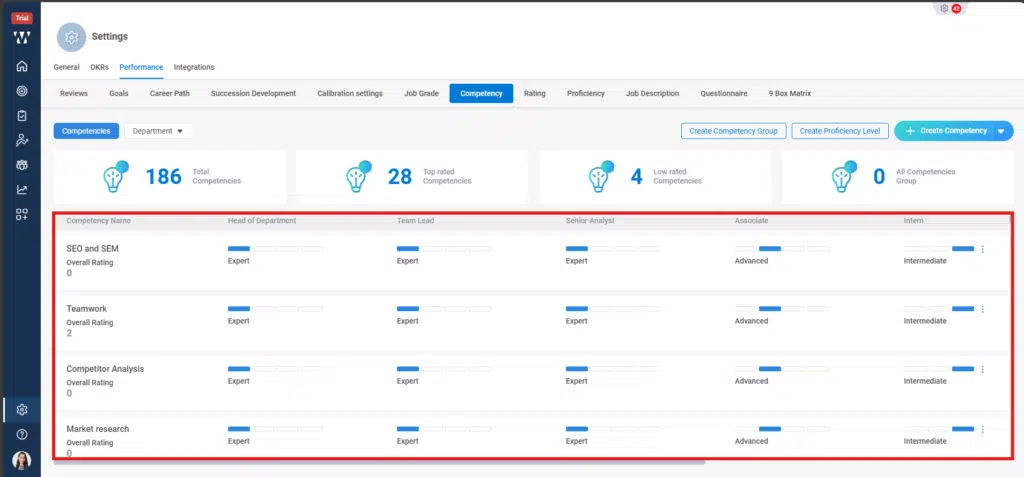
Step 16: The final window with published Competency will appear:
The next is Ratings setup:
Click on settings, click on “Performance”, on the performance page click on “Ratings”, When you click on “Add Ratings” a window will pop up where you can set the scale for each rating.
Step 1: On the PMS homepage, click Settings, then select Performance.
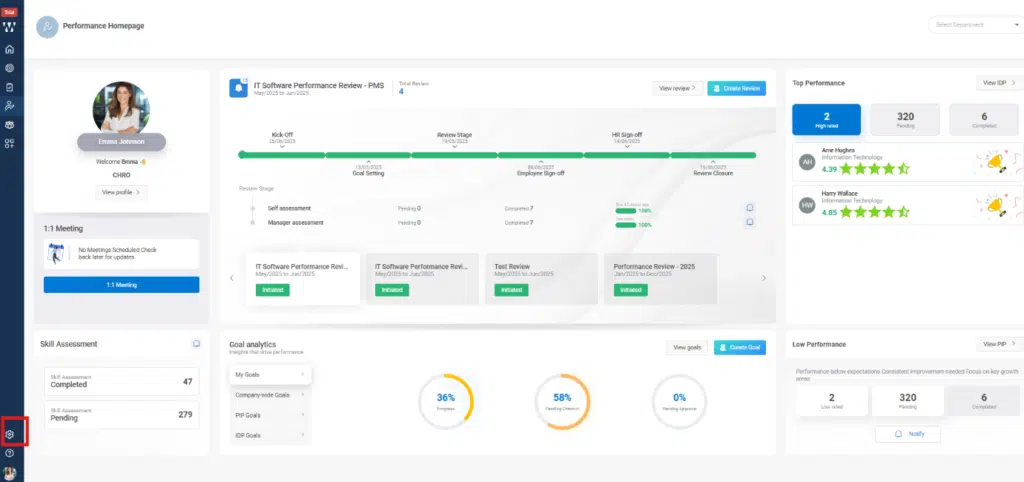
From the setting, Navigate to the Performance Module:

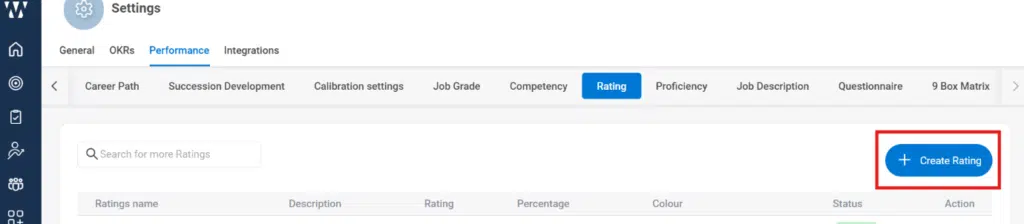
Step 2: On the performance page click on “Rating”.

On the ratings click on ‘+Create Rating’:
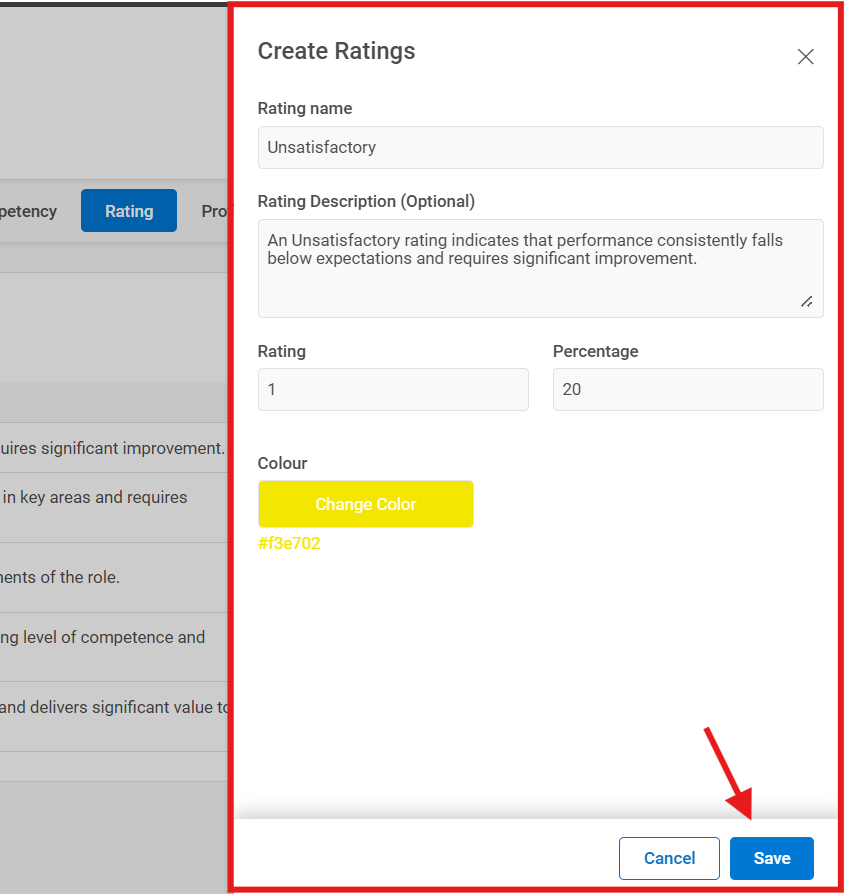
Step 3: When you click on “Add Ratings” a window will pop up where you can set the scale for each rating.
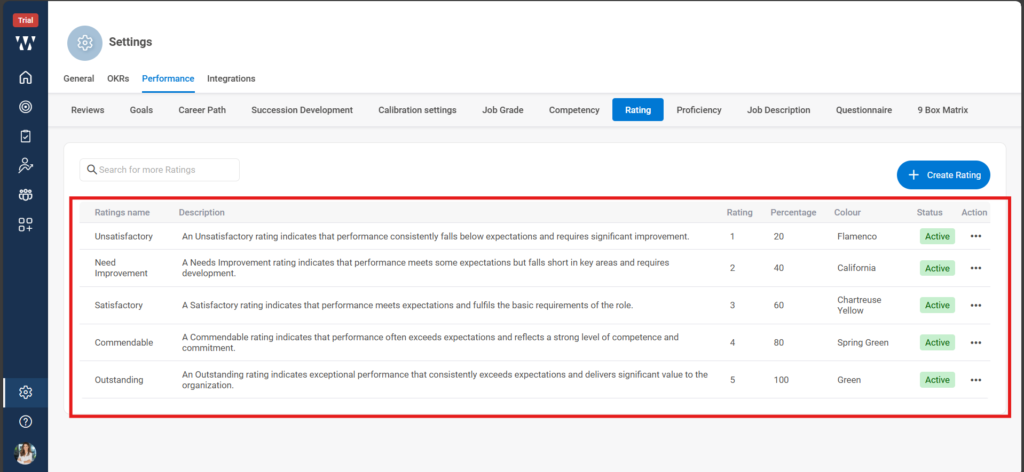
The final Window with the set Rating scale will appear:
The next is to set up the Proficiency Level:
Step 1: Click on Create Proficiency:
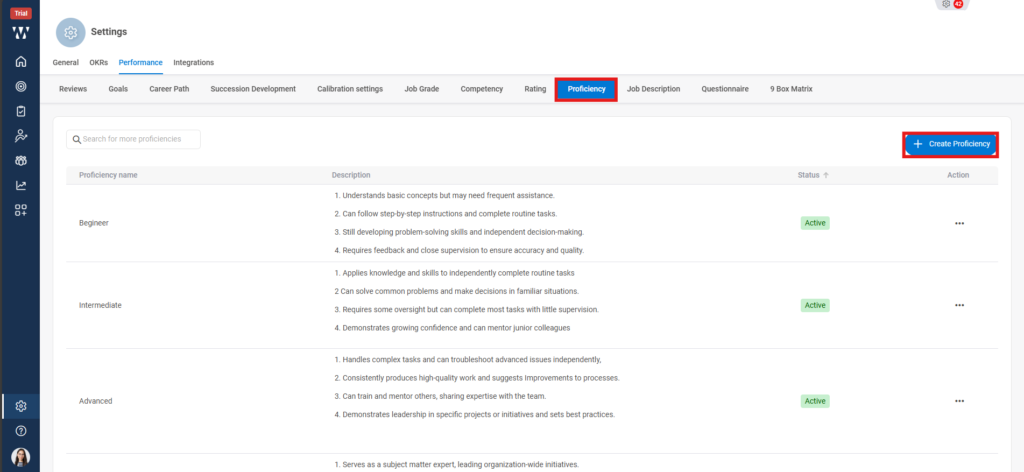
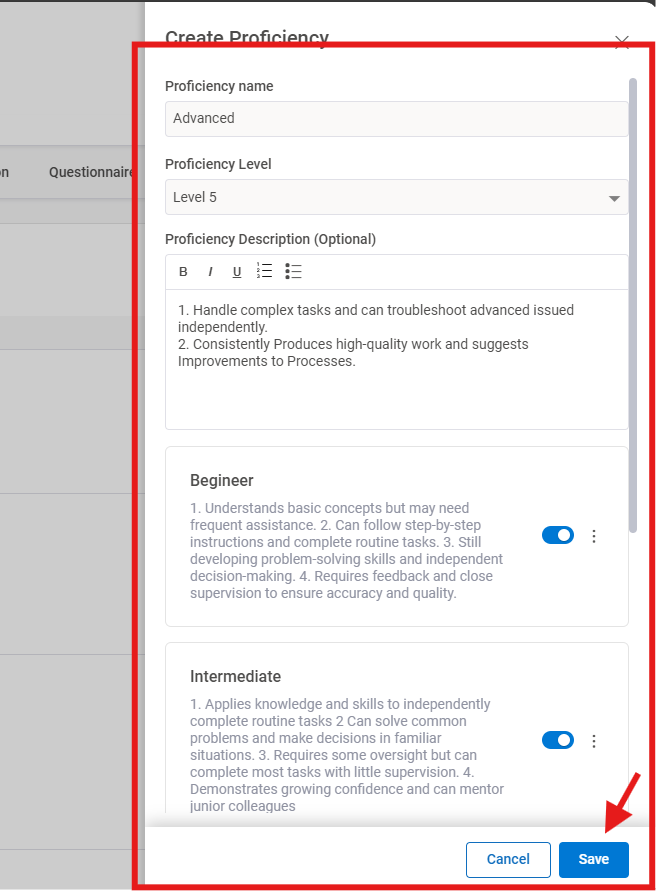
Step 2:To create proficiency a window will appear where you can set the information and then click on Save:
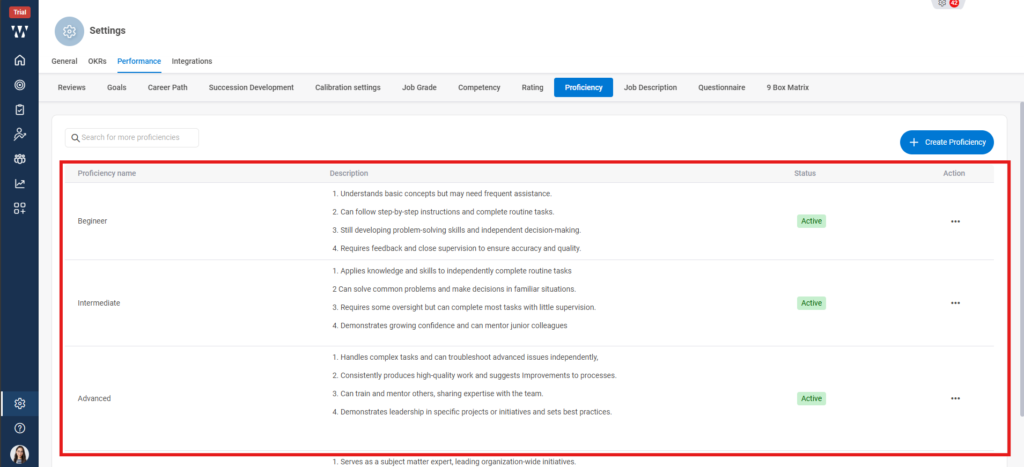
Step 3:The final window will appear with the saved Proficiencies:
With this the basic settings for Org specific PMS is done.
