
Worxmate

WORXMATE
AI Intelligence Suite

Help center > Frequently Asked Questions > Profile Settings > How do I add/remove my Picture on Worxmate?

How do I add/remove my Picture on Worxmate?

Uploading/updating a picture

Worxmate allows you to upload a photograph, to have to your picture next to all the Objectives you own and for other users to recognize you.

To Upload a Photograph:
  1. From the Vertical Menu Bar, click your Abbreviated Name Icon, and then click User Settings.

  2. In the Profile Settings, click Change picture.
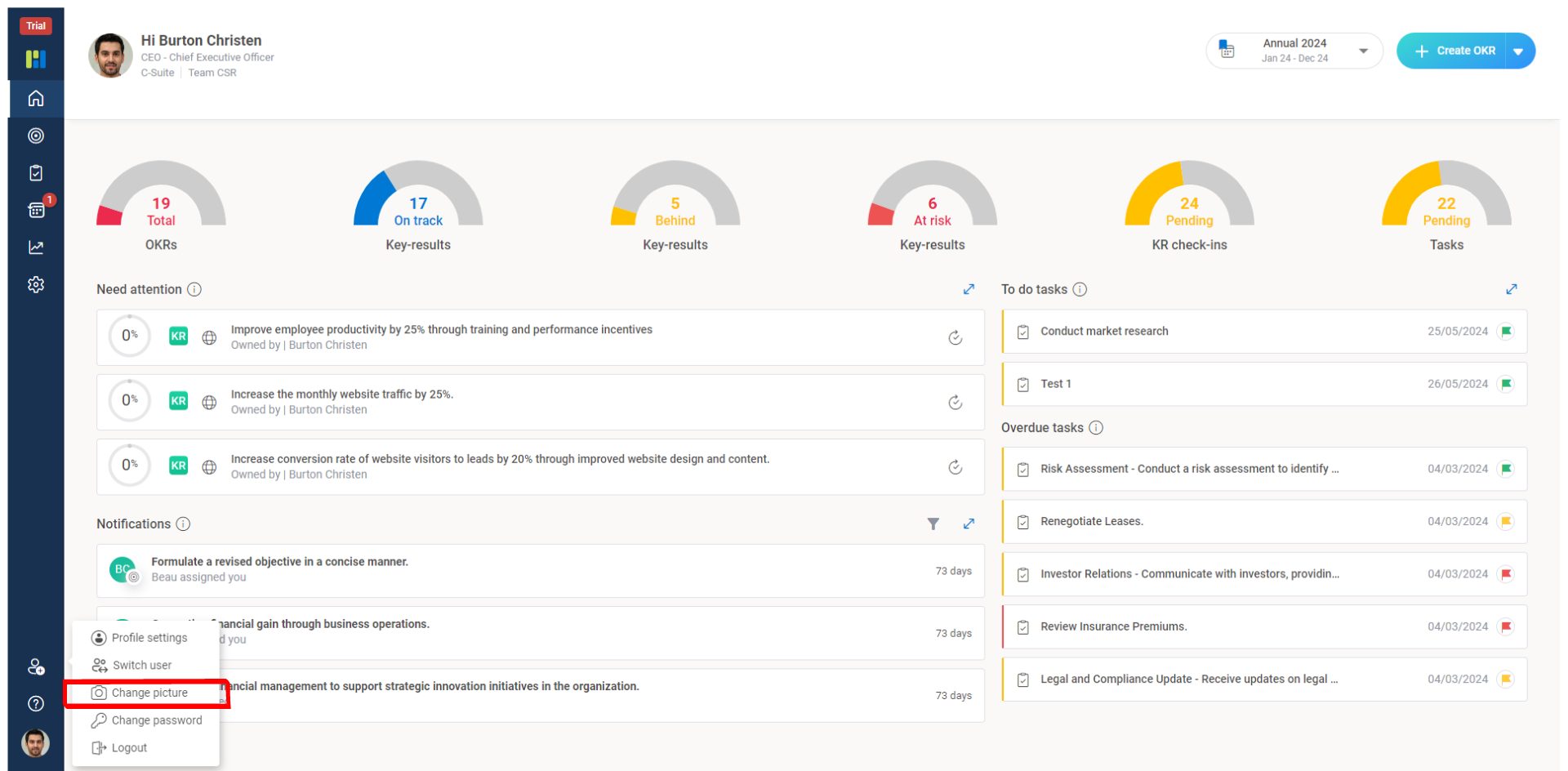
    1 4

    To upload or replace your photograph, click Upload Picture, to remove your photograph click Remove Picture and press Save.
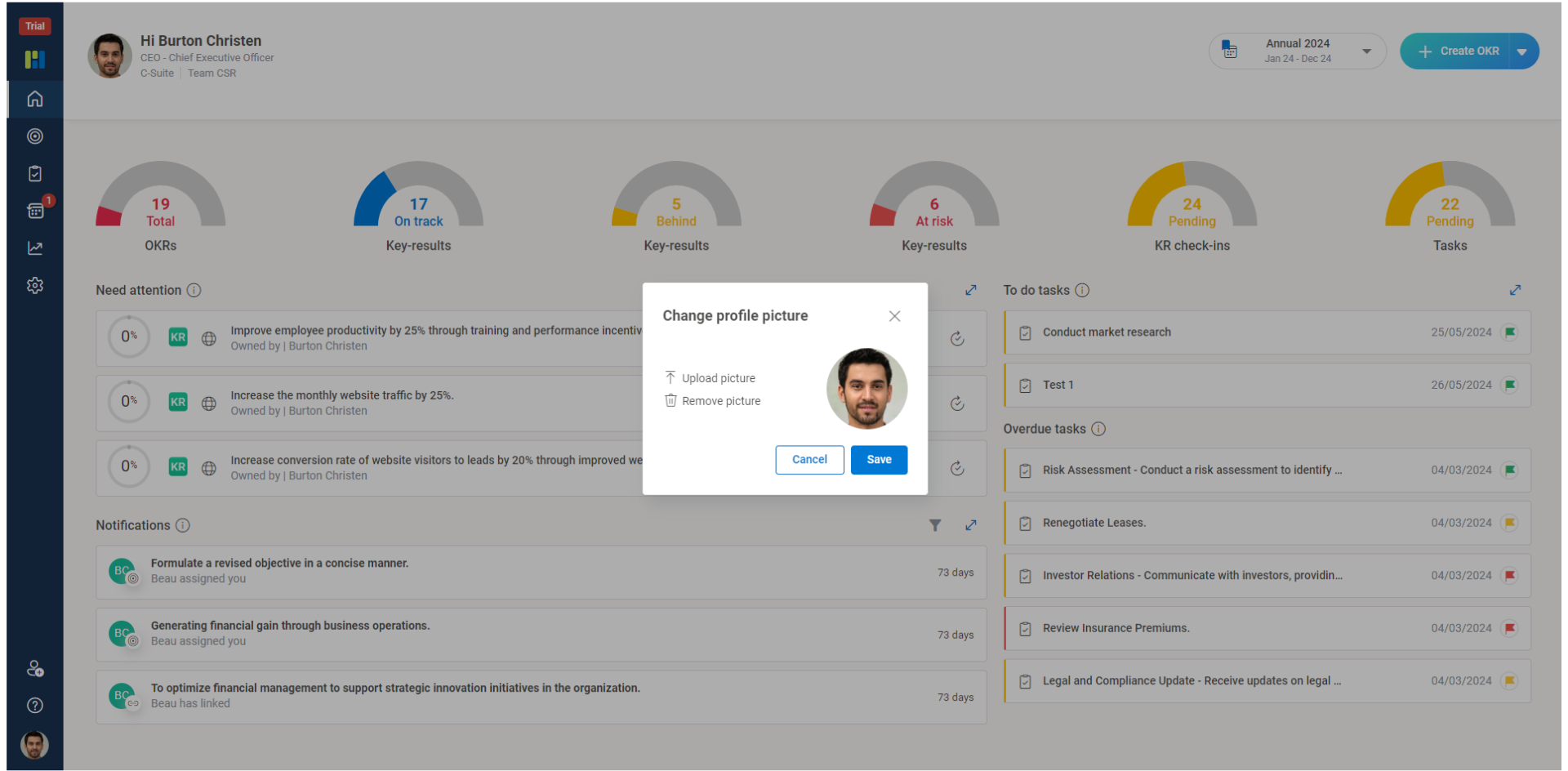
    FAQ updated images 3

    Note: If you are using the SSO login feature (Gmail or Outlook), by default your Gmail or Microsoft profile picture becomes your default profile picture.

×
Worxmate AI
Live 1-on-1 Walkthrough

See Worxmate AI in action.

We will configure live scenarios tailored to your company size, OKR cycles, and appraisal rhythms — zero generic pitch decks.

"Worxmate’s smart insights simplify team management—more intuitive than Zoho People."
— Senior HR Lead • Cloudaeon
🌐
Available 30-Min Slots Pick a day
Pick a date & time slot to proceed