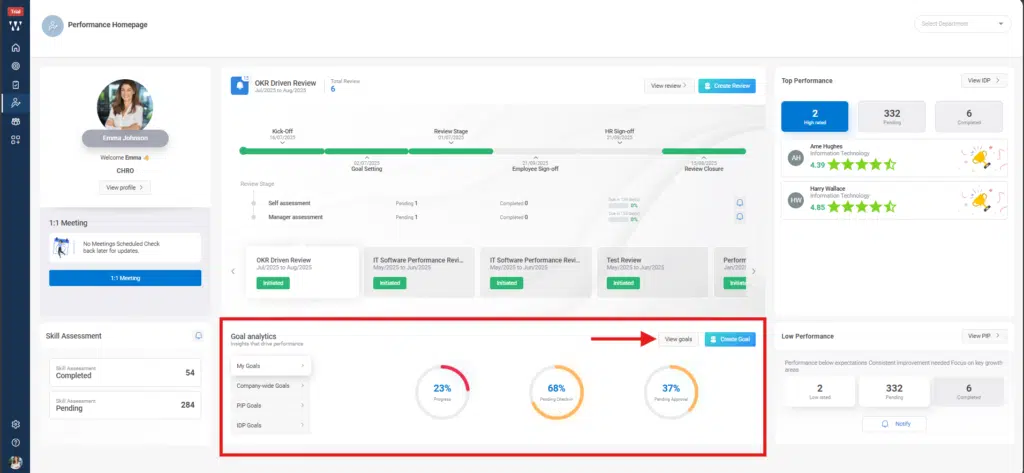
Step 1: From the homepage, Navigate to the Performance Homepage. From the “Goal Analytics” Section, click on “View Goals”
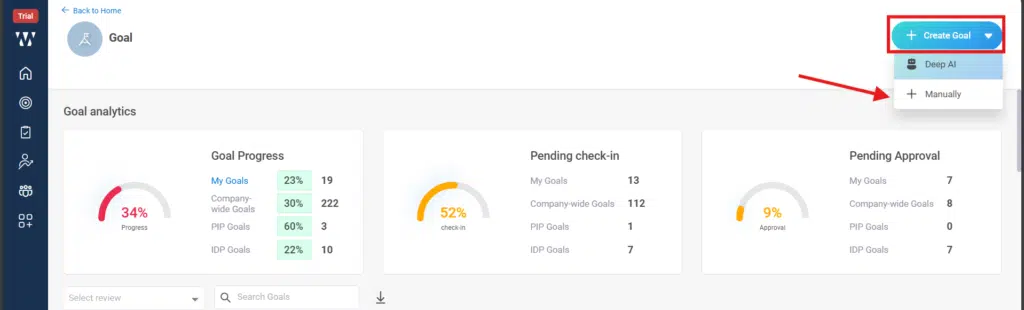
Step 2:To create the Goals Manually, click on the “dropdown Arrow beside + Create Goal”, from the dropdown select “+Manually”.
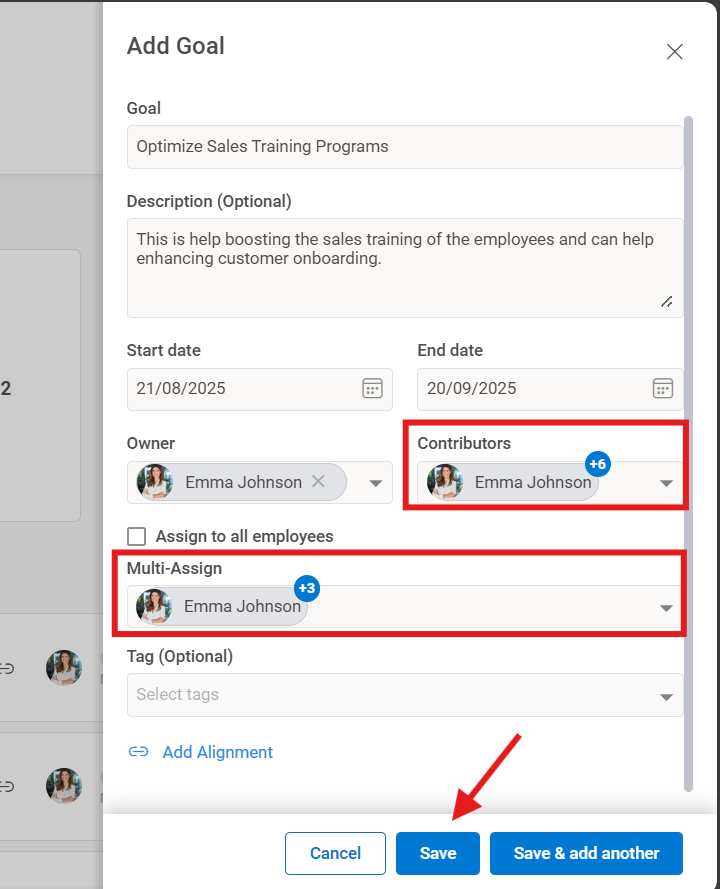
Step 3: When you click on it, a “Add Goal” window will appear where you need to fill the information like Goal, Description (Optional), Start and End Date, Goal Owner. And Add Contributor for the goal and Multi assign goal to the team members.
After adding all the information click on “Save”.
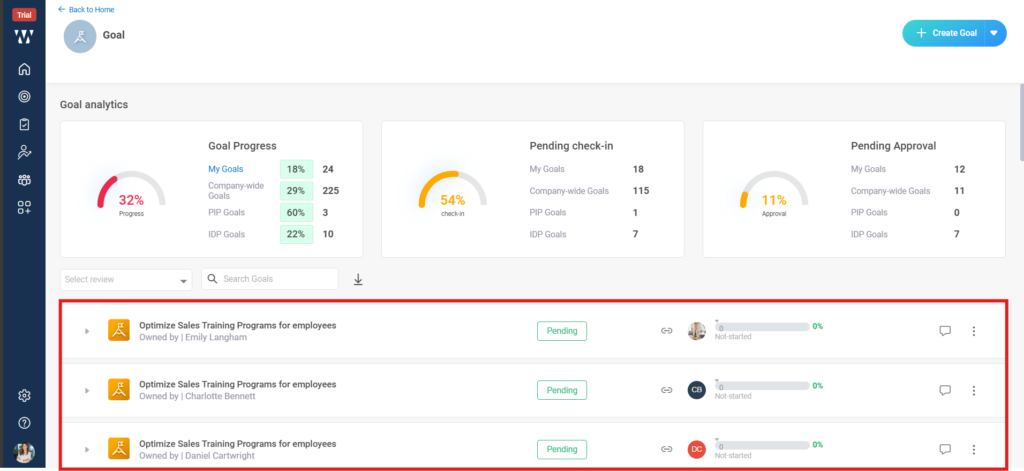
Step 4:The final window with all the assigned goals to the team members will appear same will be displayed on the assigned team member’s goal analytics.