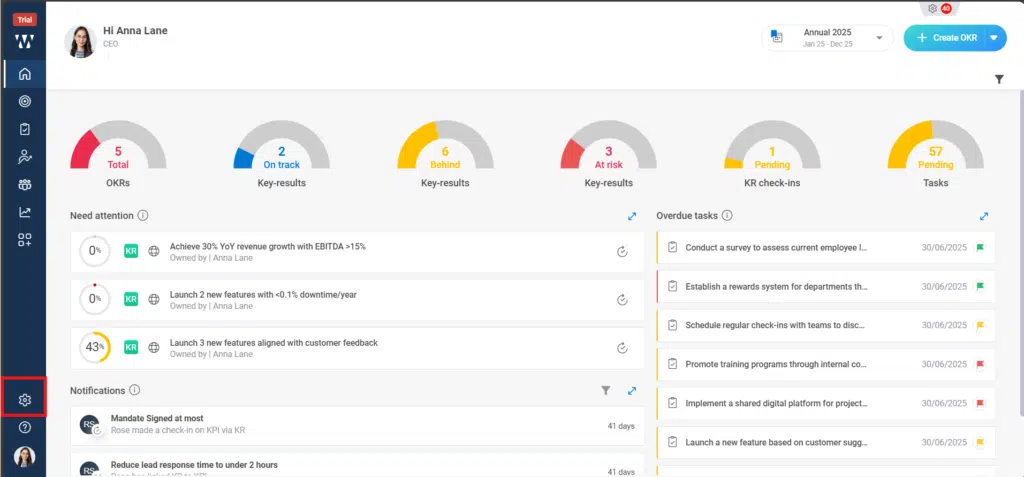
Step 1: From the Homepage, Navigate to the “settings”:
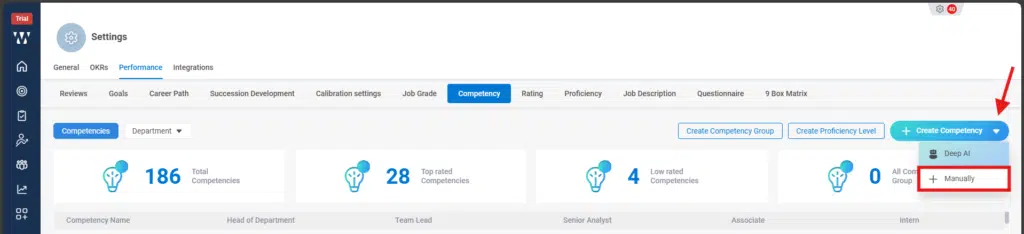
Step 2: From the performance Module go to the Competency tab:

Step 3: The window will appear where you can see the existing competencies. To add new competencies click on the small dropdown beside “+ Create Competency” and click on “+Manually”:
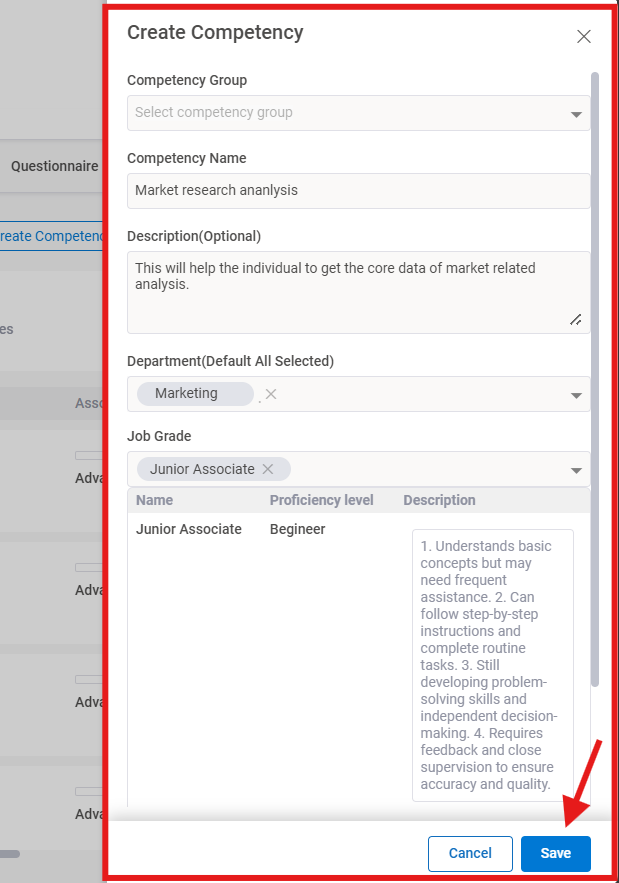
Step 4: A window will appear to create competency, where you need to fill the information and click on save:
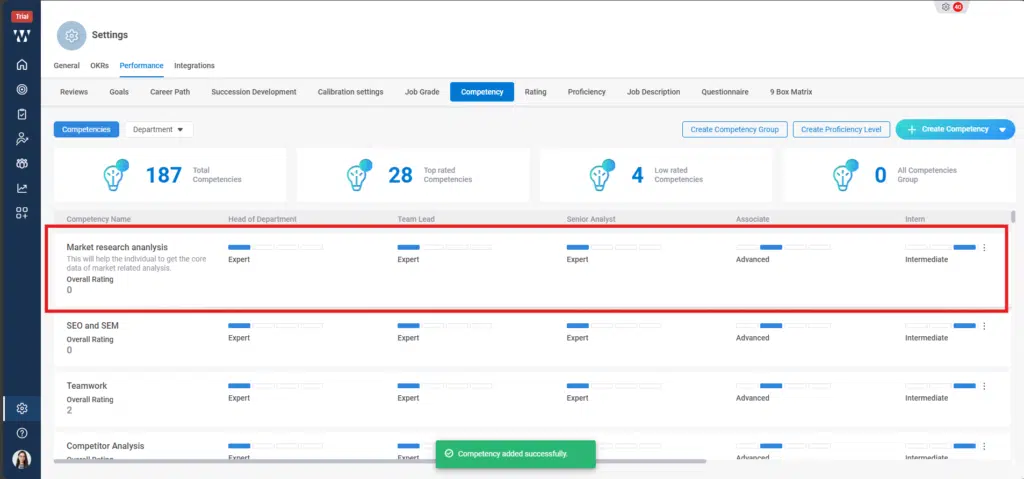
Step 5: The final window with published competency will appear: