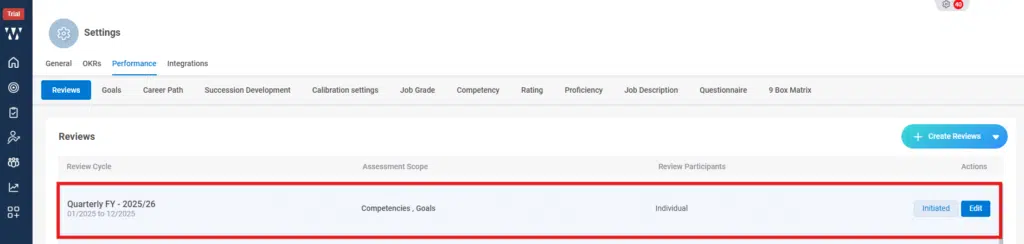
Step 1: From the Homepage, Navigate to the “settings”:

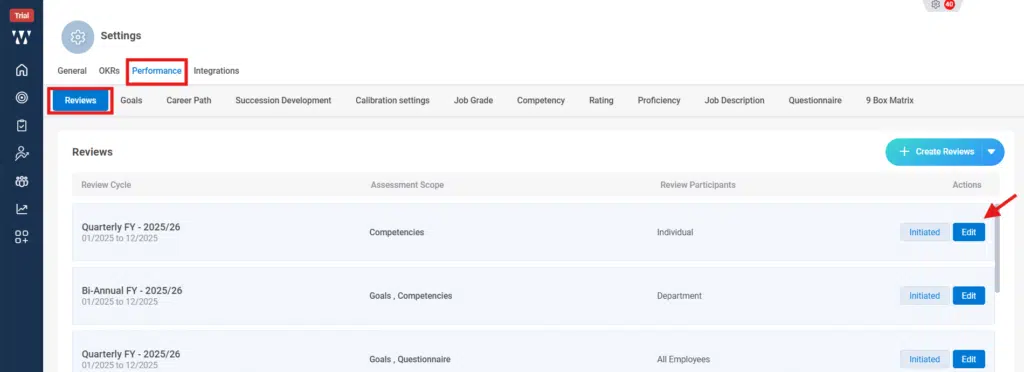
Step 2: Go to the Performance module, and stay on “review” tab. To edit the existing Review Cycle and click on “Edit”:
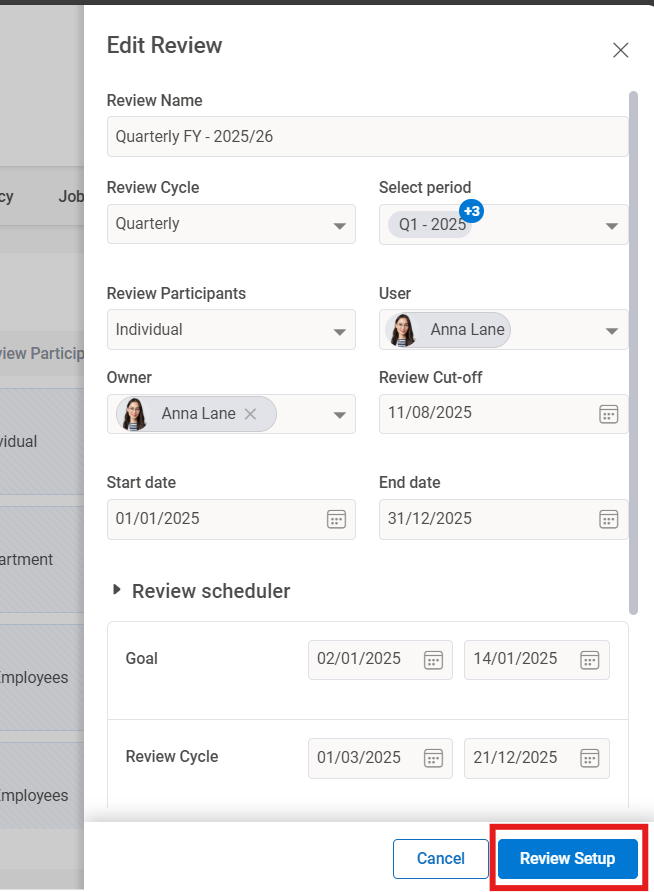
Step 3: A preview window of set Review cycle will appear the click on “Review Setup”:
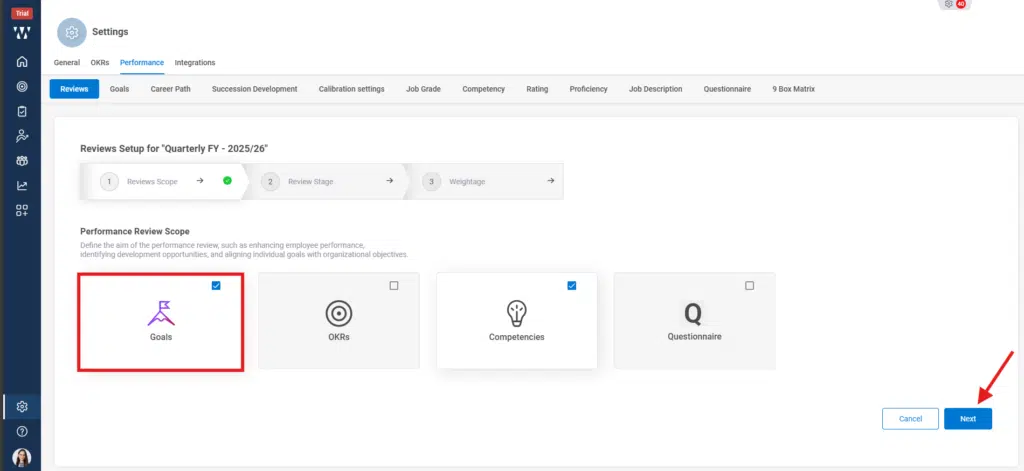
Step 4: On the Review Scope stage select the desired Review Scope click on “Next”:
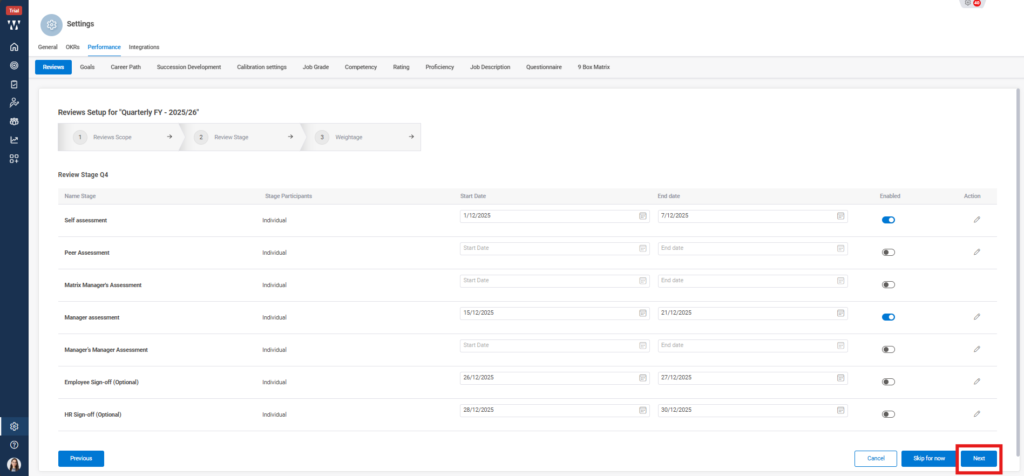
Step 5: On the Review Scope stage select look for the Assessments date and can edit and make changes accordingly and click on “Next”:
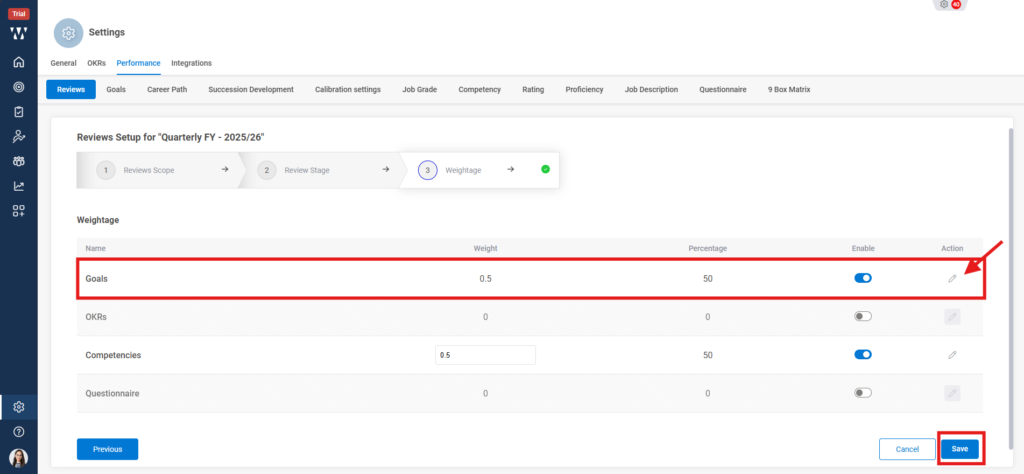
Step 6: From the Weightage section, Provide the desired weightage by clicking on the “Edit Icon” shown in the picture and click on “Save”:
Step 7: The final window with the saved Review Cycle will appear with the changes made :