
Worxmate

Help Center > Frequently Asked Questions > Proficiency & Competency Management >How do I edit existing competencies for my organization?

How do I edit existing competencies for my organization?

Step 1: From the Homepage, Navigate to the “settings”:

How do I edit existing competencies for my organization? Step 1

Step 2: From the performance Module go to the Competency tab.

How do I edit existing competencies for my organization? Step 2

Step 3: The window will appear where you can see the existing competencies. To edit an existing competency, click on the “Three Dots” beside the competency and select edit:
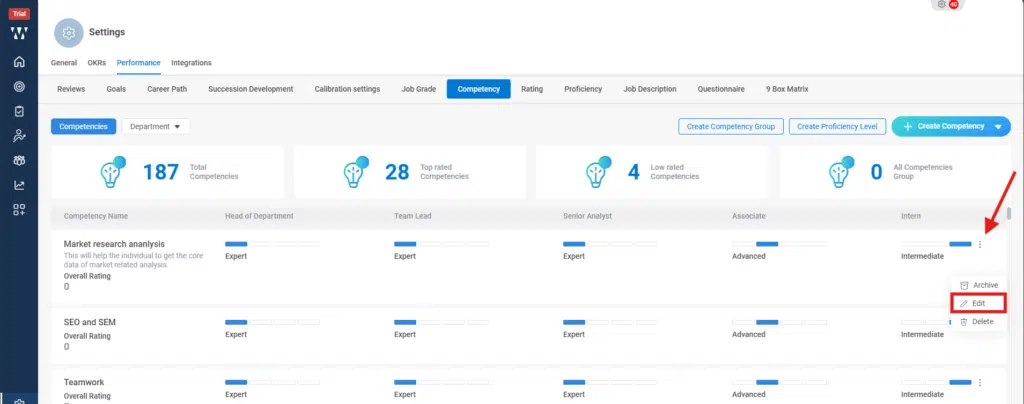
How do I edit existing competencies for my organization? Step 3

Step 4: Once you click on the edit button, the edit page for that competency will open where you can make changes and click on “Save”:
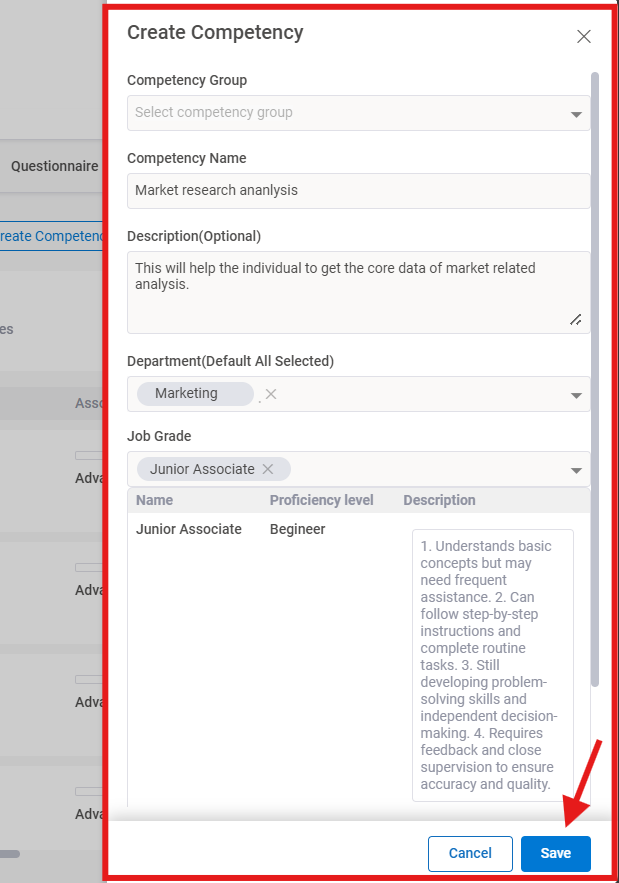
How do I edit existing competencies for my organization? Step 4

Step 5: The final window with published competency will appear:
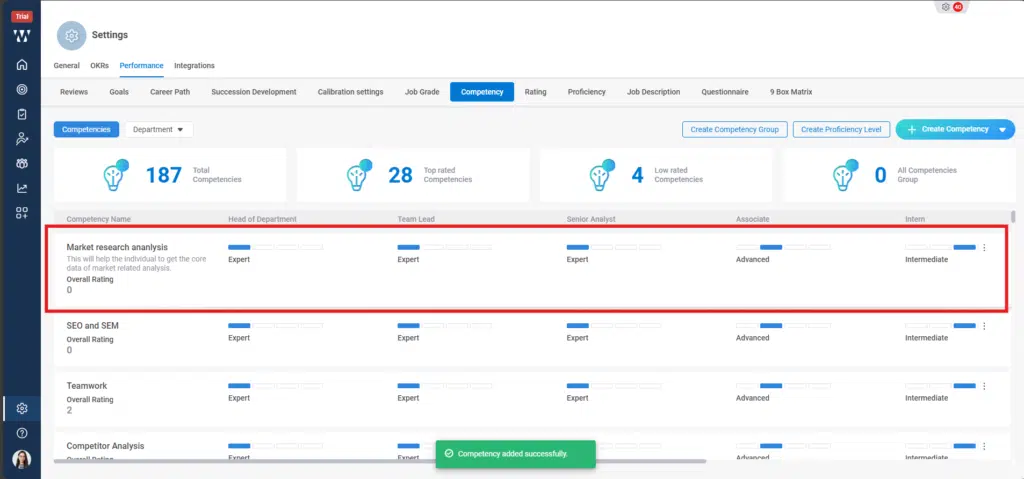
How do I edit existing competencies for my organization? Step 5
