Worxmate

WORXMATE
AI Intelligence Suite

Help Center > Frequently Asked Questions > Getting Started > How do I grant/remove Admin privileges?

How do I grant/remove Admin privileges?

Adding, Editing a User

Your Organizations Management decides to grant or revoke a user with Admin privileges.

To grant or revoke Admin privileges a user with Admin role type can

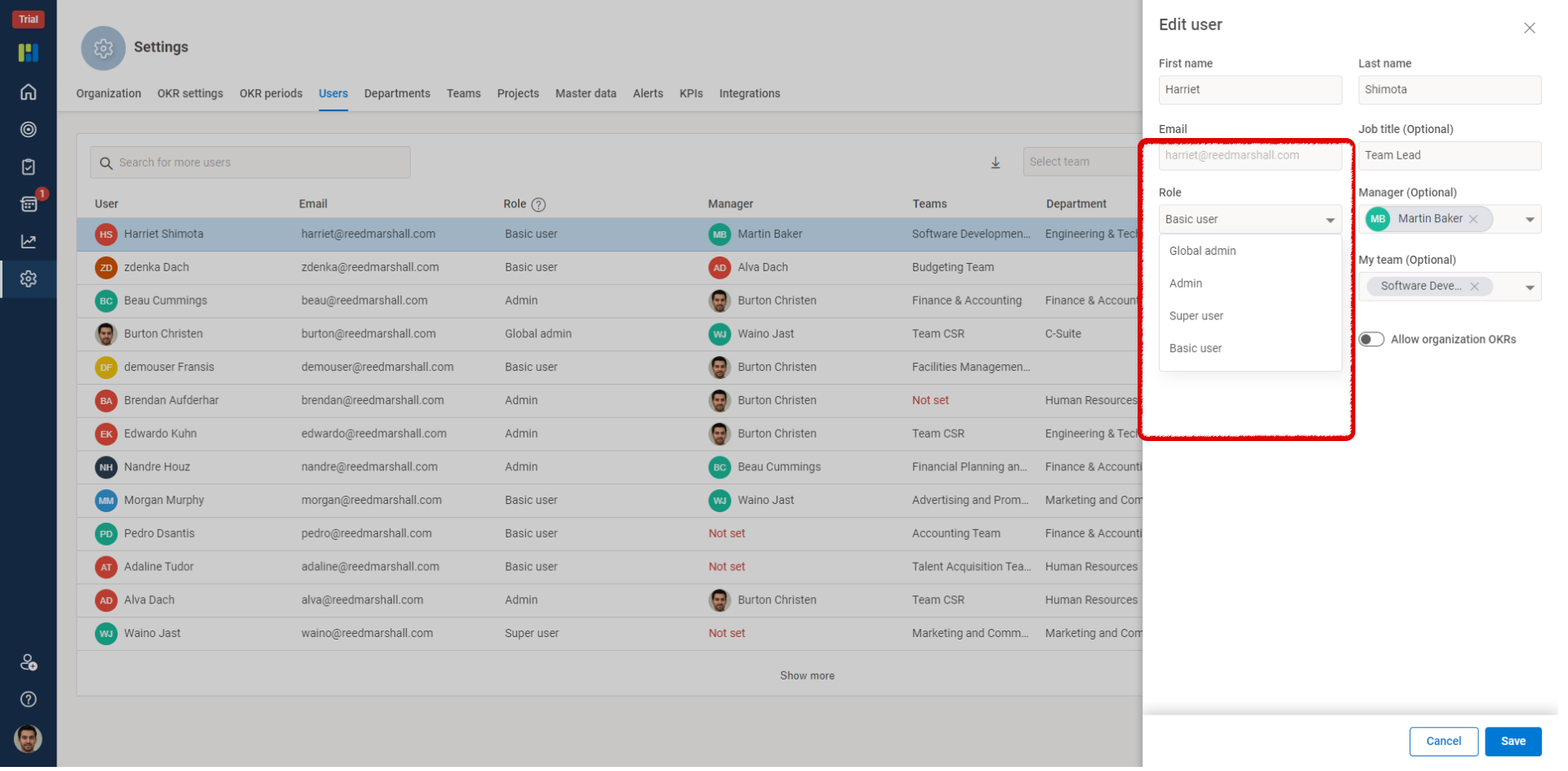
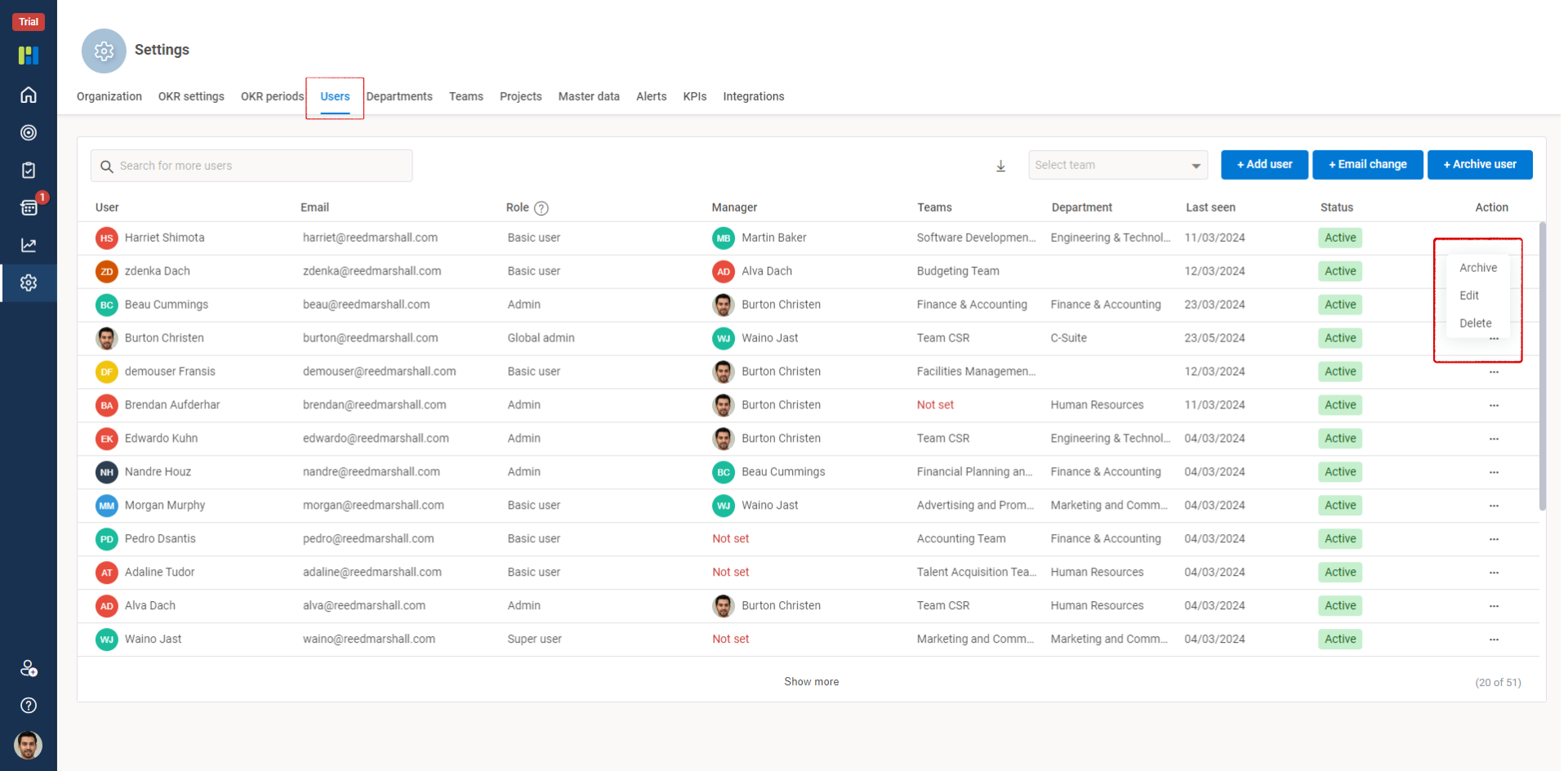
  • Go to the Users tab under the Settings option.

  • Search for the User in the search by name or search by team options and click on the three horizontal dots towards the extreme right of the selected user.

  • Click the Edit option and select the admin role type to assign or revoke Admin privileges.

To edit and grant or revoke Admin privileges follow as shown below :
1 6

2 3

×
Worxmate AI
Live 1-on-1 Walkthrough

See Worxmate AI in action.

We will configure live scenarios tailored to your company size, OKR cycles, and appraisal rhythms — zero generic pitch decks.

"Worxmate’s smart insights simplify team management—more intuitive than Zoho People."
— Senior HR Lead • Cloudaeon
🌐
Available 30-Min Slots Pick a day
Pick a date & time slot to proceed