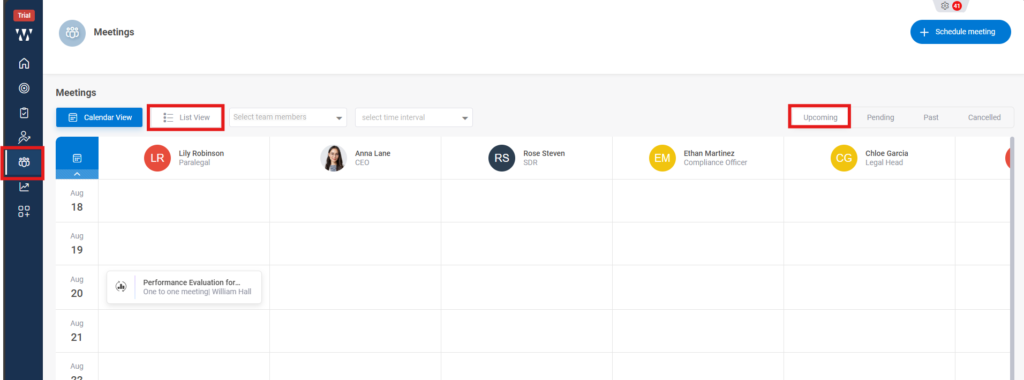
Step 1: From the Homepage, navigate to the meetings section and then click on “List View” and then click on “Upcoming”.
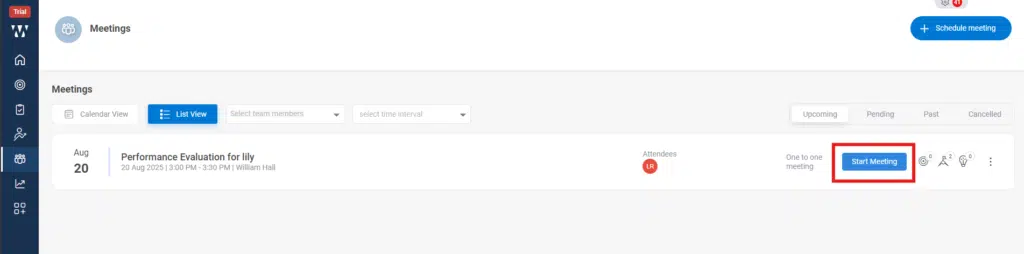
Step 2: From here you can see the upcoming meetings that you have been scheduled, click on “Start Meeting”:
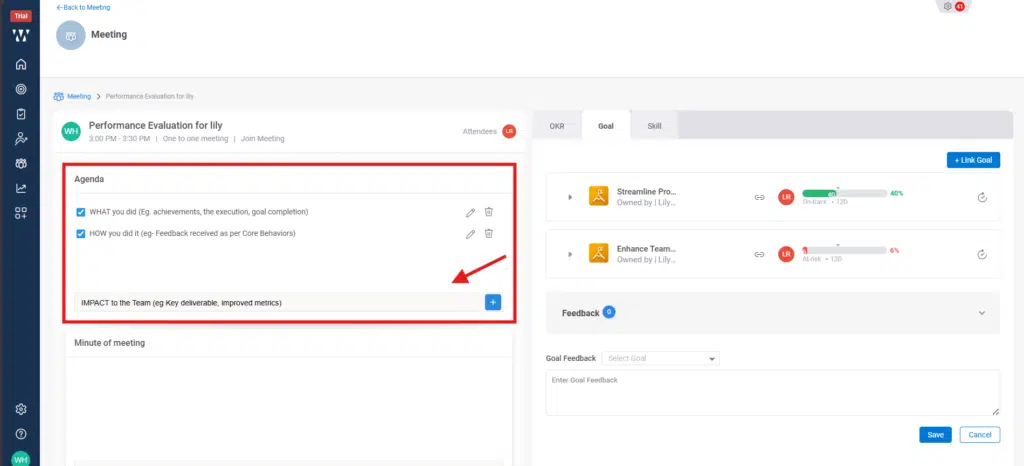
Step 3: On the meeting interface, you will find the ‘Agenda’ box, where you can add the agendas for the meeting.
Step 4: When you scroll down you can provide the ratings for the meeting and the “Overall Feedback” comment and click on submit:
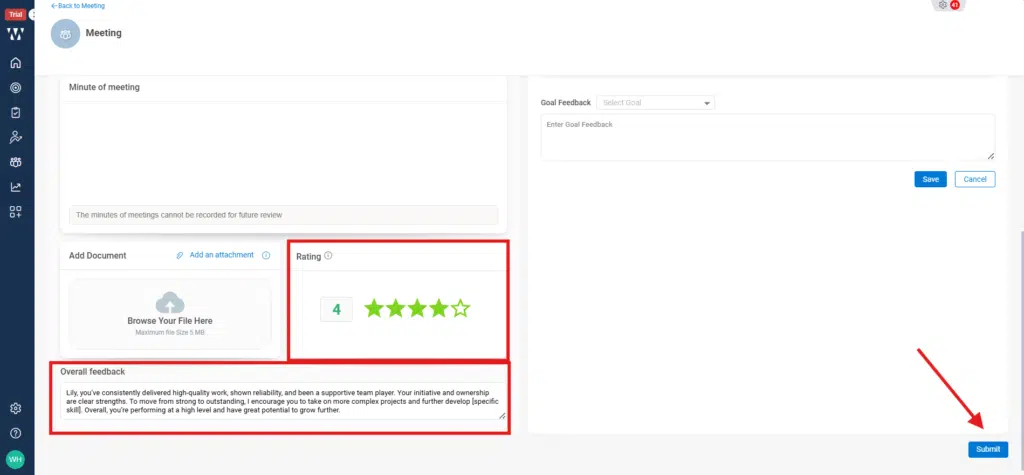
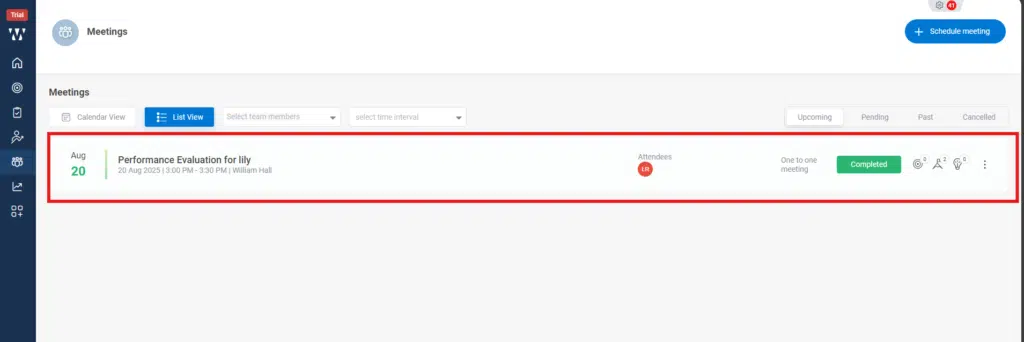
Step 5: The final submission window for the meeting will be shown as in the image.