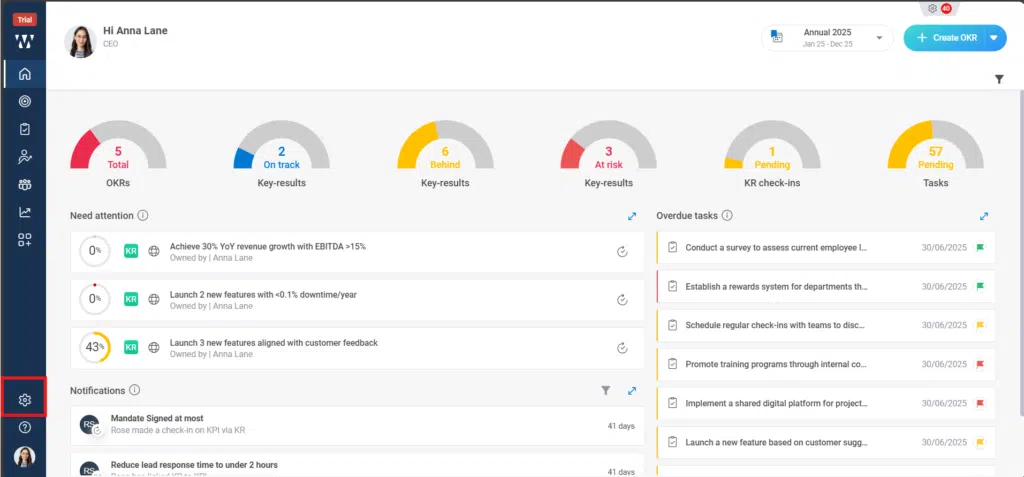
Step 1: From the Homepage, Navigate to the “settings”:
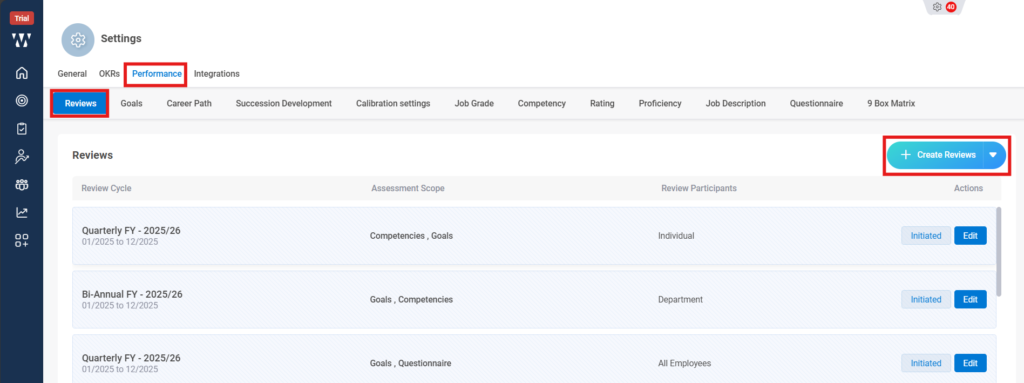
Step 2: From the performance Module stay on “review “tab and click on “Create Reviews”:
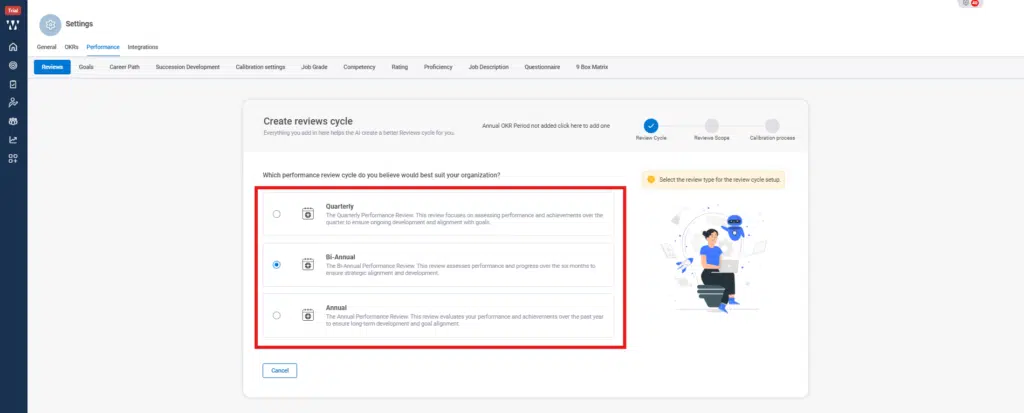
Step 3: Select the Review cycle preference:
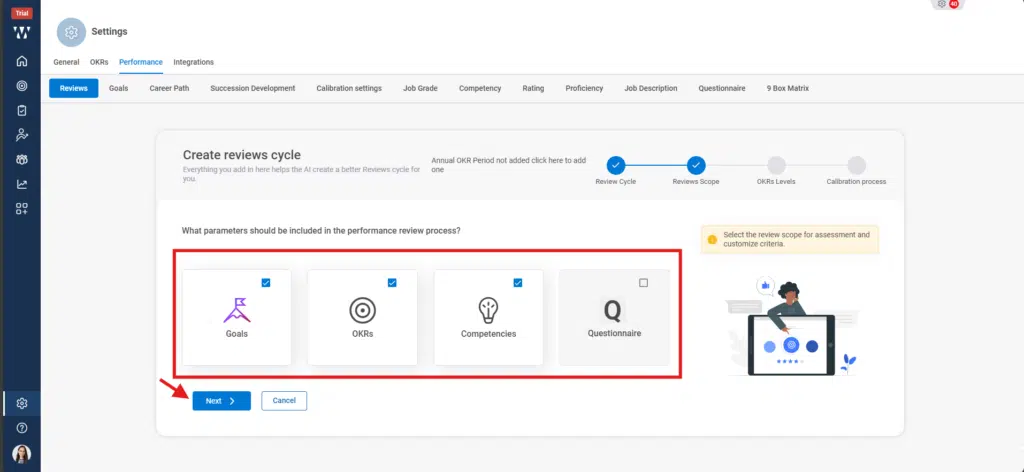
Step 4: Select the Parameter on which the review cycle will continue:
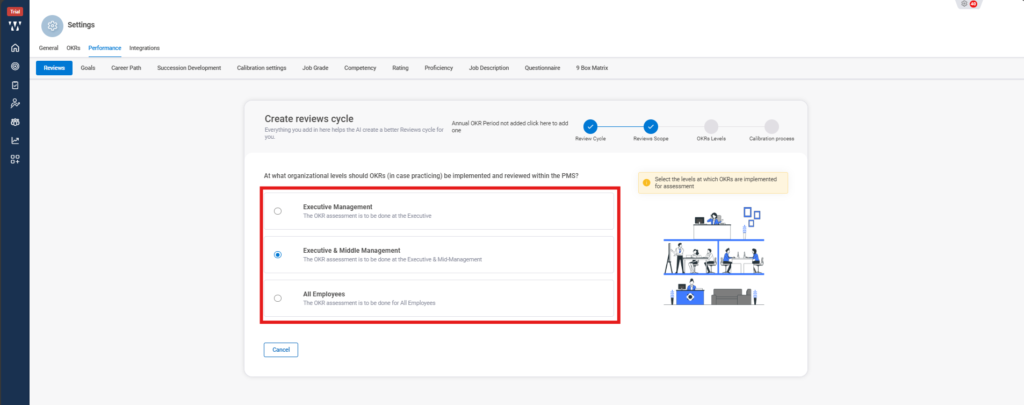
Step 5: Select the Organization level that will review the Cycle:
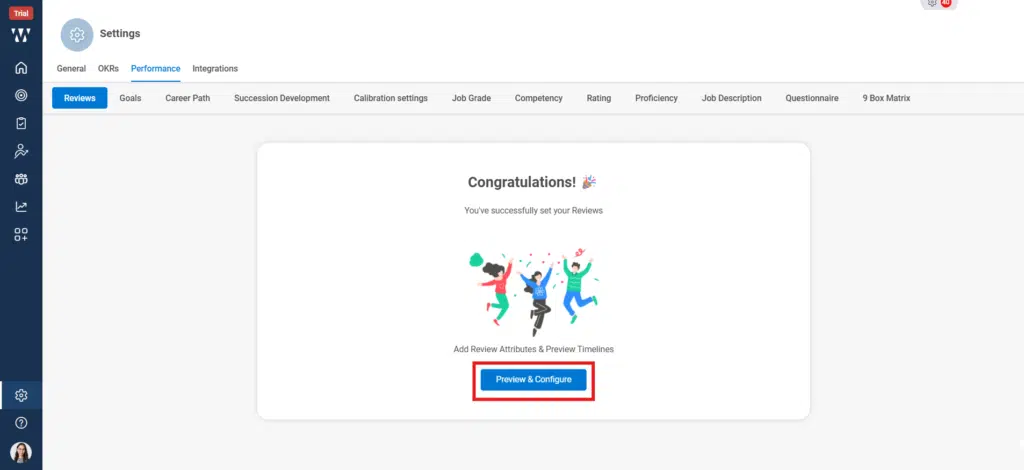
Step 6: Click on the Preview & configure:
Step 7: From the “Review Participants” you can select the eligible participants for the Review cycle and can also set the “Review Cut- off” date that will also define the employees joined before the Initiated Review:
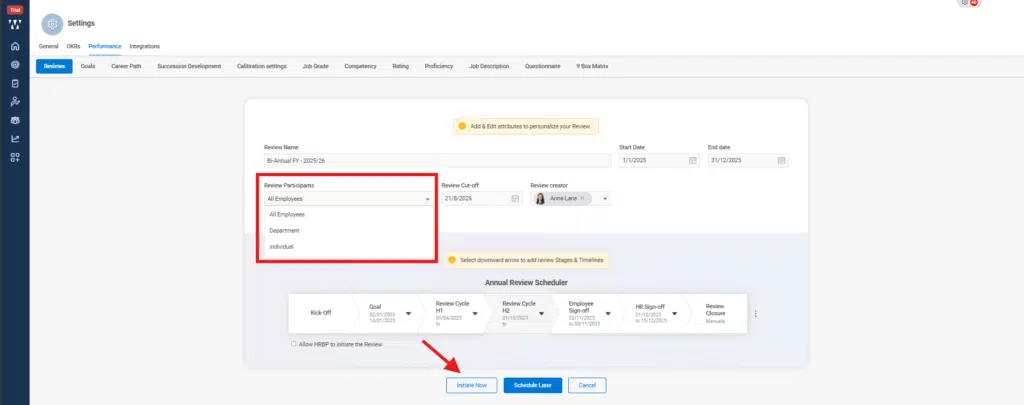
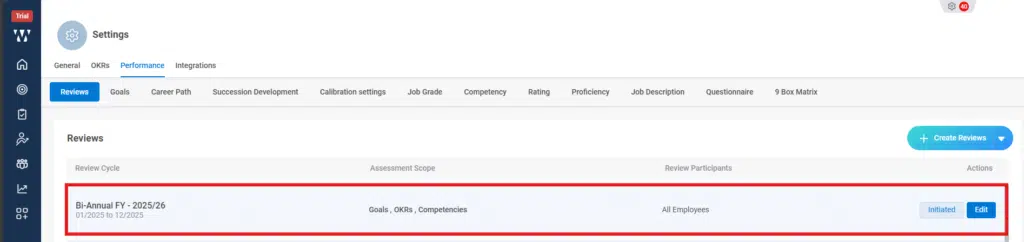
This is the final window of initiated Review Cycle: