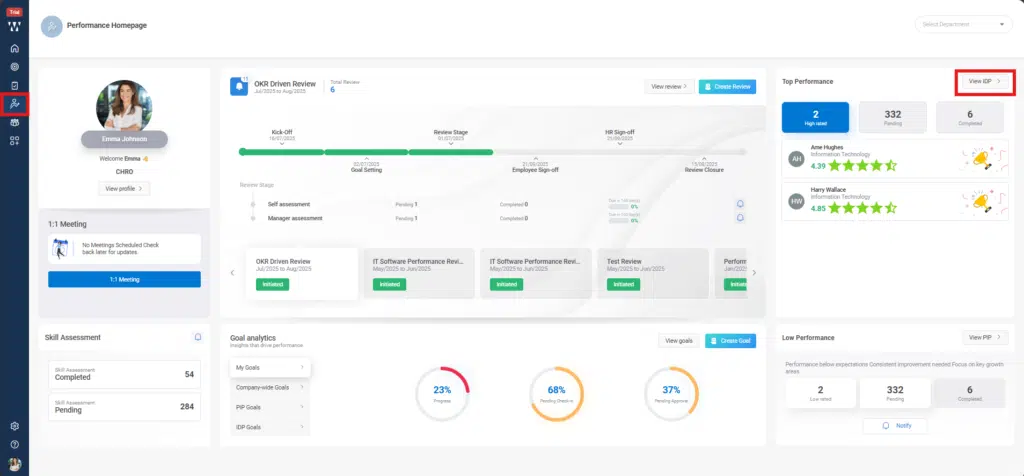
Step 1: HR or managers can initiate an IDP by going to the Performance homepage, navigating to the ‘Top Performance’ section, and clicking on ‘View IDP’
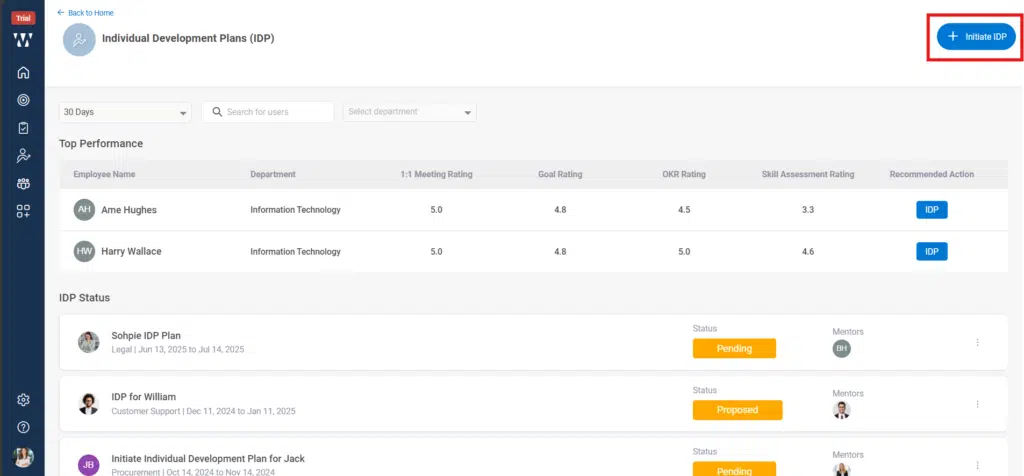
Step 2: On the next page, you will see the list of Top Performers along with the existing initiated IDPs. From there, click on ‘Initiate IDP’
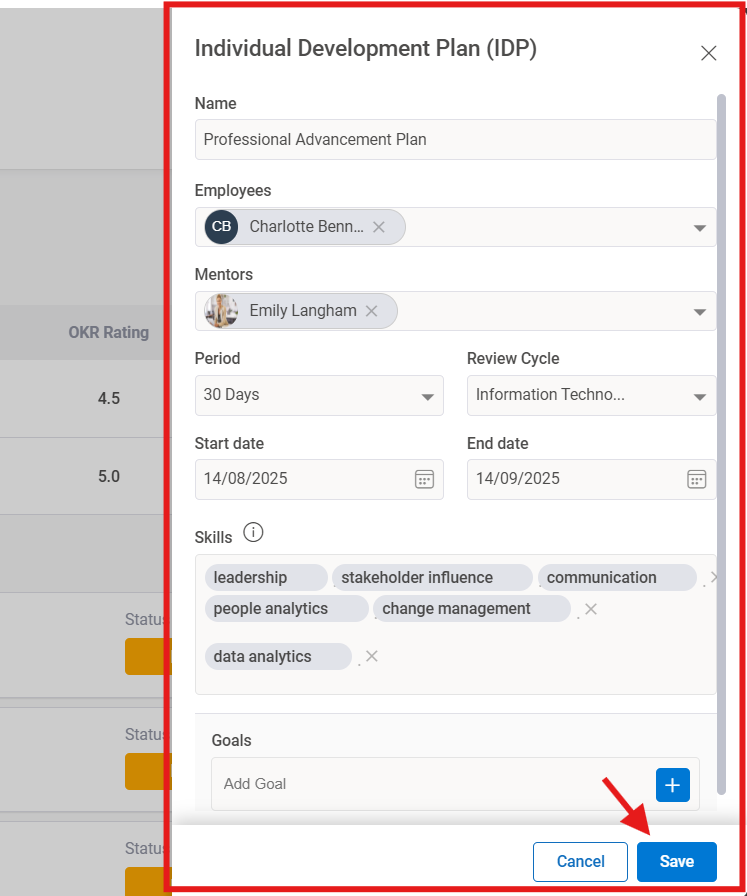
Step 3: Fill in all the required details such as IDP name, employee, mentor, period, etc., and then click ‘Save’
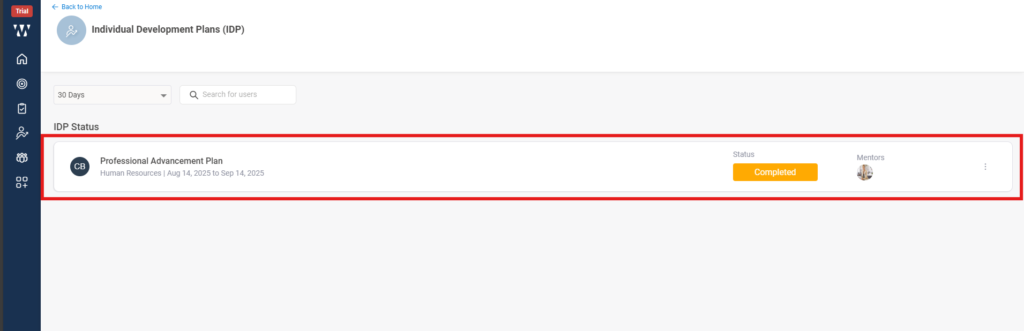
Step 4: The employee for whom the IDP is initiated, and the assigned mentor will both receive real-time notifications via email as well as through the product notification icon.
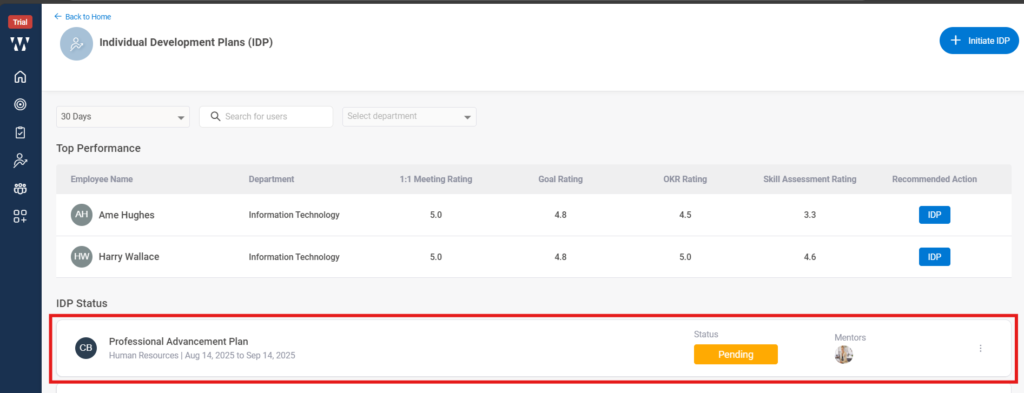
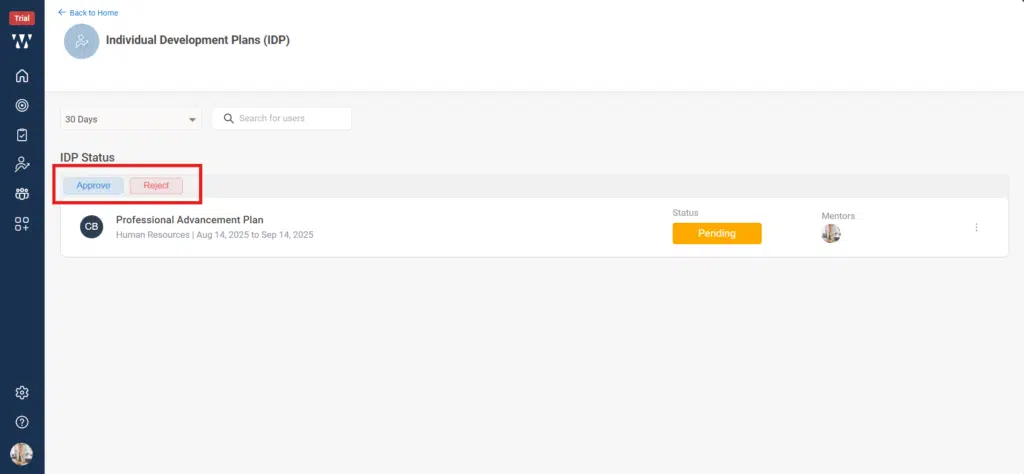
Step 5: The status will change to ‘Approved’ once the mentor approves it. The mentor will receive the request in the ‘View IDP’ section of their interface, as shown in the screen below.
Step 6: After mentor approval, the employee can add their own goals related to the IDP plan or check in on the goals added by the mentor. This allows both the mentor and HR to track the employee’s progress. The employee’s window will appear as shown below.
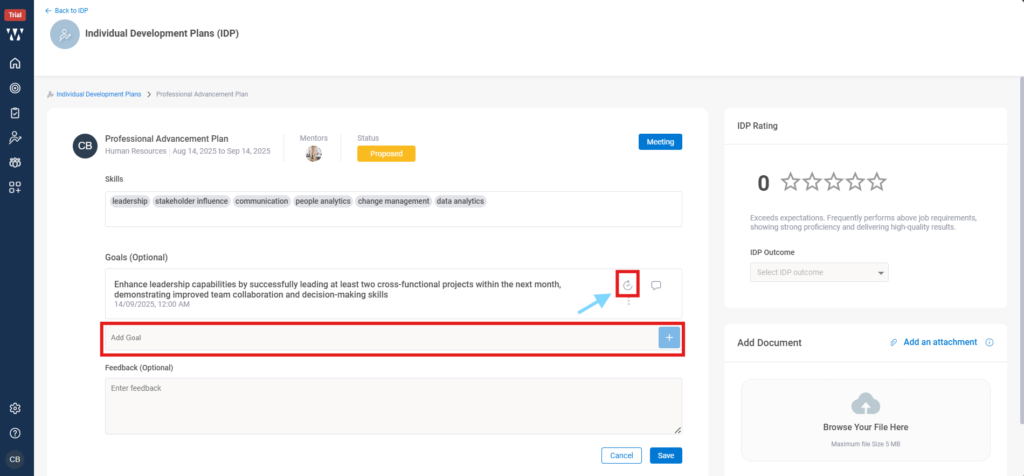
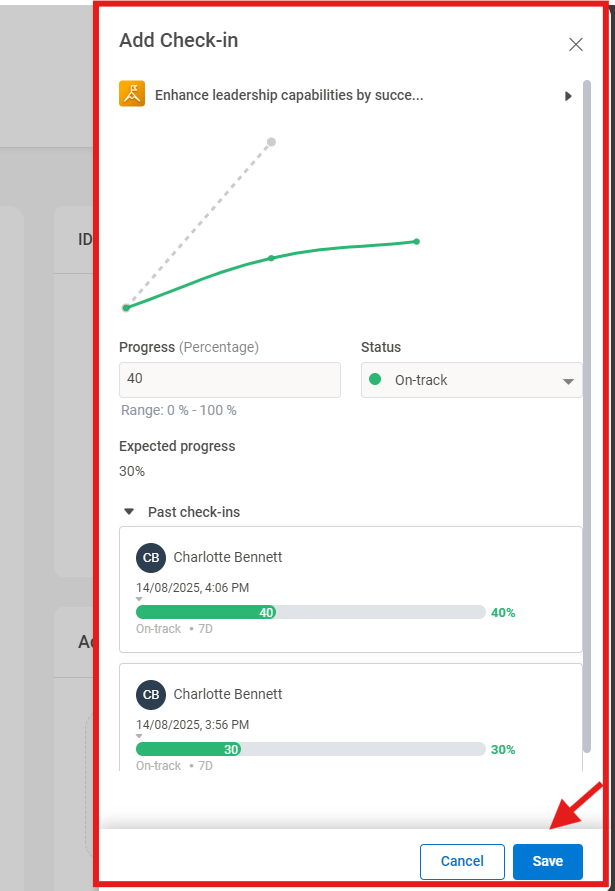
Step 7: When employee click on Check In, a check-in window will open. From there, employee can also view past check-ins and add a new check-in, select its status, and then click on ‘Save’.
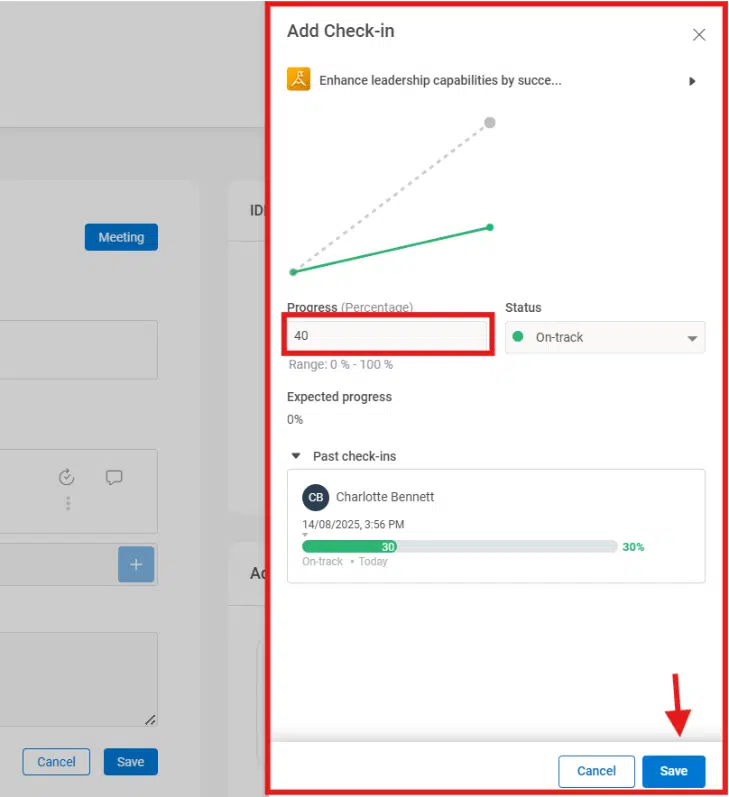
Step 8: Once the employee Save the progress made, Mentor or HR can see their progress in their IDP View Page, The IDP status Page will appear from where they can see the Initiated IDP, click on it:
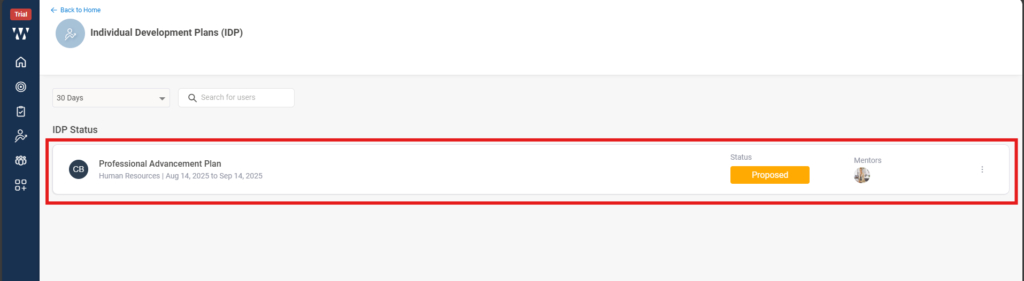
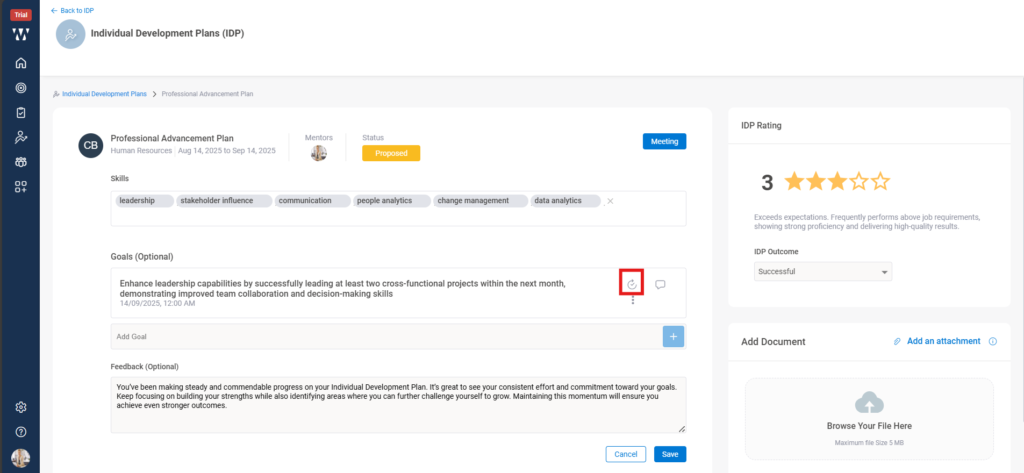
Step 9: Employee IDP window will appear, to check the progress click on the small check in icon beside the goal as shown in the picture:
A check in window will appear where past check ins will be visible.
The Mentor then can give the rating to the employee, select IDP status and can provide a feedback comment for the employee and click on save:
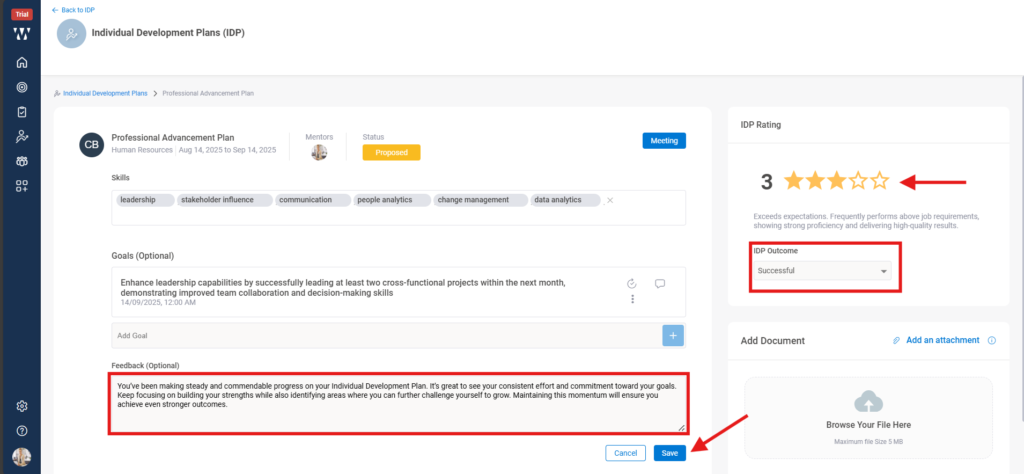
The final window with updated status will appear” .