
Worxmate

WORXMATE
AI Intelligence Suite
Log In

Help center > Frequently Asked Questions > Profile Settings > How do I update my personal information?

How do I update my personal information?

Configuring Personal Details, Learn how to update your name, title, email, or password.

Witsmate recommends to update your Profile settings and personal information to embark on your OKR journey. This also helps other users to recognize you.You can add details such as designation, reporting manager, associated team, and photograph.


To update your personal information:

  1. From the Vertical Menu Bar, click your Abbreviated Name Icon, and then click User Settings.
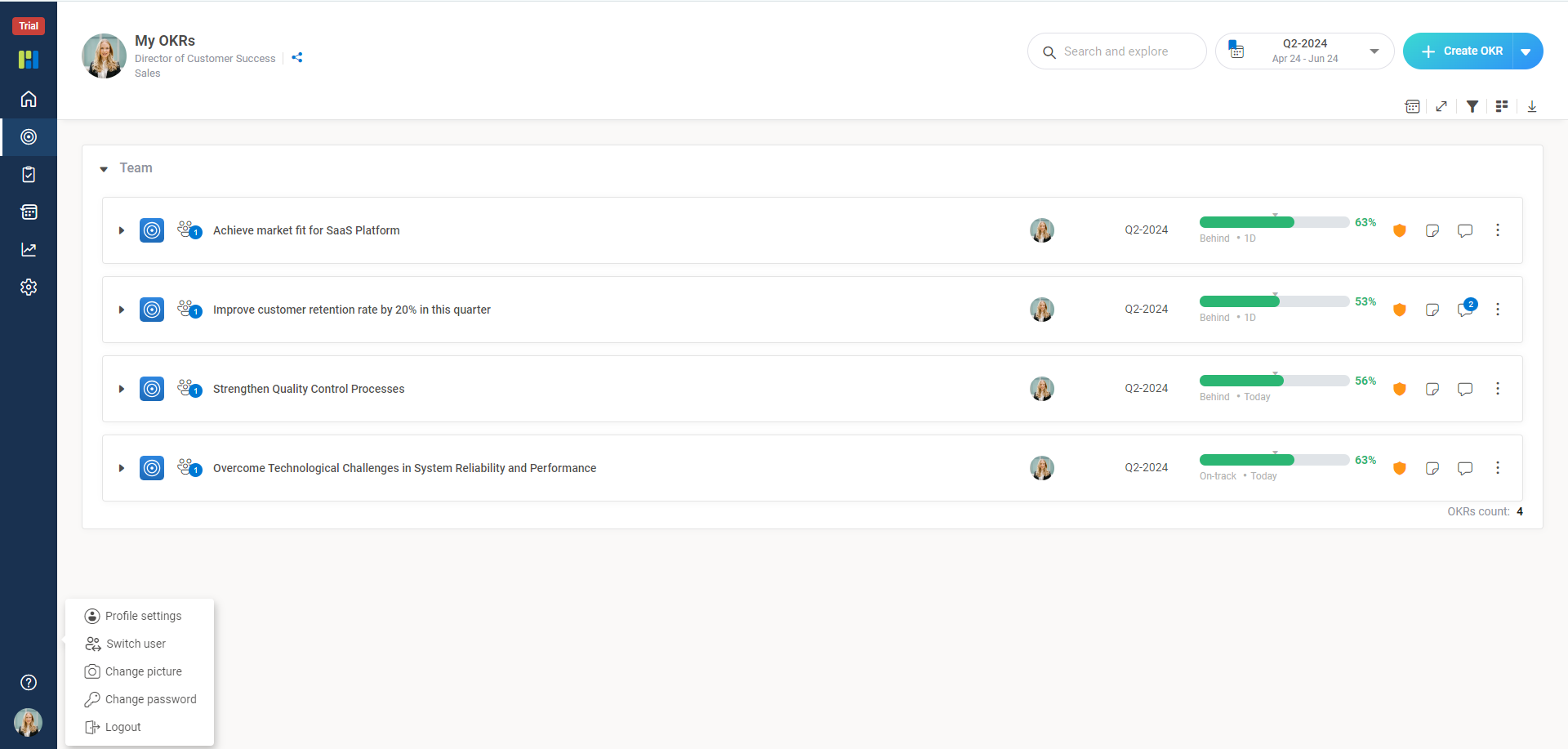
    1 3

    2. Click the Profile Settings to update the personal details for Designation, Team, Manager and save the changes.
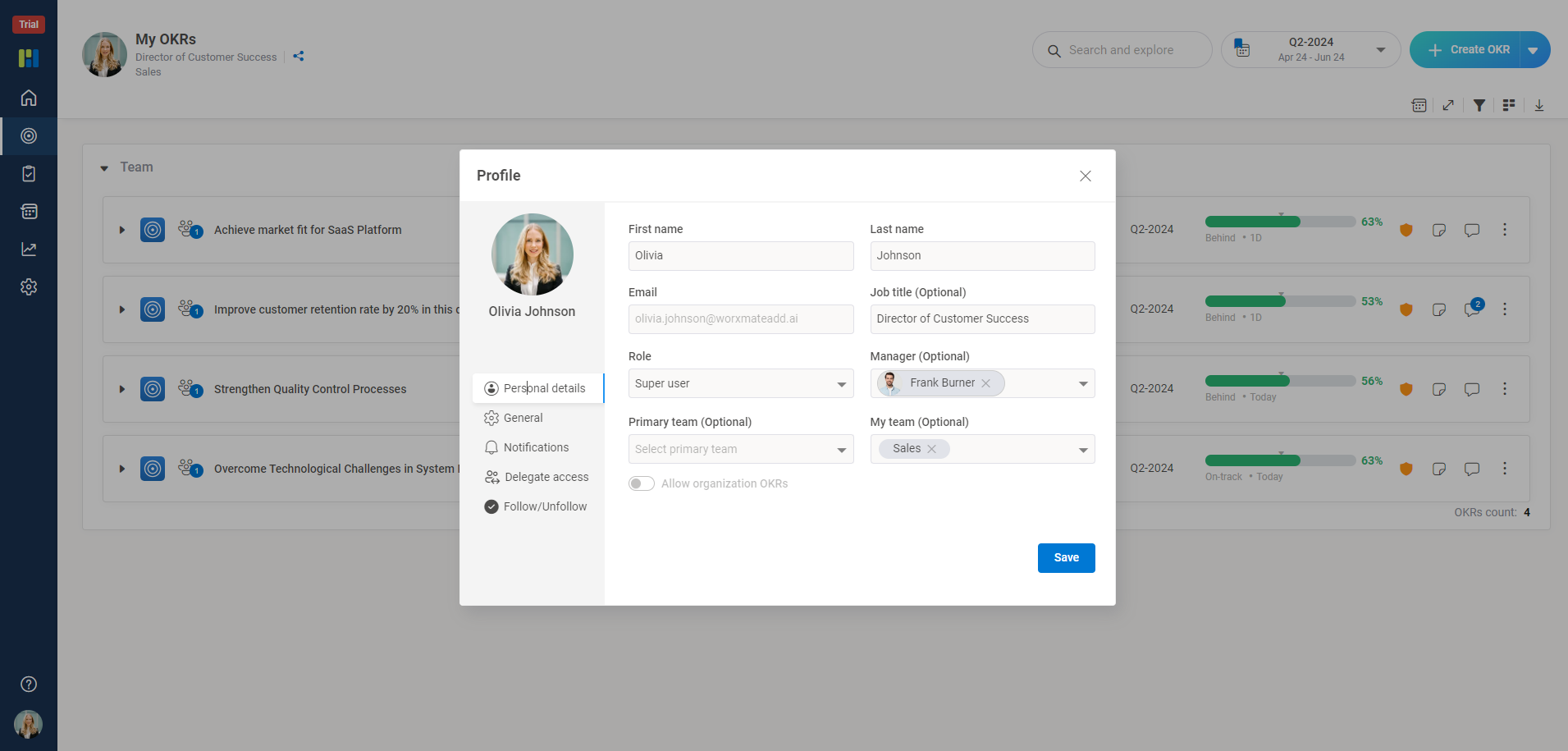

    2 1

Worxmate AI
Live 1-on-1 Walkthrough

See Worxmate AI in action.

We will configure live scenarios tailored to your company size, OKR cycles, and appraisal rhythms — zero generic pitch decks.

"Worxmate’s smart insights simplify team management—more intuitive than Zoho People."
— Senior HR Lead • Cloudaeon
    Available 30-Min Slots Pick a day
    Pick a date & time slot to proceed