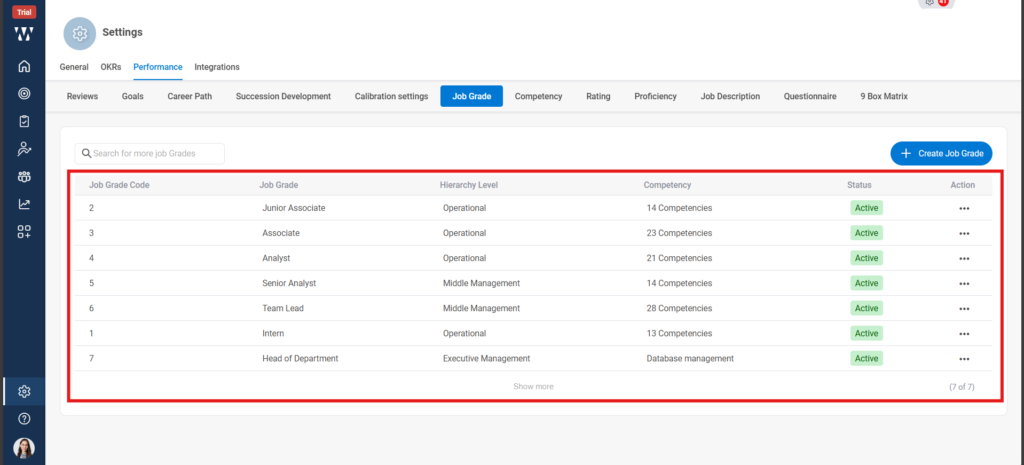
We define and manage employee grades in alignment with the organizational hierarchy — operational, middle management, and executive levels. Within this structure, we assign grades based on job titles and the required competencies. These bands are carefully managed across all departments to ensure fairness, internal equity, and consistency in career progression.
The steps are as follows:
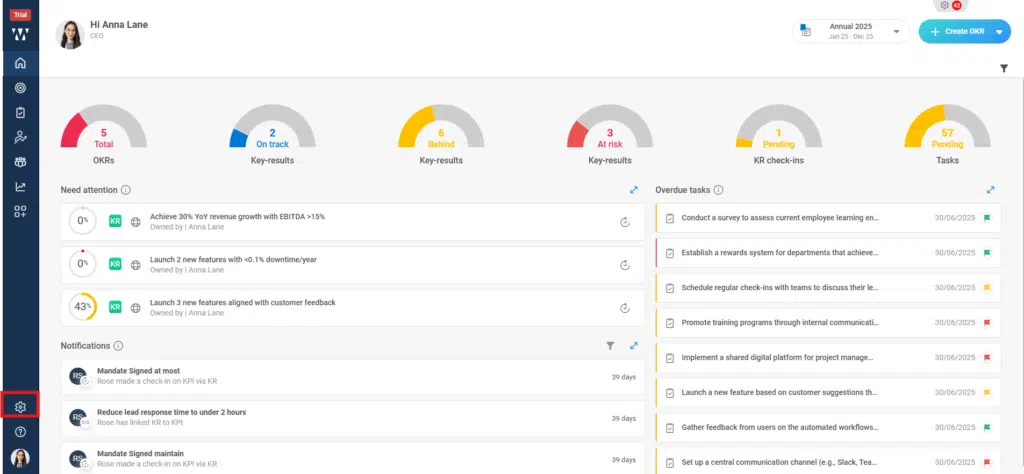
Step 1: From the Homepage Navigate to the settings and click on it:
Step 2: Click on the performance module and go to the “Questioner” tab:

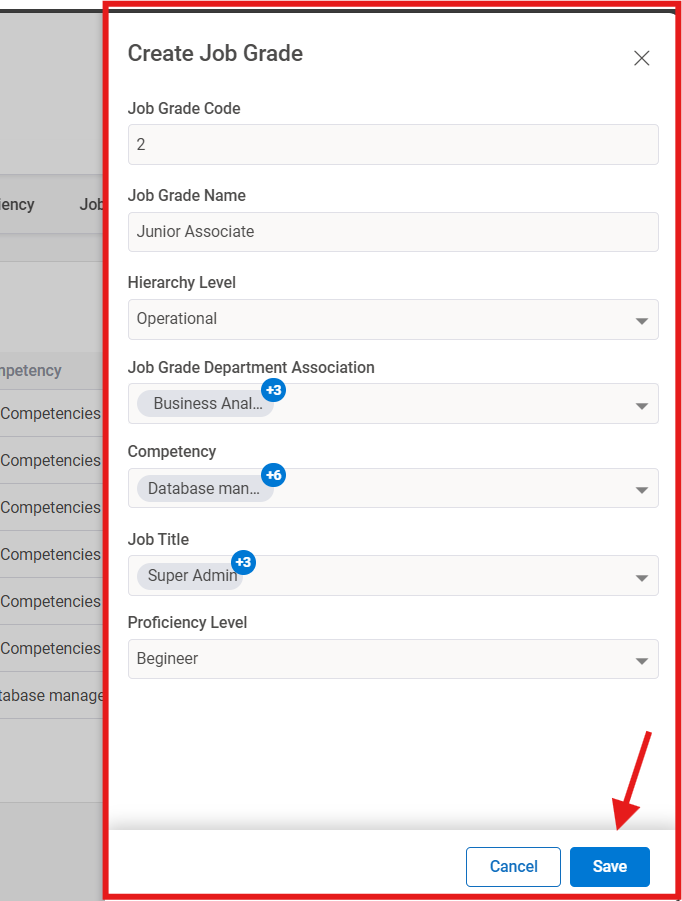
Step 3: The window will appear where you need to click on “+Create Job Grade”:

Step 4:When you create Job grade, fill in the information required the boxes and click on save:
Step 5: The Final window with saved job grades will appear: