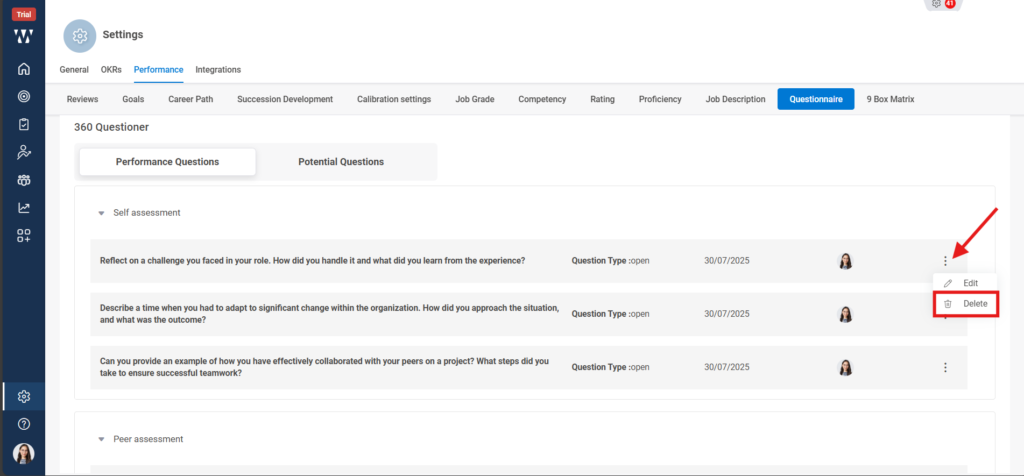
The questions that are set are used during the review cycle as a mandatory question and if you want to change or disable the question. The Steps are as follows:
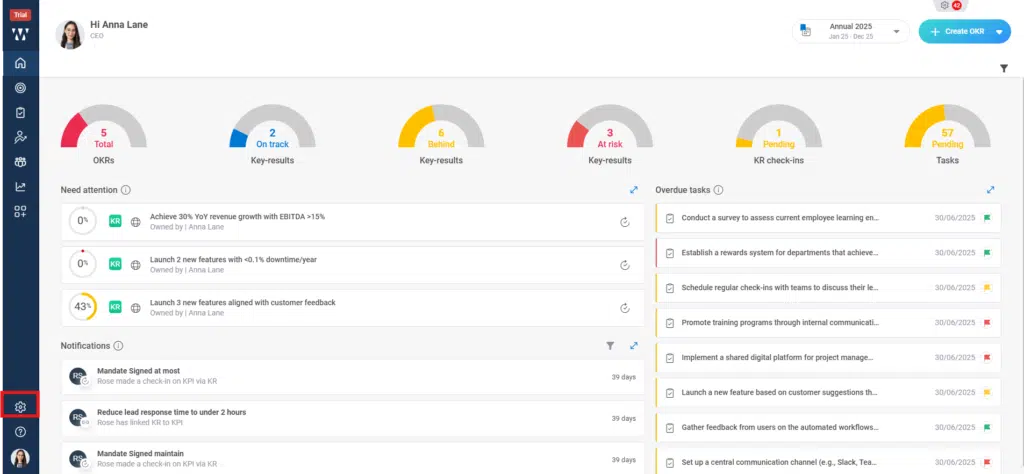
Step 1: From the Homepage Navigate to the settings and click on it:
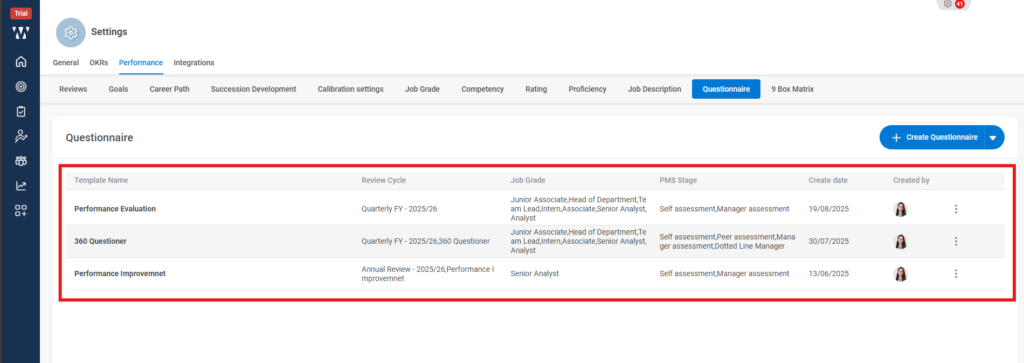
Step 2: Click on the performance module and go to the “Questioner” tab:

Step 3: The existing questioners will be shown to edit the particular click on the “Three dots” and click on “View”:
Step 4: Now you can see the questions, if you wish to disable the question then click on the three dots on the right side of the question and choose “Delete”. By deleting it, it will be removed from the mandatory questions list during the review cycle.