
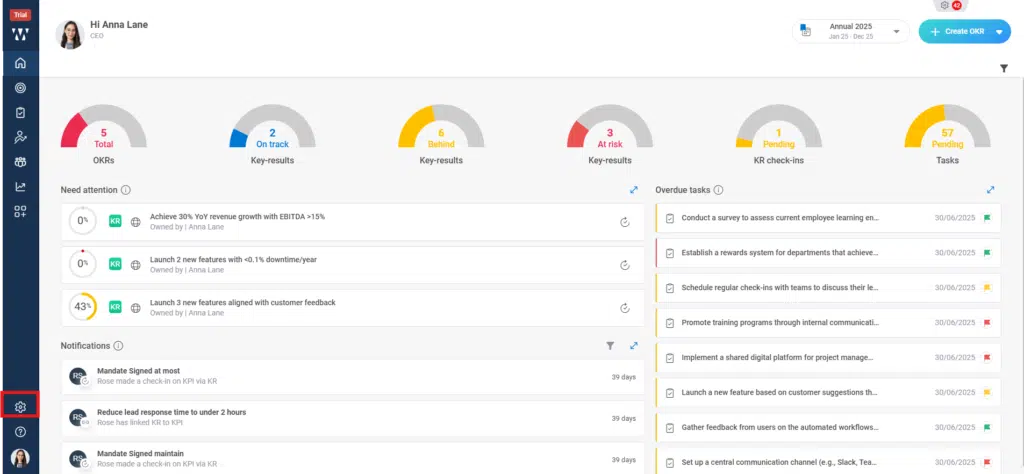
Step 1: From the Home, Navigate to the settings
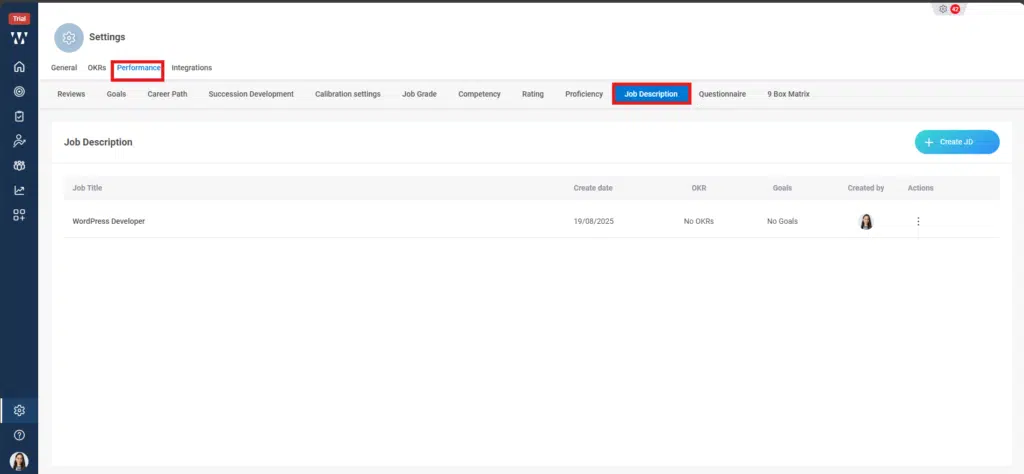
Step 2: From settings go to the Performance module and you’ll find different Performance settings there, click on “Job Description”:
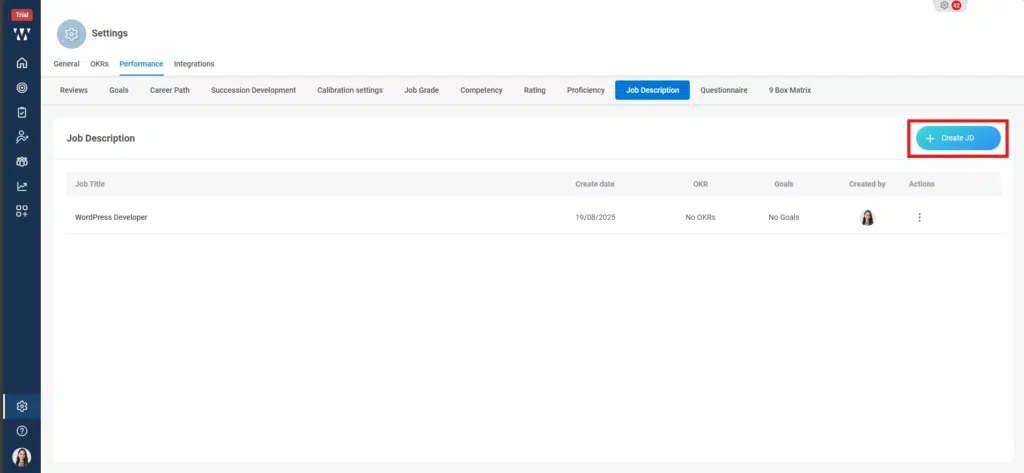
Step 3: From the JD click on “ Create JD:
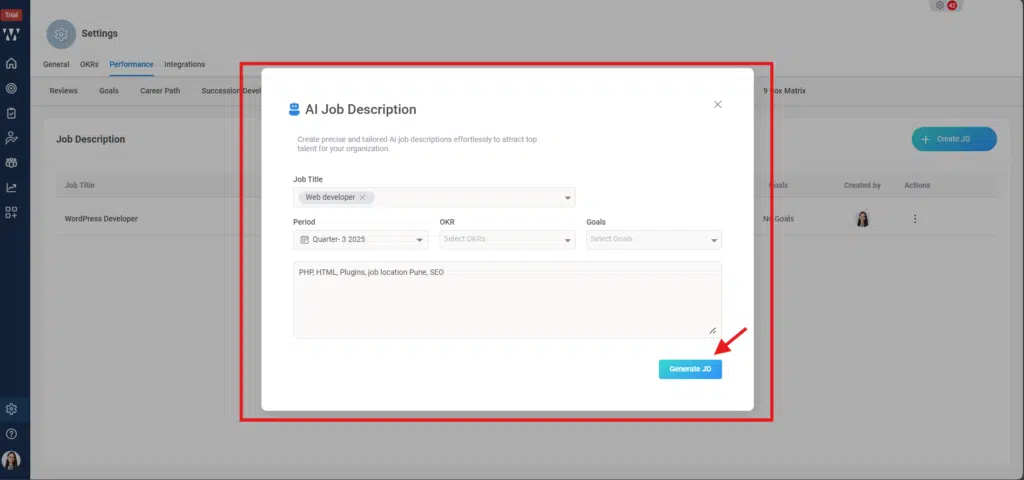
Step 4: Fill The following details like Job Description, Period, OKR, Goals and the requirements. And click on Generate JD:
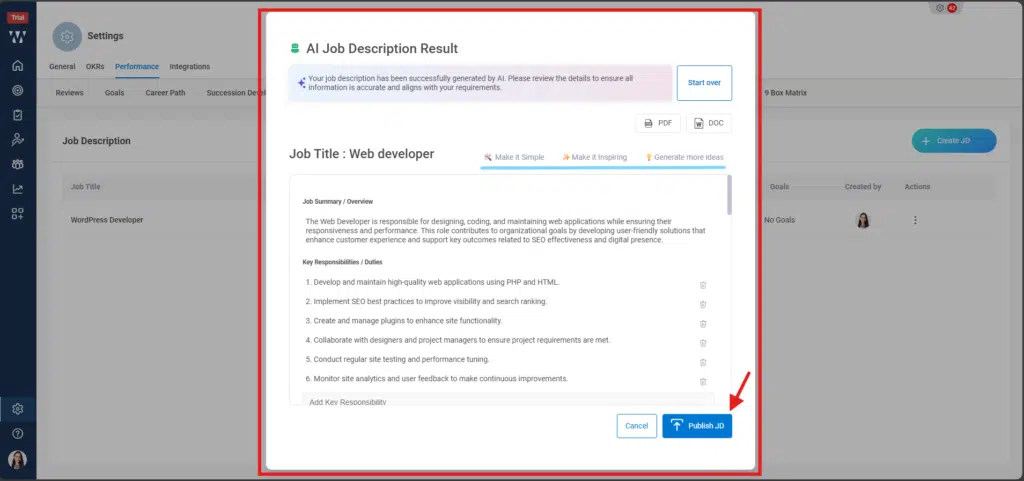
Step 5: AI will provide the full JD based on the information is feeded, you can make changes it you want and customize it by making id simple, Make it inspiring etc and can click on any like which you want to edit and can edit directly. Then click om “Publish JD”.
The final window will appear with the Published JD.
