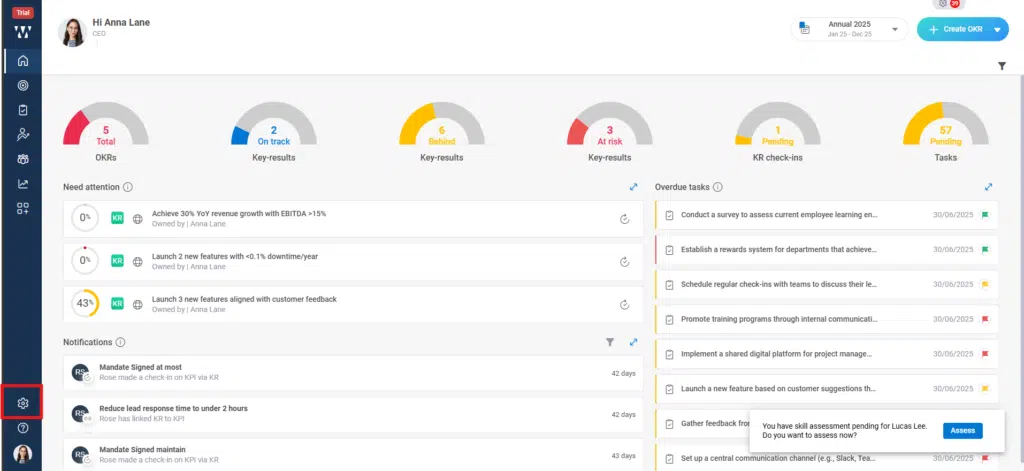
Step 1: From the homepage navigate to the settings icon and click on it:
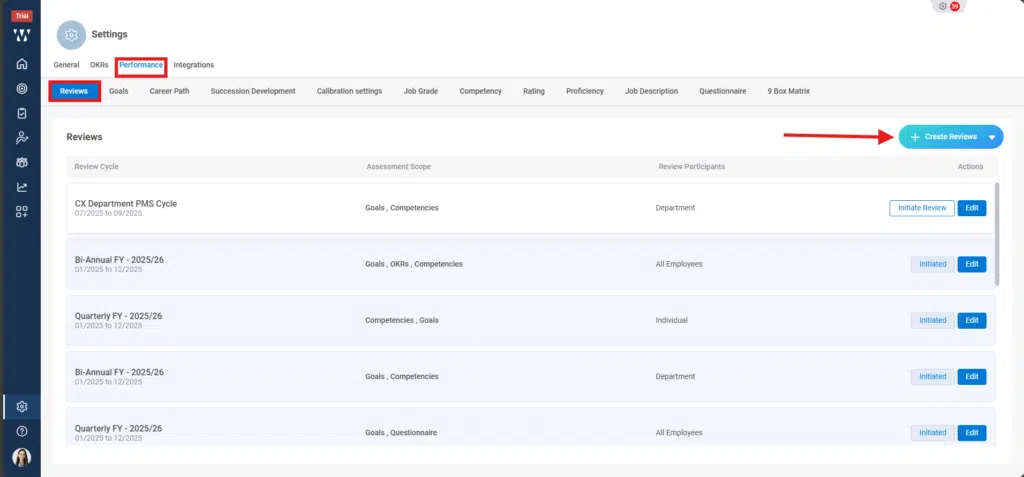
Step 2: Click on the performance module and stay on the “Review” page. T initiate the 360-degree review cycle click on the “+ create Review”:
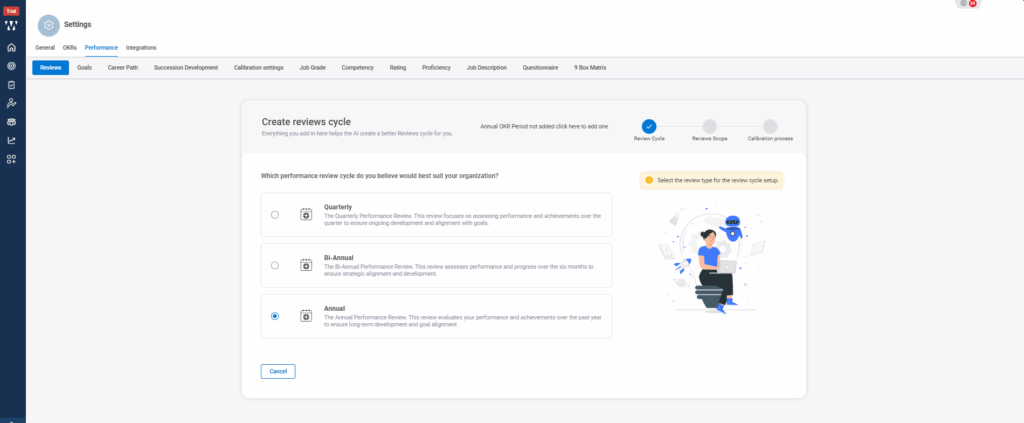
Step 3: Select the preferred review cycle:
Step 4: Select the parameters on which you want your cycle to be and click on “Next”:
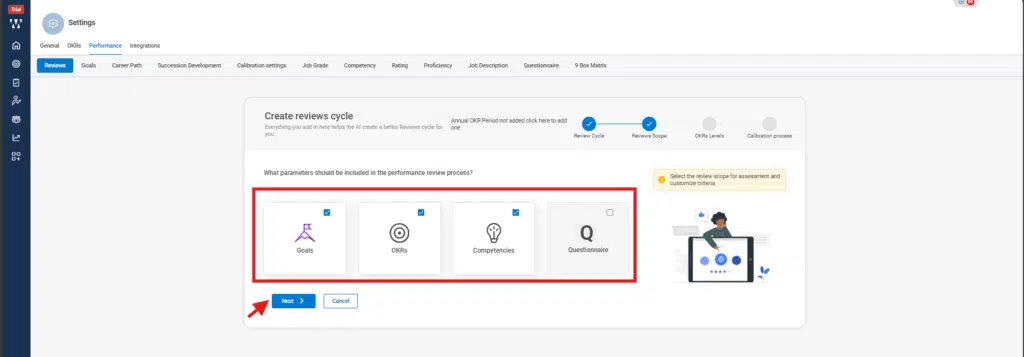
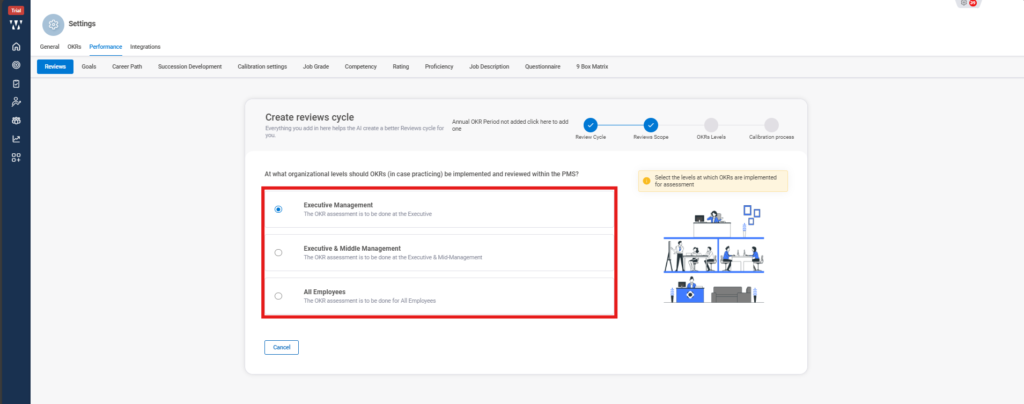
Step 5: Select the Organizational level who will OKRs that need to be implemented and review:
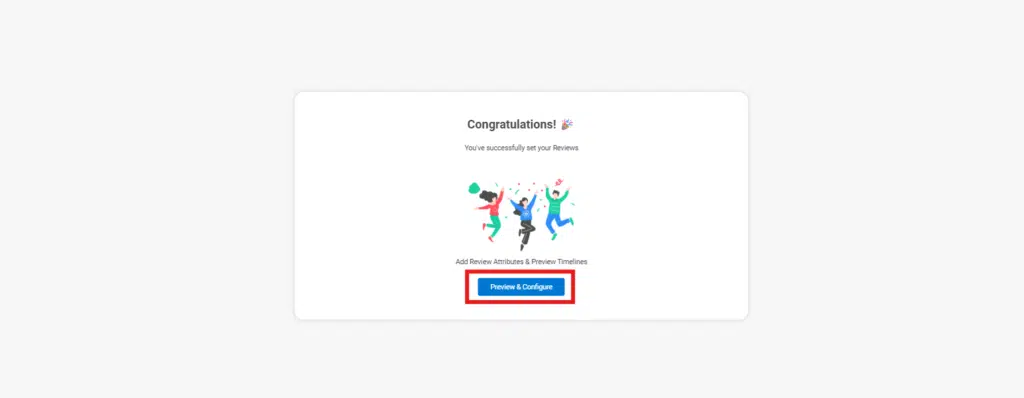
Step 6: Click on the preview & configure:
Step 7: To apply the 360 degree click on the small drop down beside the ‘Review Cycle’ it will expand the options for the 360 degree , check on it:
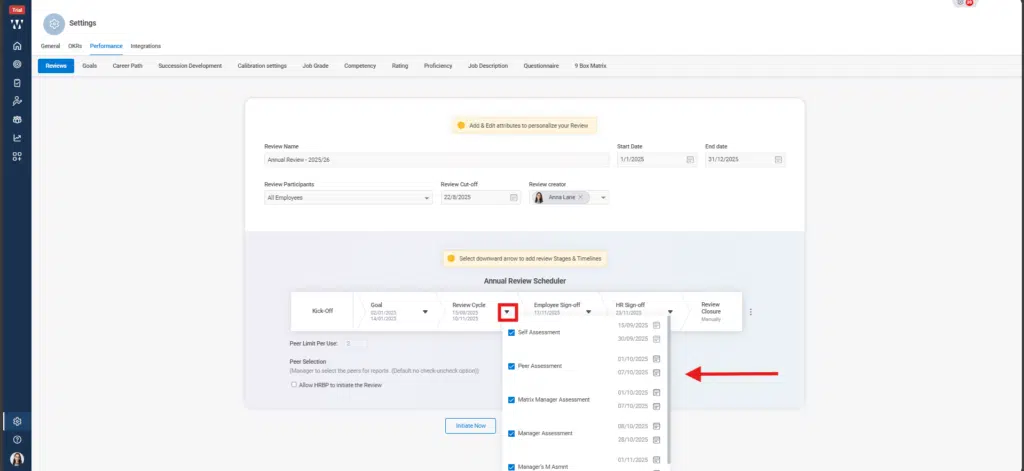
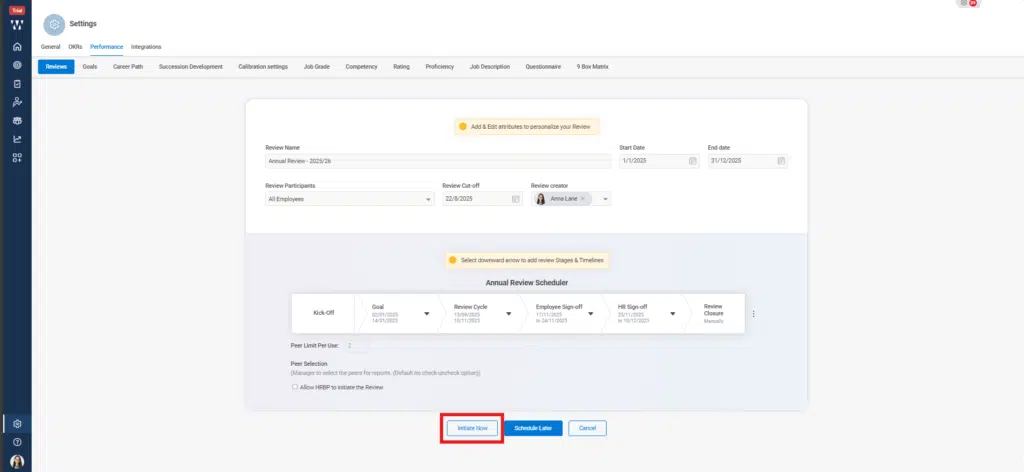
Step 8: Once you are done click on the “Initiate Now”:
Step 9: The final window with published 360-degree Review will appear to take actions accordingly: