To Complete Steps of a task –
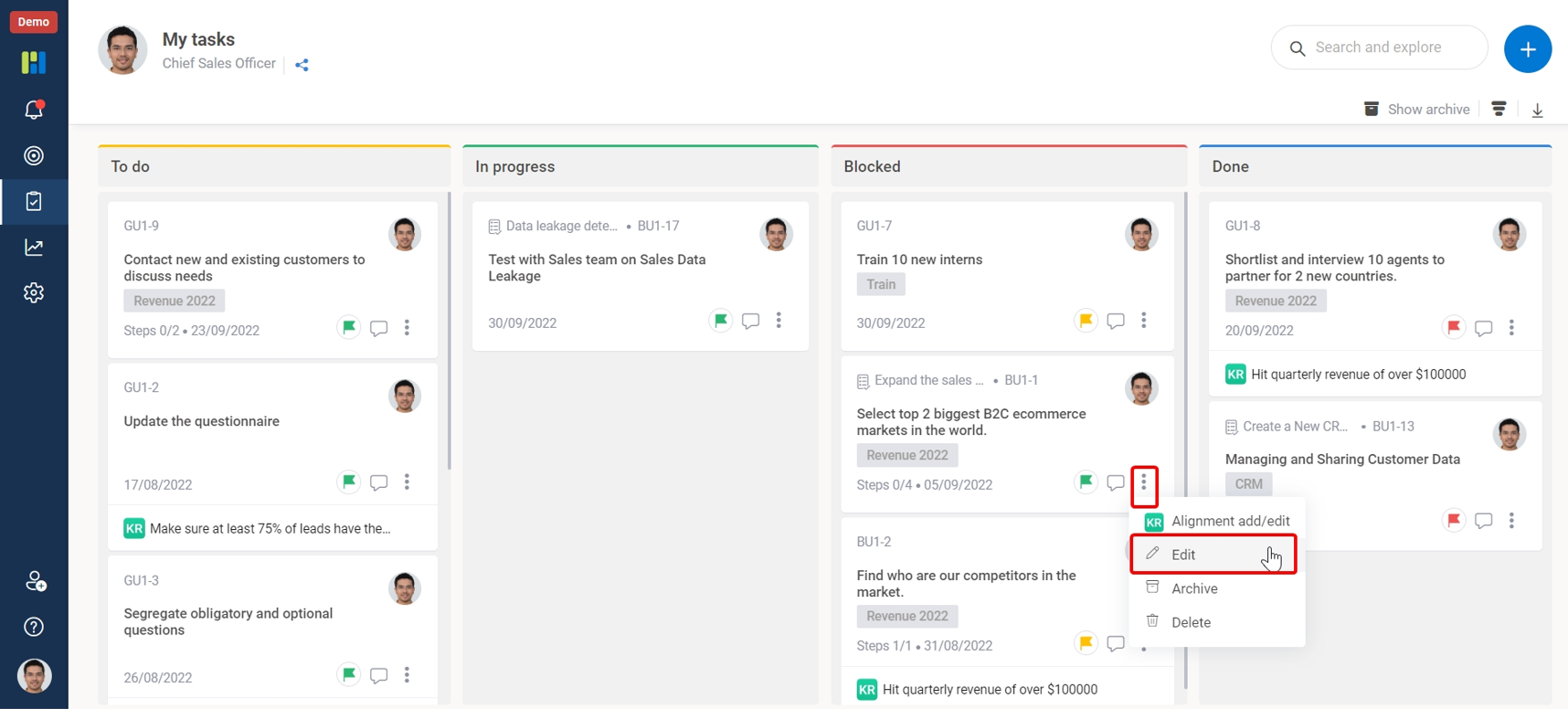
1. Click on the 3-dots icon on the task to see the pop-up menu.
2. Tick the Box to complete the Steps.
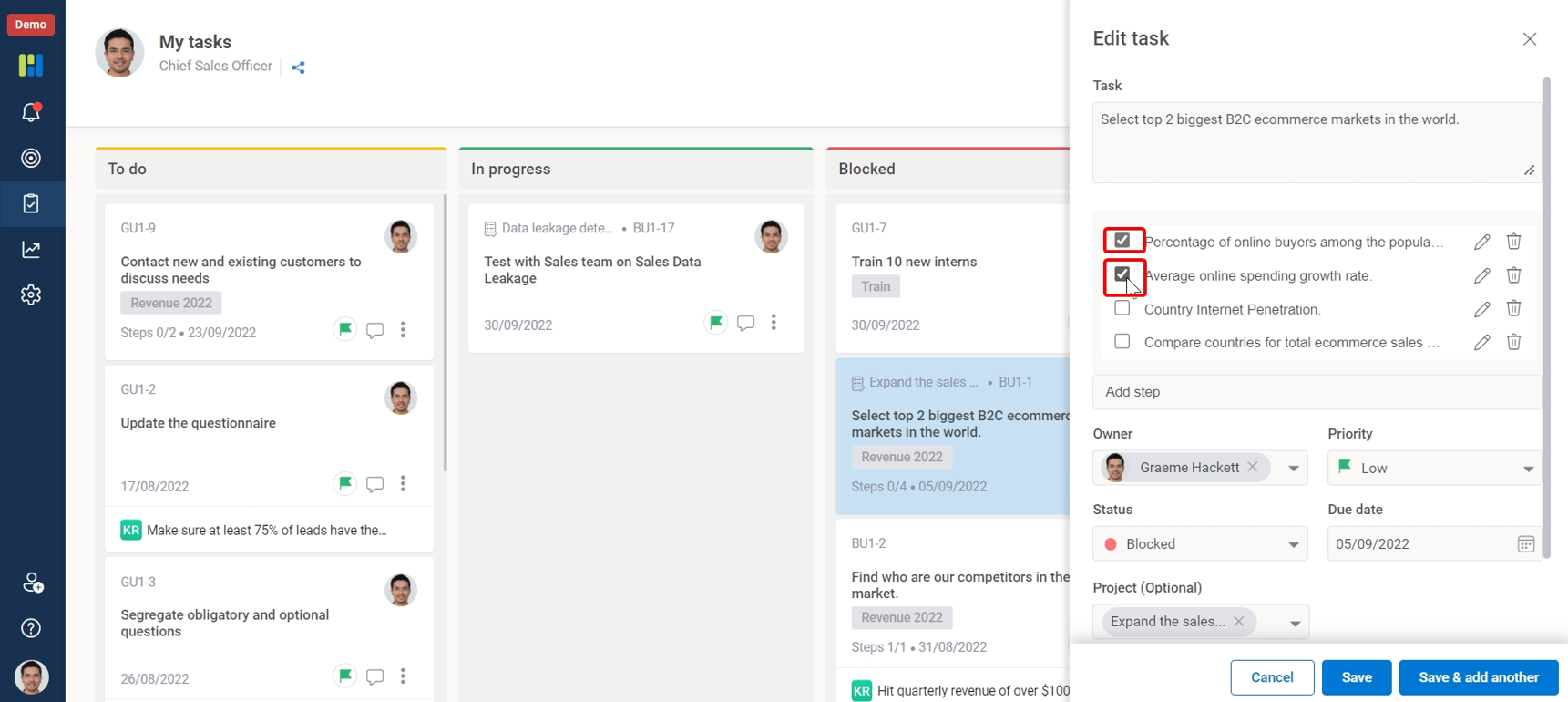
3. Click Save
 WORXMATE
To Complete Steps of a task –
1. Click on the 3-dots icon on the task to see the pop-up menu.
2. Tick the Box to complete the Steps.
3. Click Save

We will configure live scenarios tailored to your company size, OKR cycles, and appraisal rhythms — zero generic pitch decks.