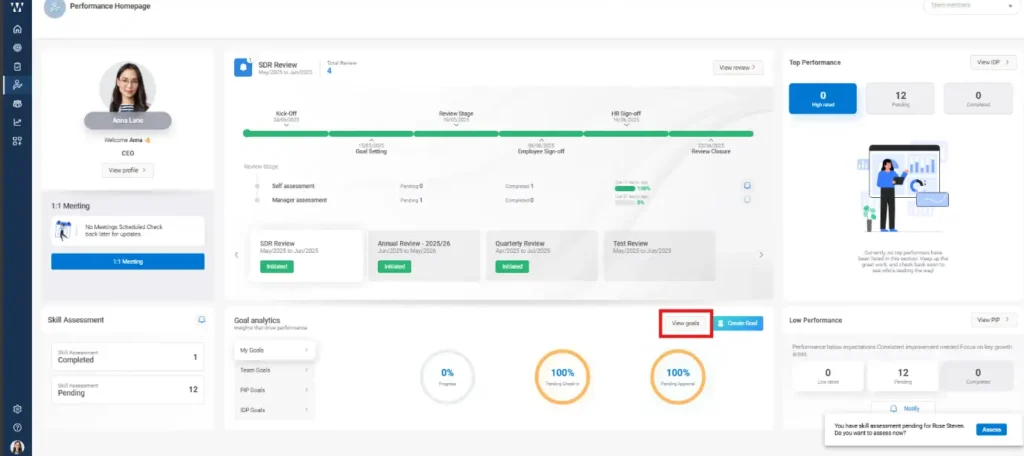
Step 1:- On the PMS Homepage, click on “View Goals”
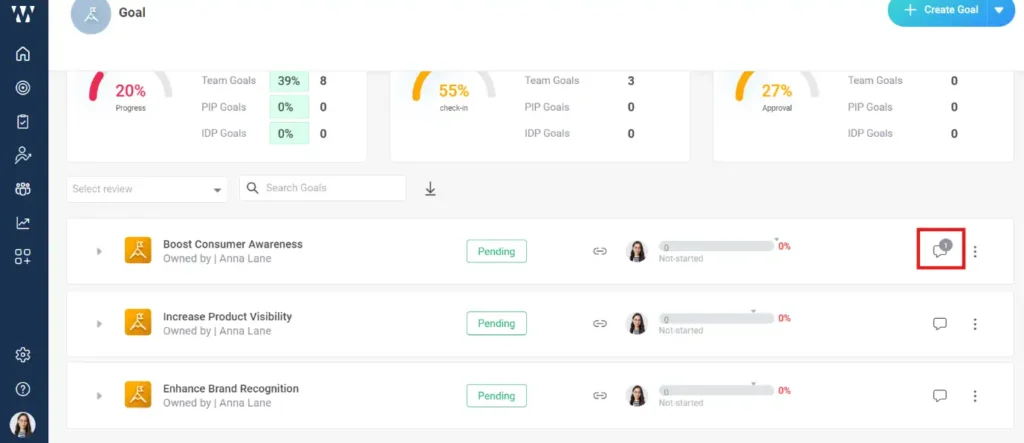
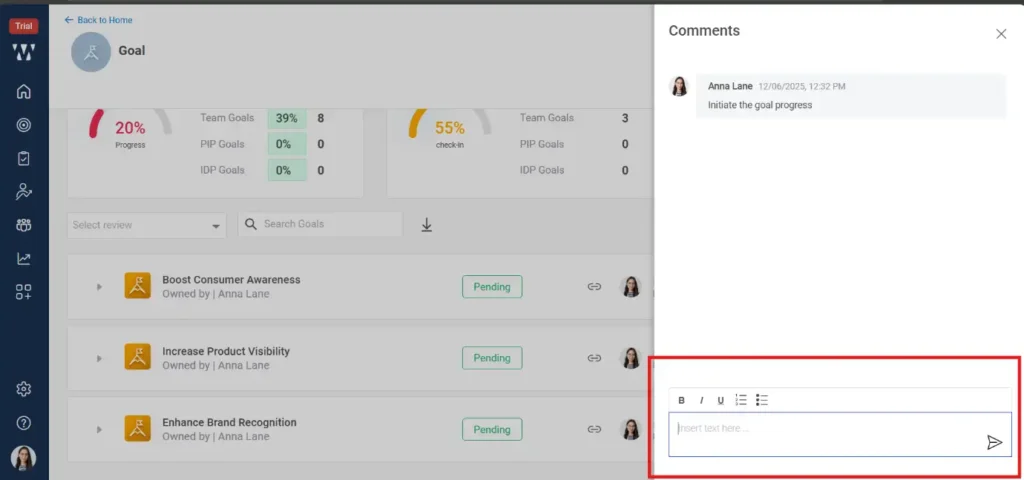
Step 2:- On the particular goal to comment click on click on the “Comment Icon” beside three dots. A window will pop up and the Managers or head can give their comment to specific goal.
 WORXMATE
Step 1:- On the PMS Homepage, click on “View Goals”
Step 2:- On the particular goal to comment click on click on the “Comment Icon” beside three dots. A window will pop up and the Managers or head can give their comment to specific goal.

We will configure live scenarios tailored to your company size, OKR cycles, and appraisal rhythms — zero generic pitch decks.