
To create a new Task
1. Click on the Tasks icon in the left sidebar menu to open the “My tasks” section.
2. Now click on the “+ Add task” button to open a new sub- section where you can add the task details.
3. The fields of the task details window are described below –
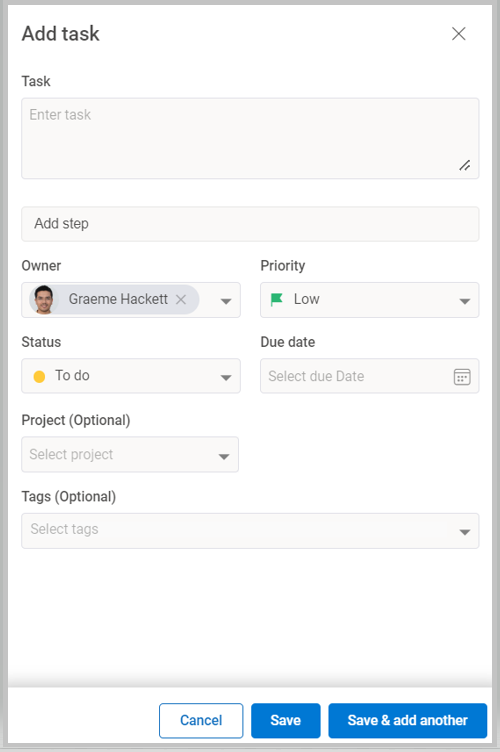
a) Task name is a required field. It denotes the name of the task.
b) Next step Actions to complete a Task.
c) Owner is the person to whom task will be assigned.
d) Due date is the date by which the task should be completed.
e) Status field denotes this status of the task.
f) The Project field shows the project that can be linked to this task. This is an optional field.
g) With the Priority field, you can set the priority of the task as high medium or low.
h) In the Tags field you can add any relevant keywords for the task.
4. After all the fields are filled, you can save the task by clicking on the Save button. Or you can save the current task and move on to adding new task by clicking on Save & add another button.
