
Worxmate

WORXMATE
AI Intelligence Suite
Log In

Help center > Frequently Asked Questions > Working With Tasks > How to delete the Tasks that I created?

How to delete the Tasks that I created?

To delete a task –

1. Click on the 3-dots icon on the task to see the pop-up menu.

2. Select delete.
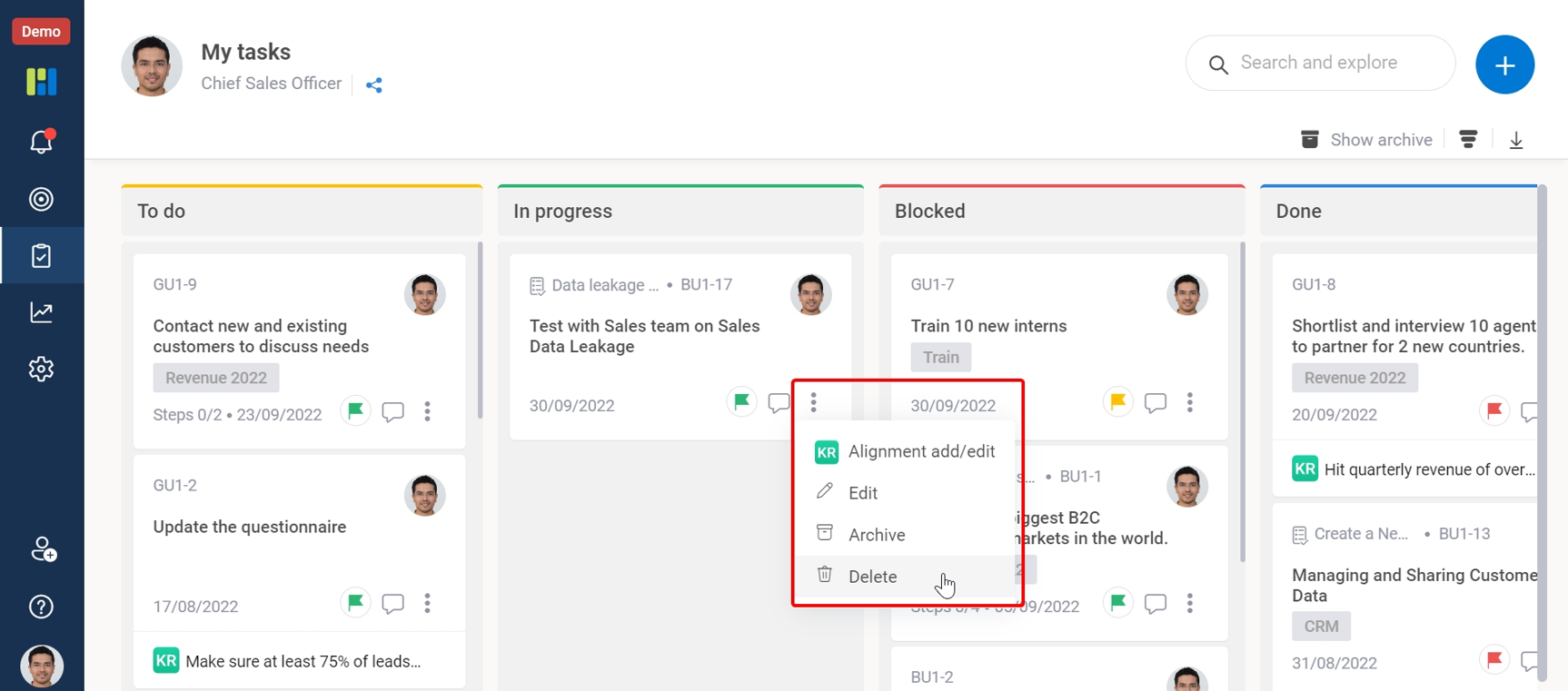
task details

3. A new popup window will ask you to reconfirm whether you want to delete or not.

4. Click on the Delete button to delete the task.
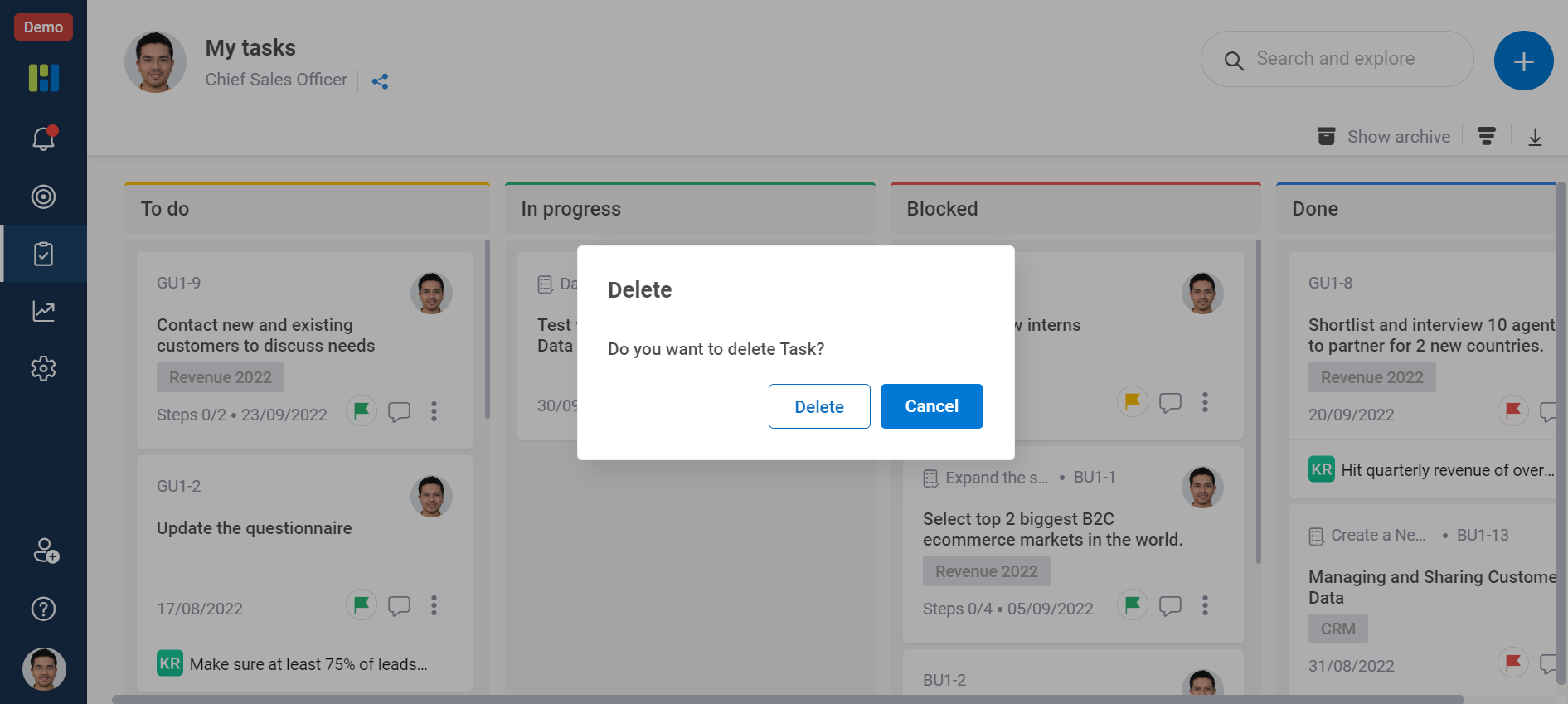
Task

Note – Tasks which are aligned to any KRs can’t be deleted without first removing their alignment.
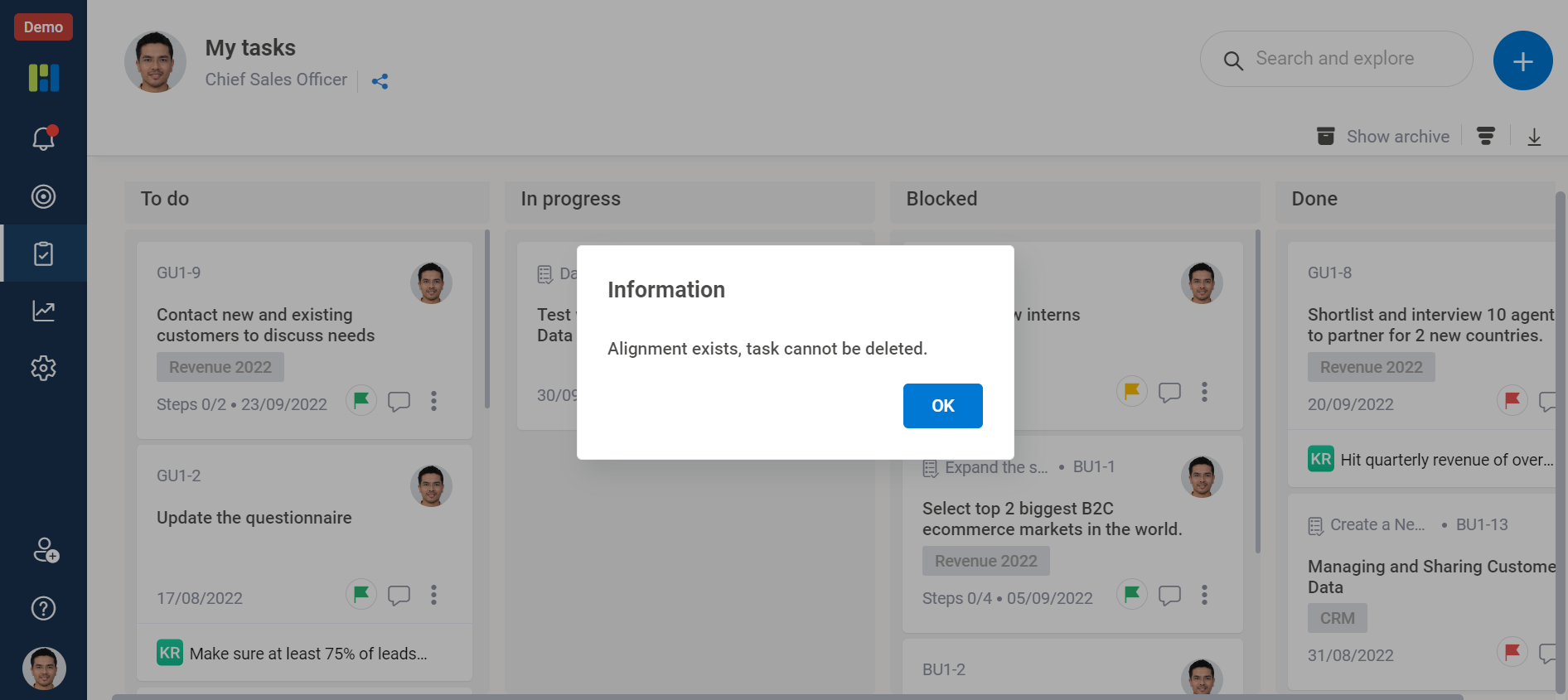

task

Worxmate AI
Live 1-on-1 Walkthrough

See Worxmate AI in action.

We will configure live scenarios tailored to your company size, OKR cycles, and appraisal rhythms — zero generic pitch decks.

"Worxmate’s smart insights simplify team management—more intuitive than Zoho People."
— Senior HR Lead • Cloudaeon
    Available 30-Min Slots Pick a day
    Pick a date & time slot to proceed