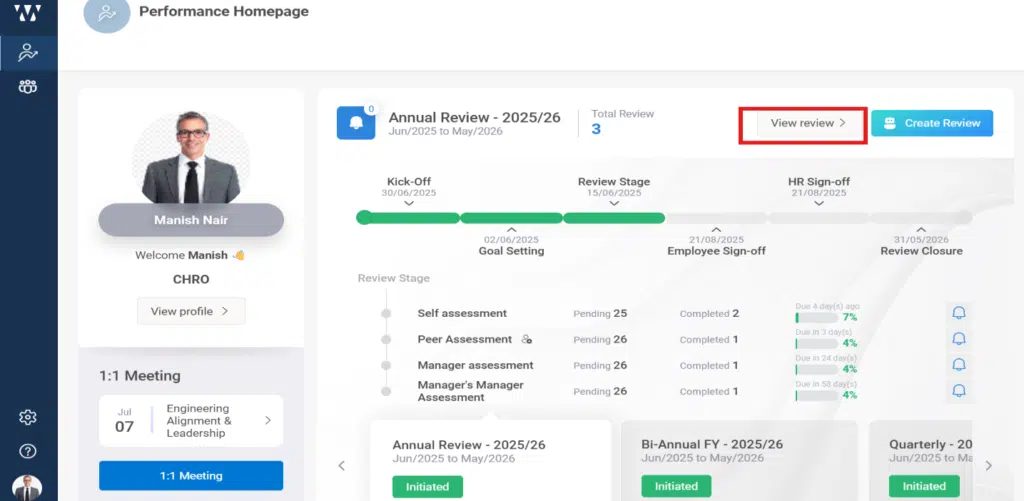
Step1: Click on “View Review” on the PMS homepage. You will be directed to a page displaying all the assessments.
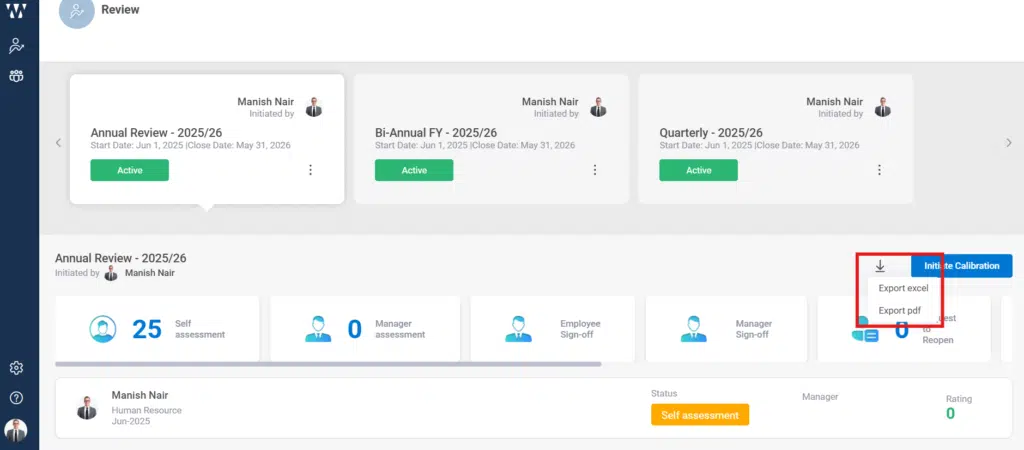
Step 2: Once you click View Review, the review page will open. On this page, on the right-hand side below the cycle selection option, you will see an Export arrow (as shown in the image). Click on it to export the report.