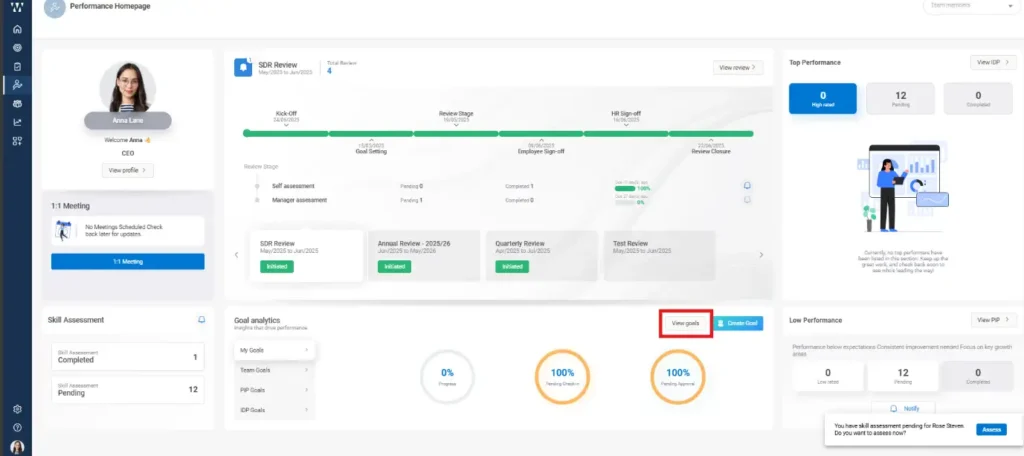
Step 1: HR or managers can initiate an PIP by going to the Performance homepage, navigating to the ‘Low Performance’ section, and clicking on ‘View PIP’.
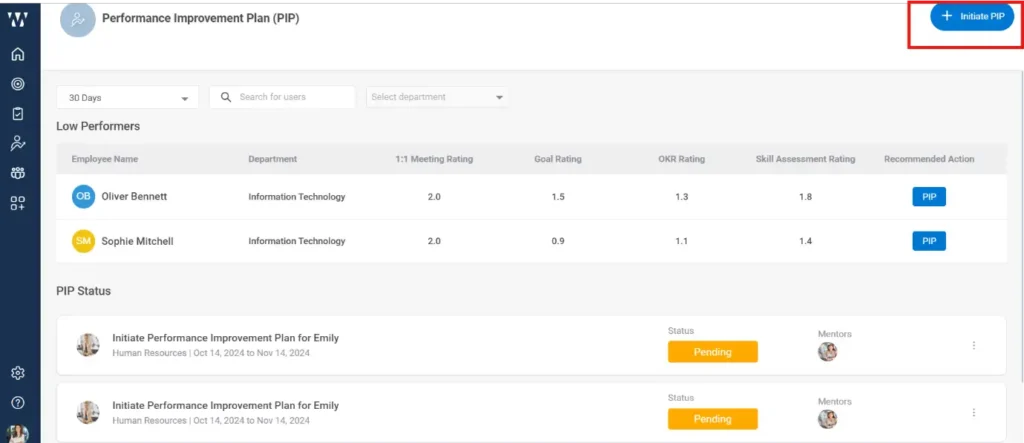
Step 2: On the next page, you will see the list of Low Performers along with the existing initiated PIPs. From there, click on ‘Initiate PIP’.
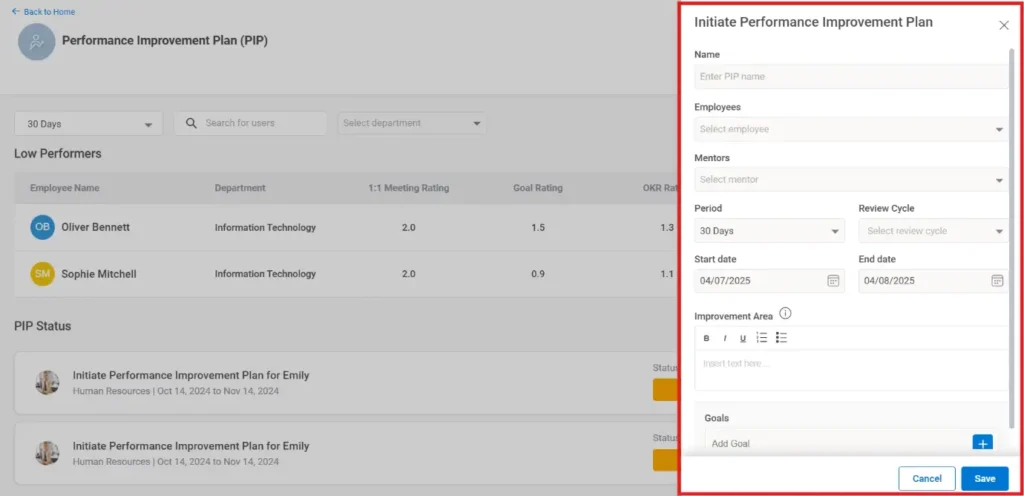
Step 3: Fill in all the required details such as PIP name, employee, mentor, duration, etc., and then click on ‘Save’.
Step 4: The employee for whom the PIP is initiated, and the assigned mentor will both receive real-time notifications via email as well as through the product notification icon.