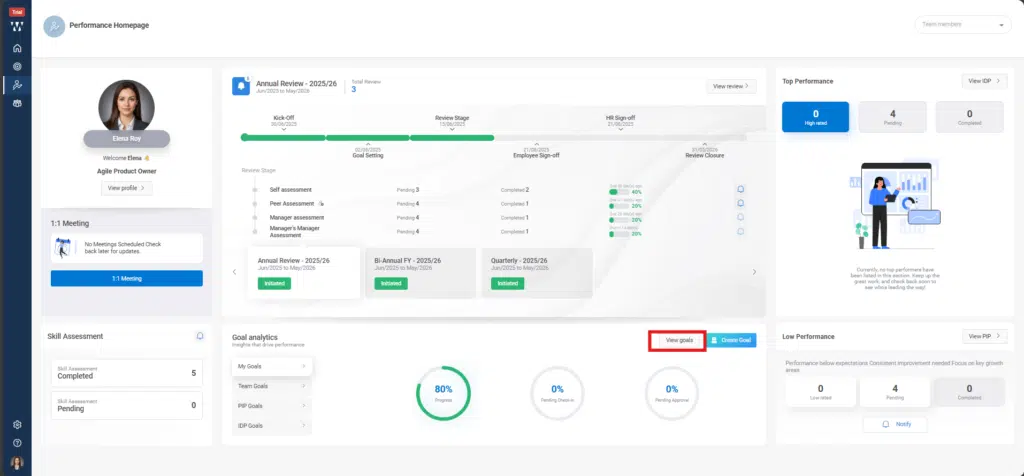
Step 1: In the manager’s Performance interface, go to the ‘Goal Analytics’ section and click on ‘View Goals’.
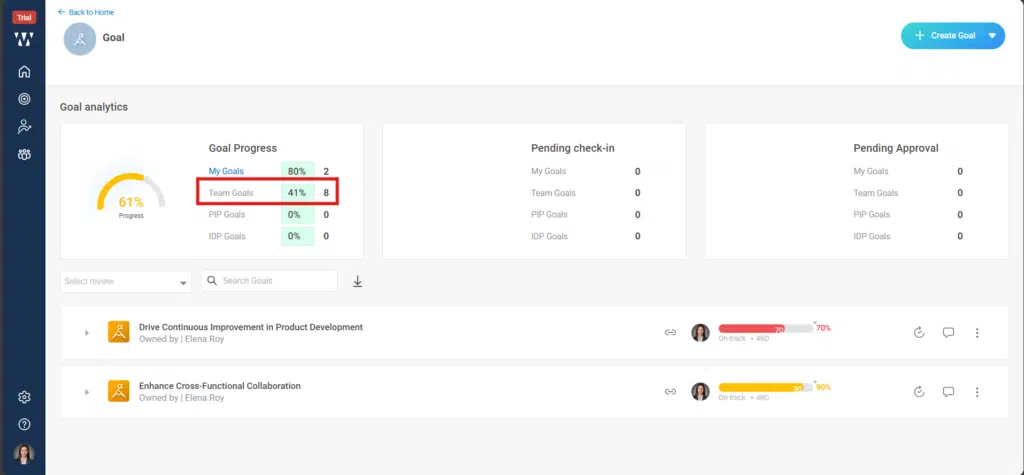
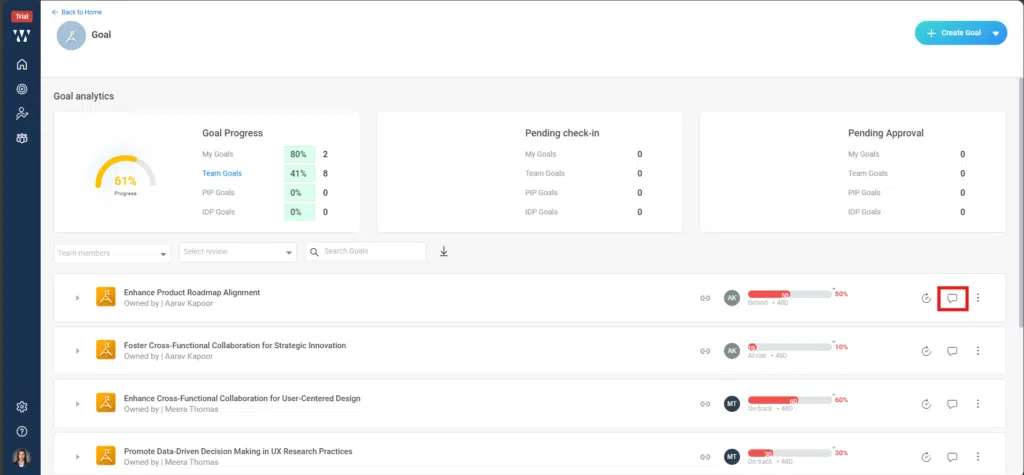
Step 2: Next, a window will open where the manager can view the status of their goals. At the top, in the Goal Analytics section, go to the first block under ‘Goal Progress’ and click on ‘Team Goals’.
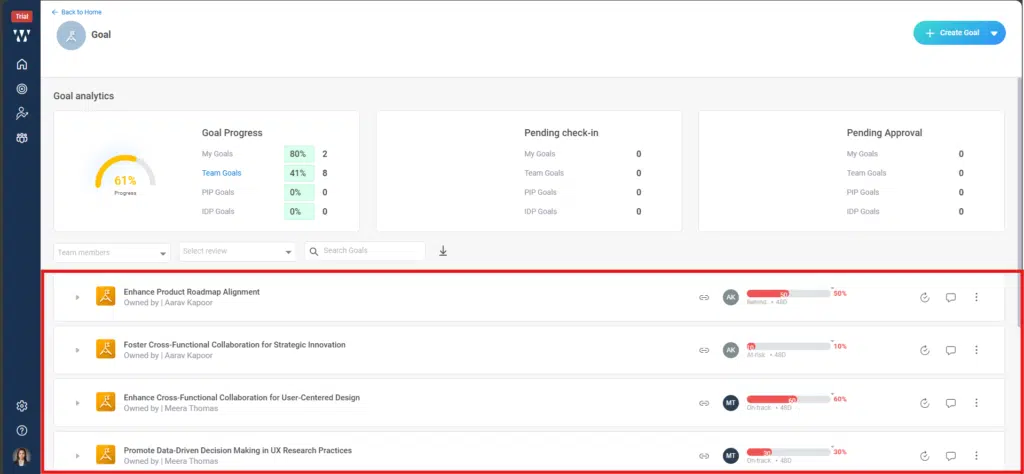
Step 3: By clicking here, the manager will be able to view all the goals of their team.
Step 4: By clicking on the ‘Comment’ icon of any goal, a window will open.
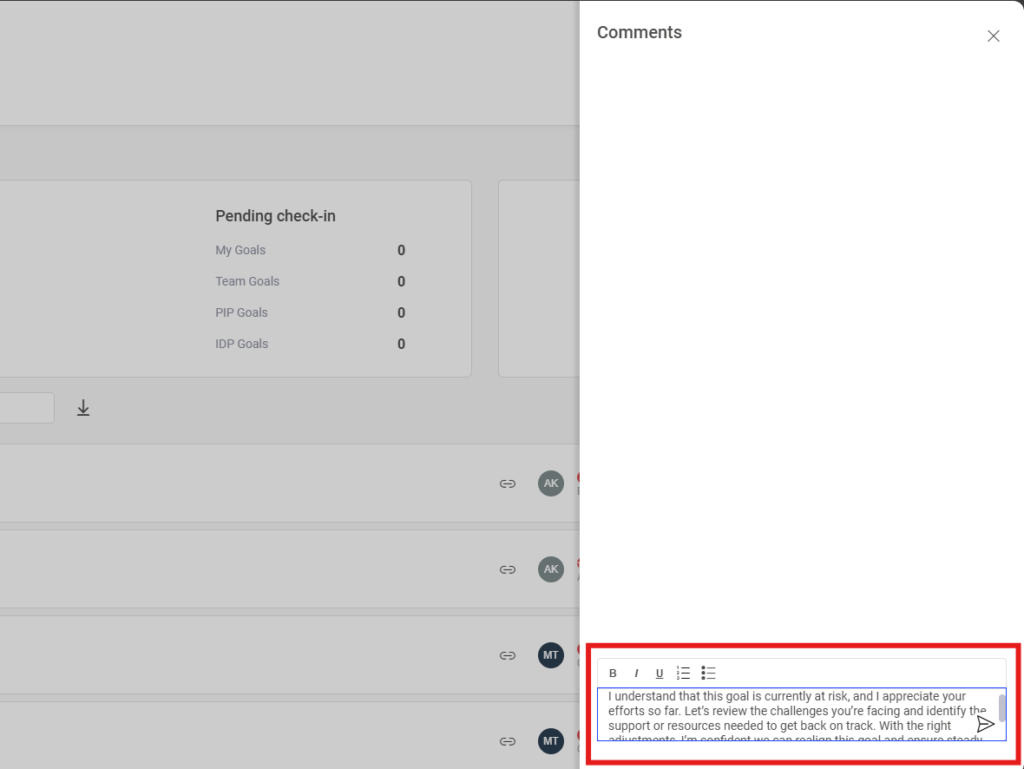
Step 5: In the comment box, enter your comment and click on ‘Post’.
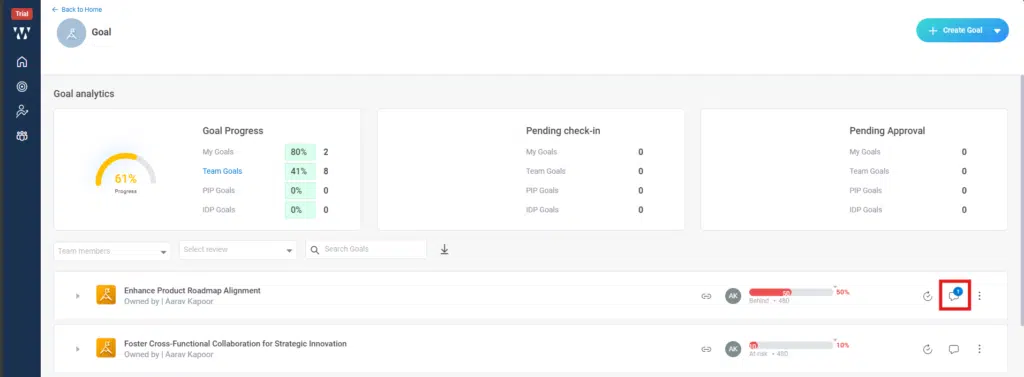
Step 6: On the final window, a number will appear on the comment icon as highlighted in the red box. This will be visible both to the employee in their interface and to the manager as well.