
All the users can personalize a default OKR Period. Setting a default period helps you to focus on OKRs of a specific period. After setting a default OKR period, by default, the following screens shows OKRs associated with the selected period:
OKRs
Search and Explore
Insight
To set the Default Period:
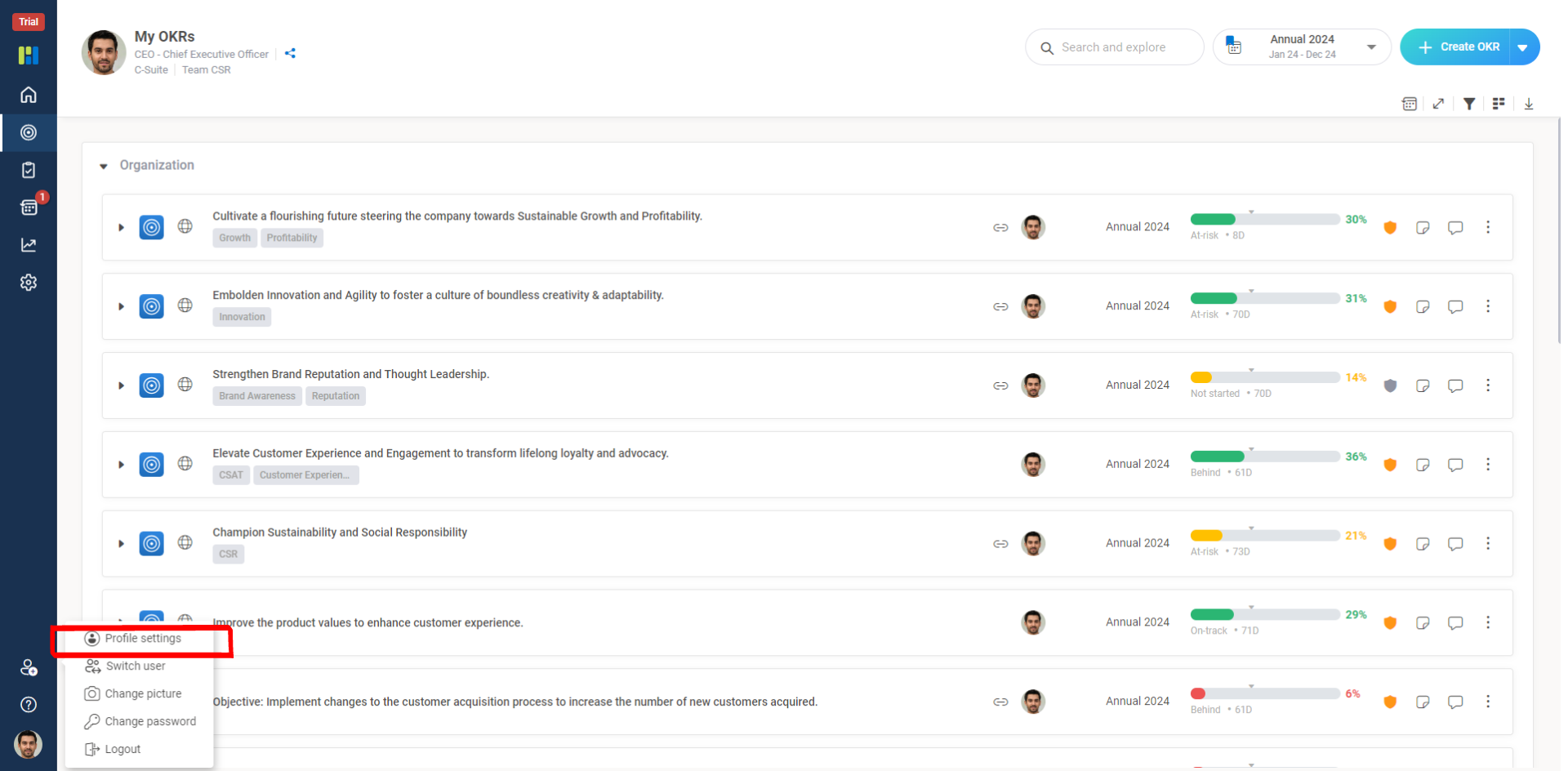
From the Vertical Menu Bar, click your Abbreviated Name Icon, and then click User Settings.
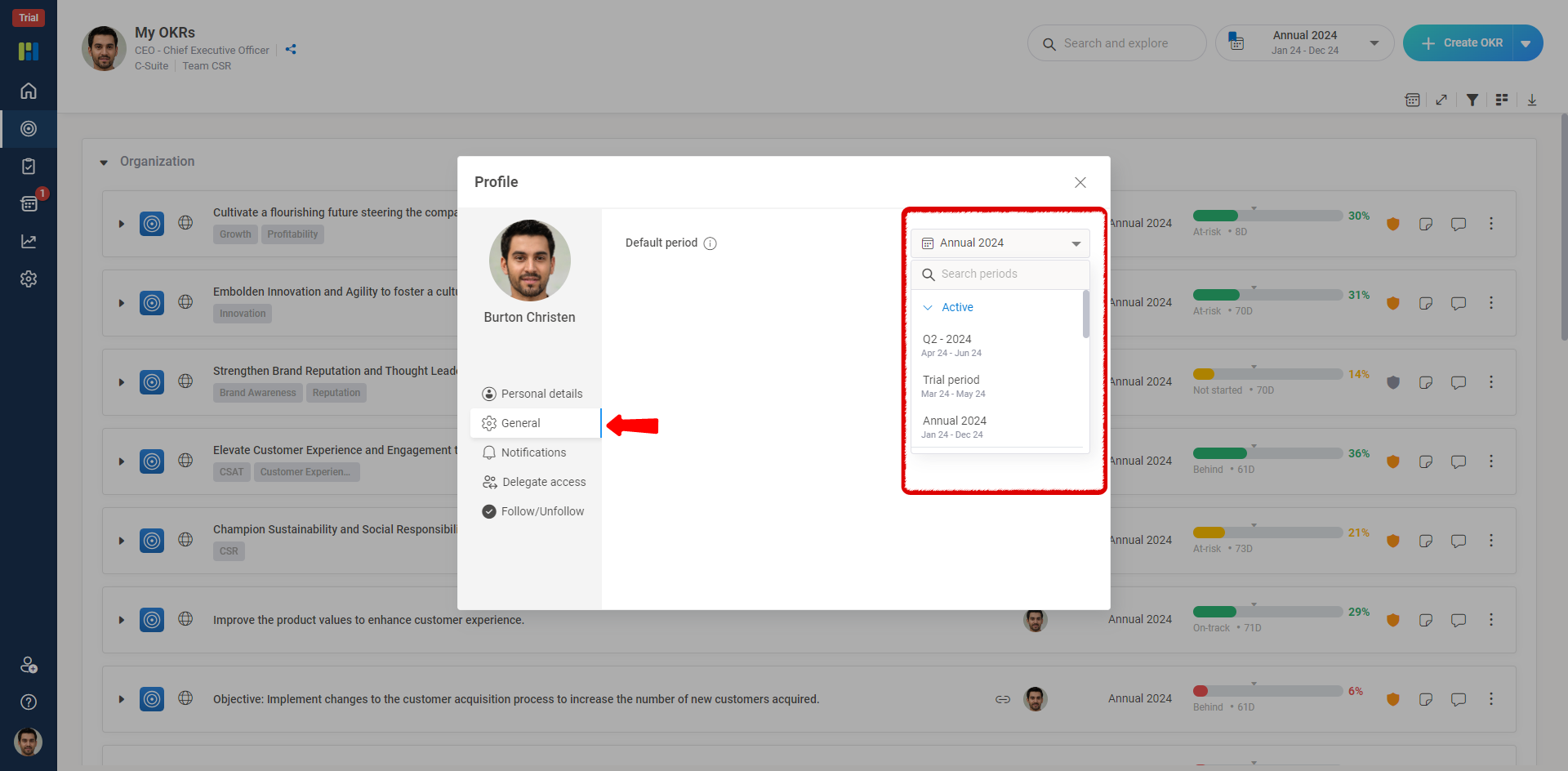
From the Default Period drop-down list, simply select a default period that you want and click Save.
Note : Only Administrators of an organization can manage the OKR Periods. Administrators can make it monthly or any custom time period they want for the organization by adding those OKR periods.
