
You can view all the tasks created in your organization (assigned to you or otherwise) through the “My tasks” section.
1. Click on the Tasks icon in the left sidebar menu to open the “My tasks” section.
2. By default, this section shows those tasks that are assigned to you.
3. To see other tasks, go to the search bar near the “+ Add task” button.
4. Here you can search for tasks based on four criteria – Tasks, Projects, Users, and Tags.
5. Select the criteria over which you want to perform the search. Then type in the search text for that criterion. For example – If you want to view tasks owned by others, select the Users criterion, and then type in the username of the person in the text box.
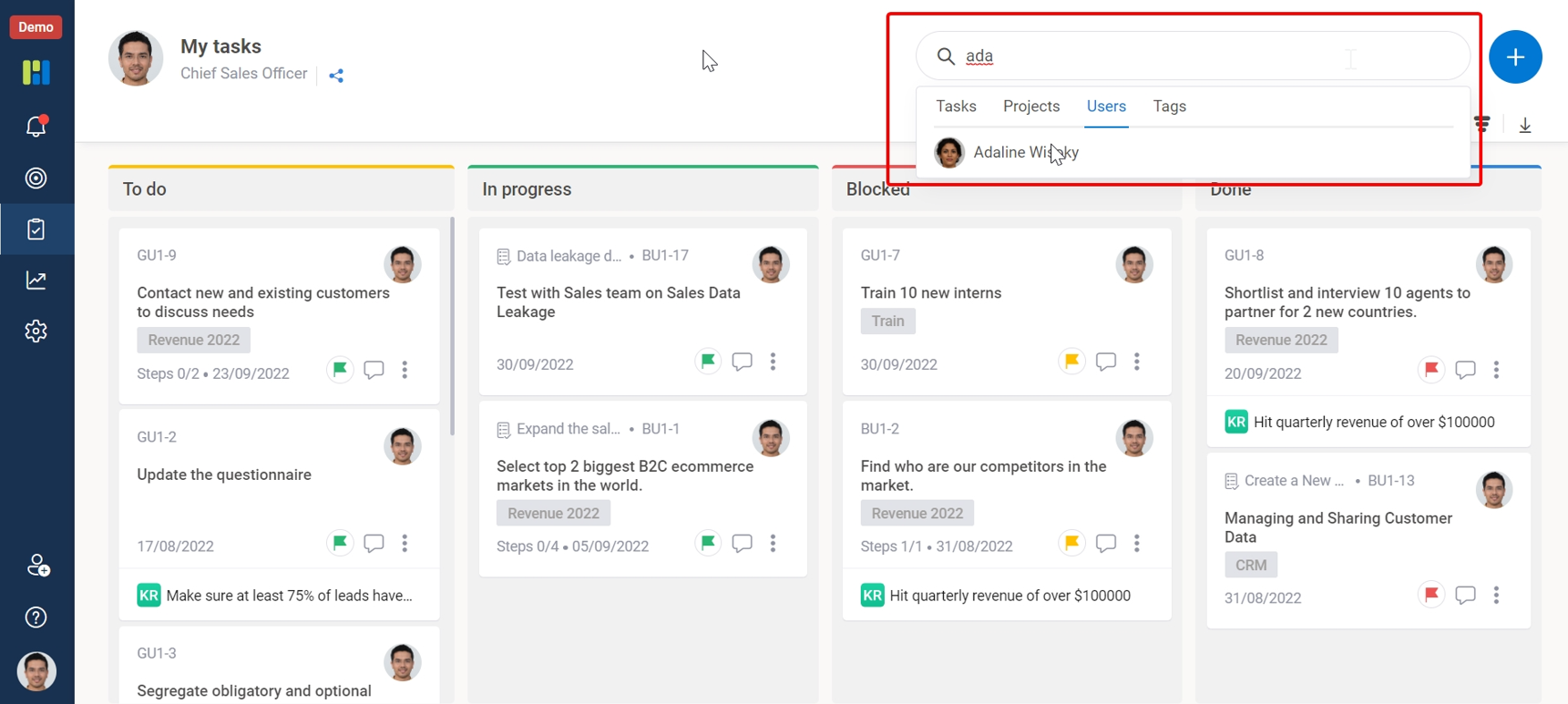
6. Then select the required task/project/user/tag from the search results. After you select it, the Kanban Board will display the tasks related to your search criterion.
