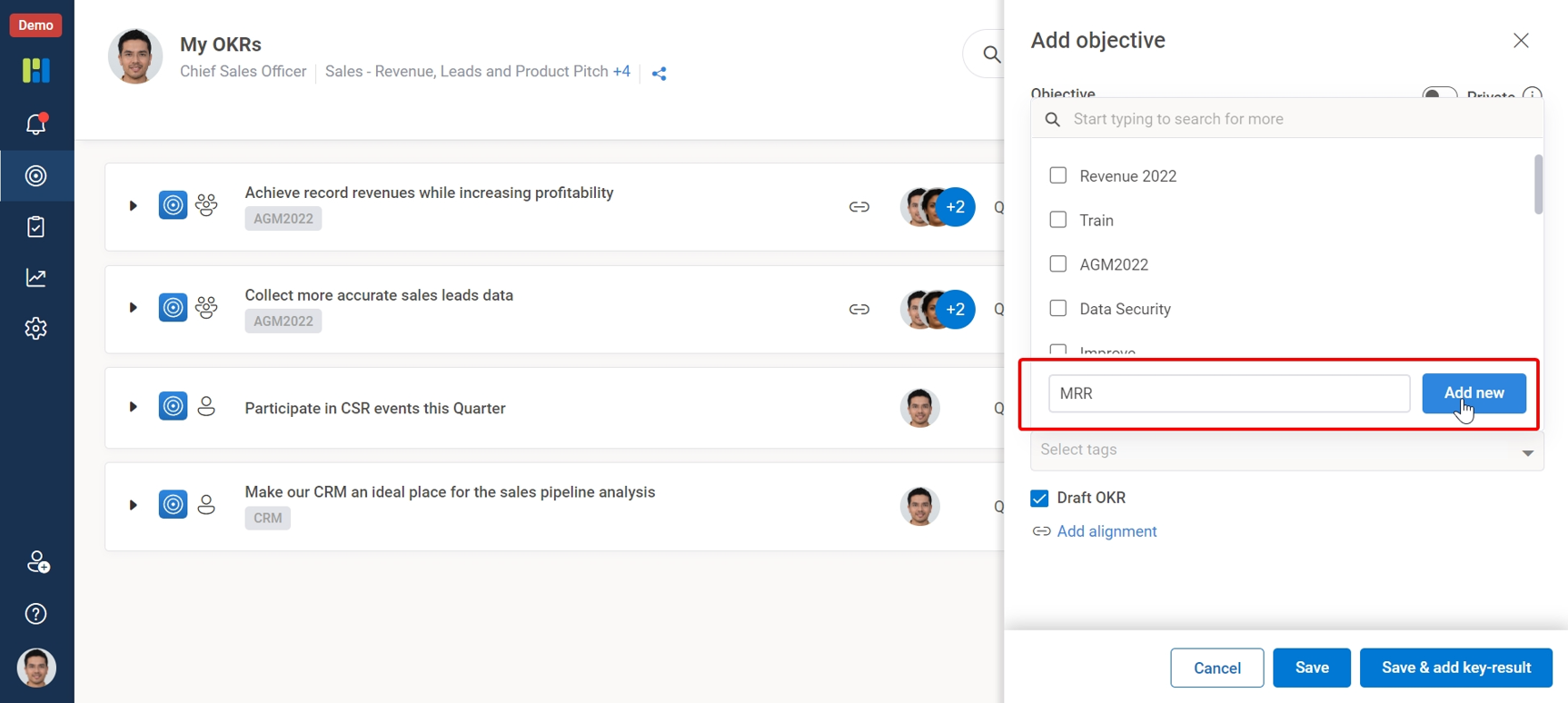
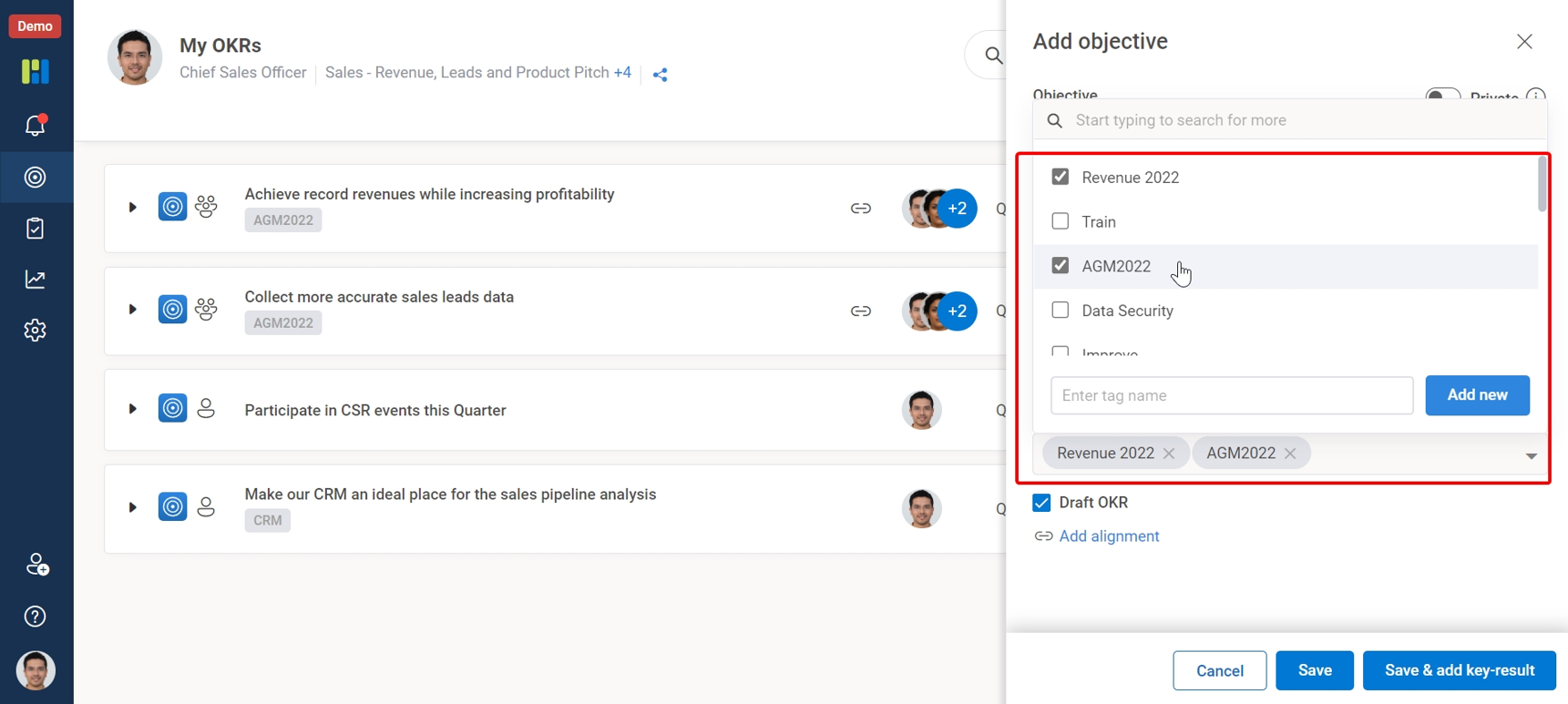
Worxmate ‘Tag’ feature allows you to quickly search for the OKRs tagged with distinct keywords or identifiers.
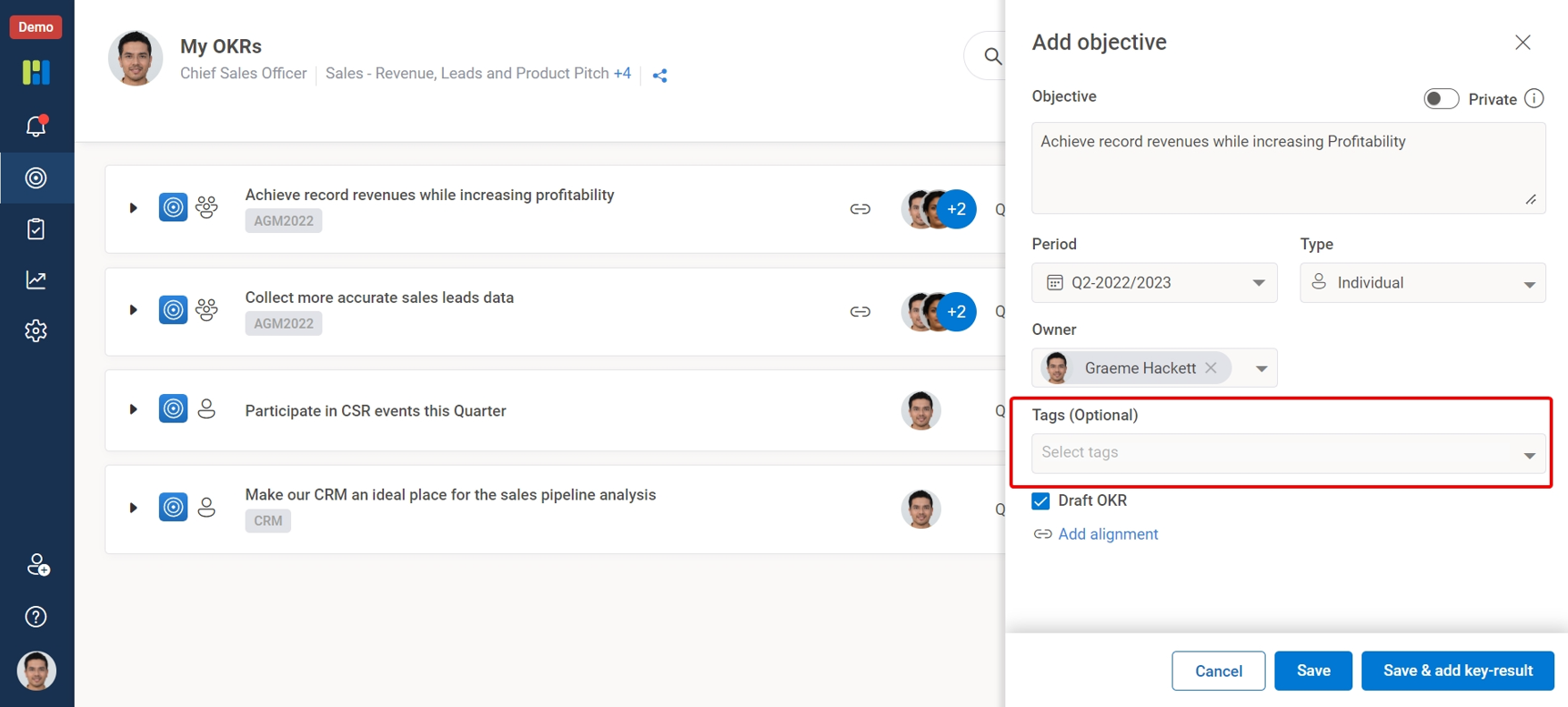
While writing your Objectives you can add a ‘Tag’ to your OKRs to distinctly identify them or group other similar objectives, to see how those Objectives and associated Key-Results are progressing by simply searching via Tags option under search and explore button. You can enter a maximum of 5 Tags as identifiers.
Tags could be inspired from the objective itself or it could be a reference from an Objective Planning meet, AGM’s, All hand meets or other events. Tags make it easier to search for specific OKRs.
You can create a new Tag or pick & add already added Tags.