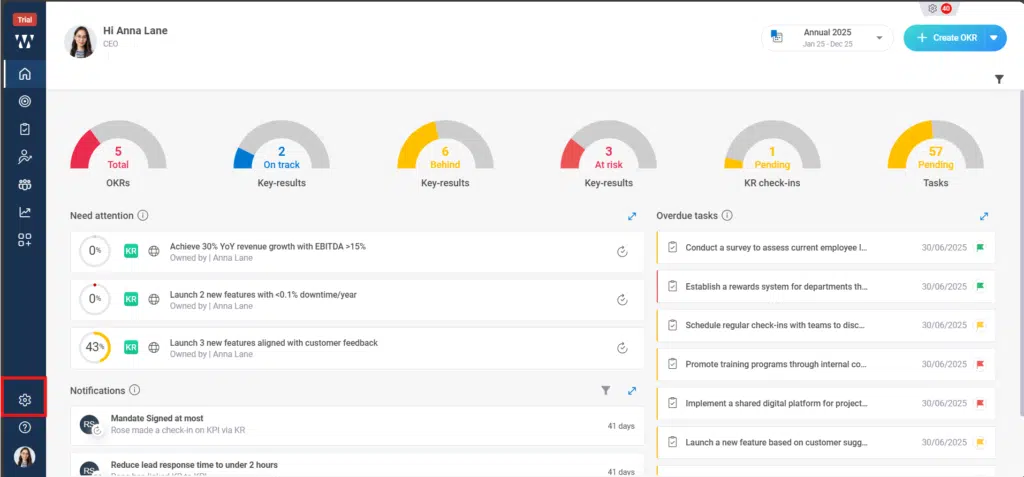
Step 1: From the Homepage, Navigate to the “settings”:
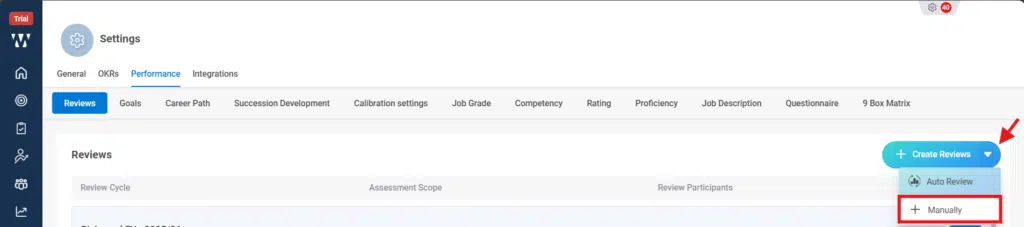
Step 2: From the performance Module stay on “review “tab and click on the small dropdown beside “Create Reviews” and select “+Manually”:
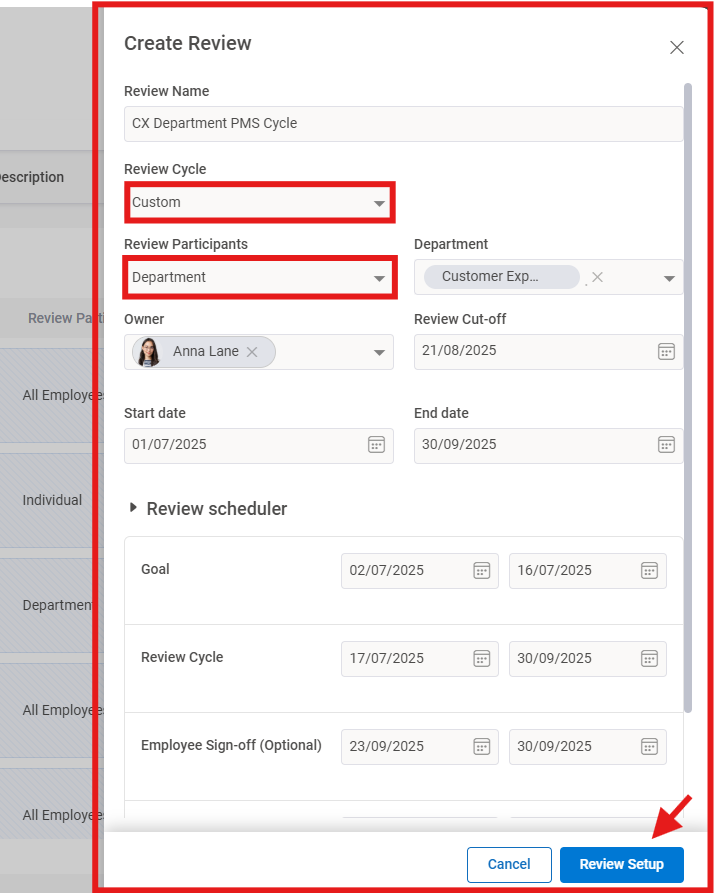
Step 3: The following window will appear were select the Review cycle as “Custom”, Select the Review participants, accordingly, set all the dates and finally click on the “Review Setup”:
Step 4: Now its time to do the Review Setup, the first you need to choose the review scope and then click on “Next”:
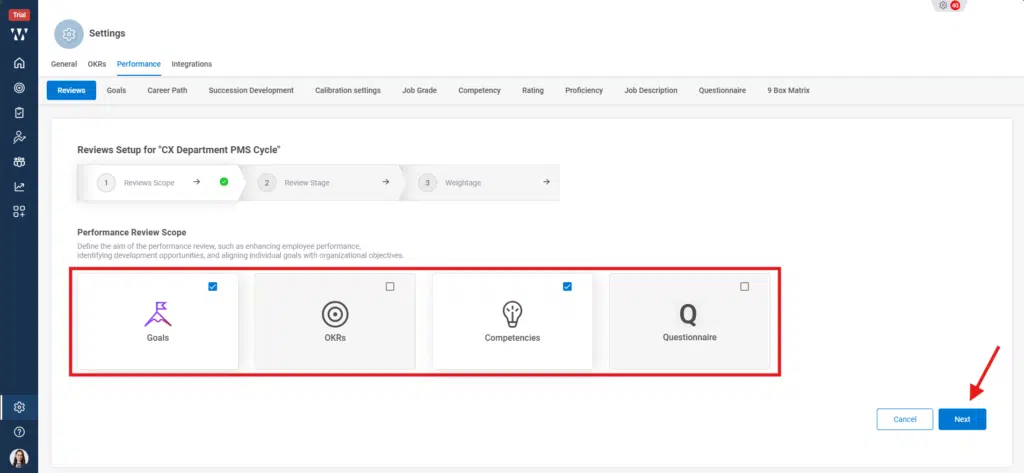
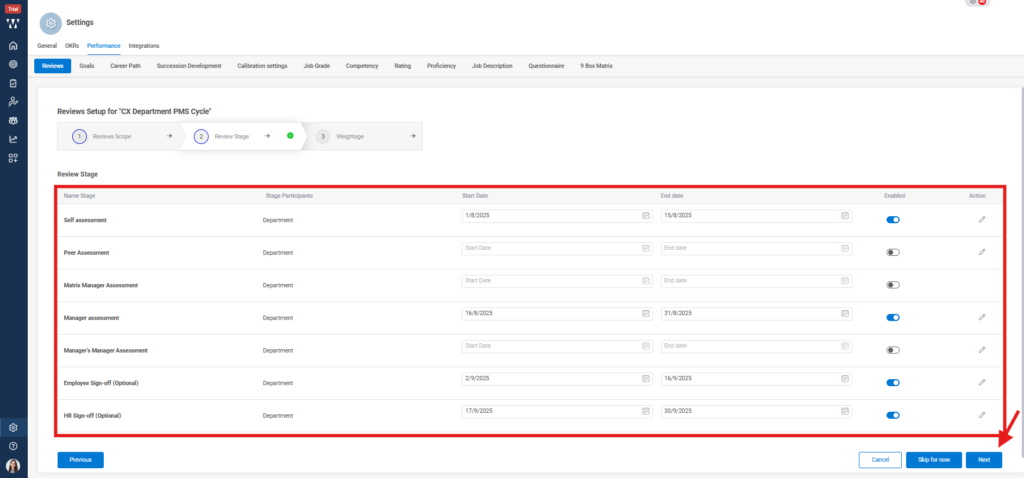
Step 5: Next, Select the Review scope or edit the dates for assessment etc and click on the ‘Next’:
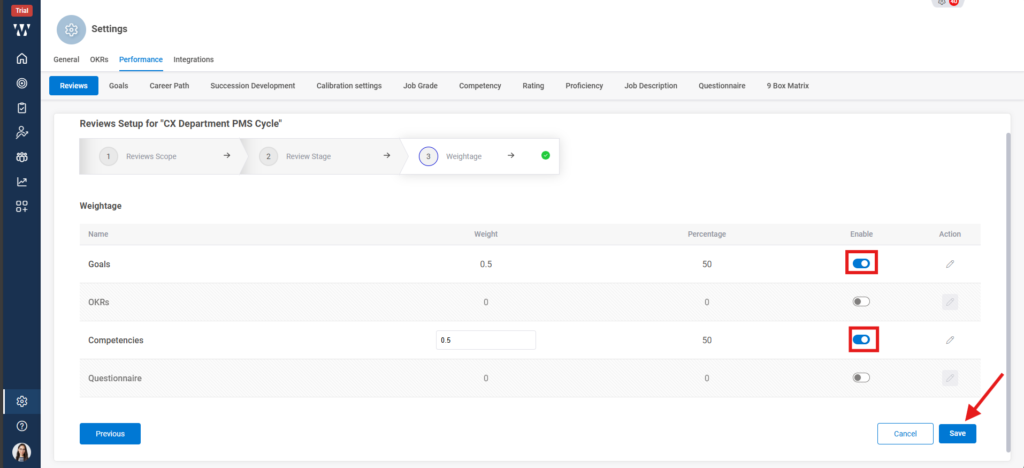
Step 6: Select the weightage for the Review scope that are selected earlier and click on ‘Save’:
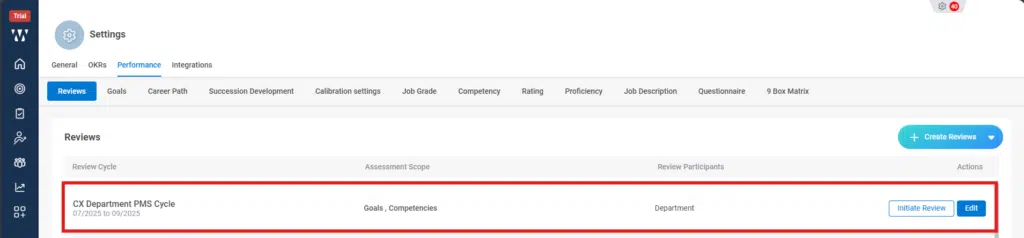
Step 7: The final window with initiated Review cycle will appear: