
Worxmate

WORXMATE
AI Intelligence Suite

Help center > Frequently Asked Questions > Working With Tasks > Where can I find my tasks in Worxmate?

Where can I find my tasks in Witsmate?

You can view all the tasks created in your organization (assigned to you or otherwise) through the “My tasks” section.

1. Click on the Tasks icon in the left sidebar menu to open the “My tasks” section.

2. By default, this section shows those tasks that are assigned to you.
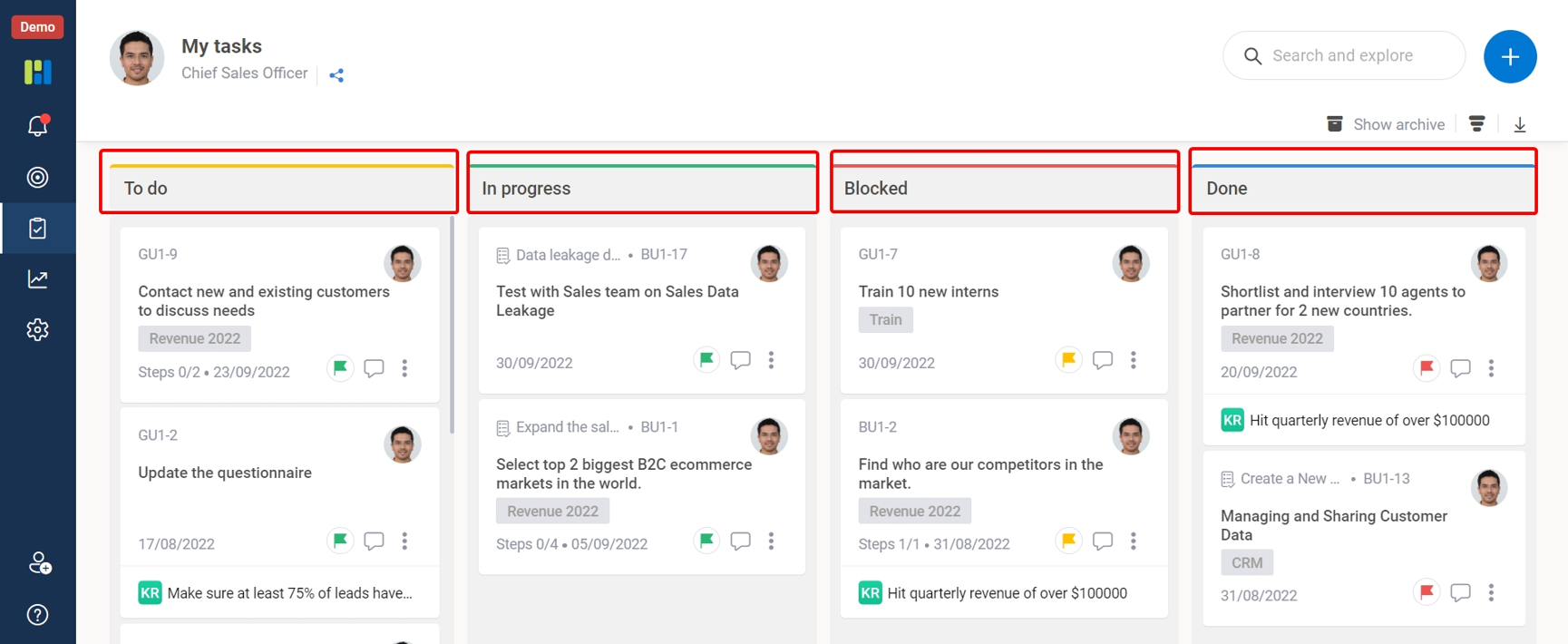
My Tasks

×
Worxmate AI
Live 1-on-1 Walkthrough

See Worxmate AI in action.

We will configure live scenarios tailored to your company size, OKR cycles, and appraisal rhythms — zero generic pitch decks.

"Worxmate’s smart insights simplify team management—more intuitive than Zoho People."
— Senior HR Lead • Cloudaeon
🌐
Available 30-Min Slots Pick a day
Pick a date & time slot to proceed
