 WORXMATE
Quick Answer
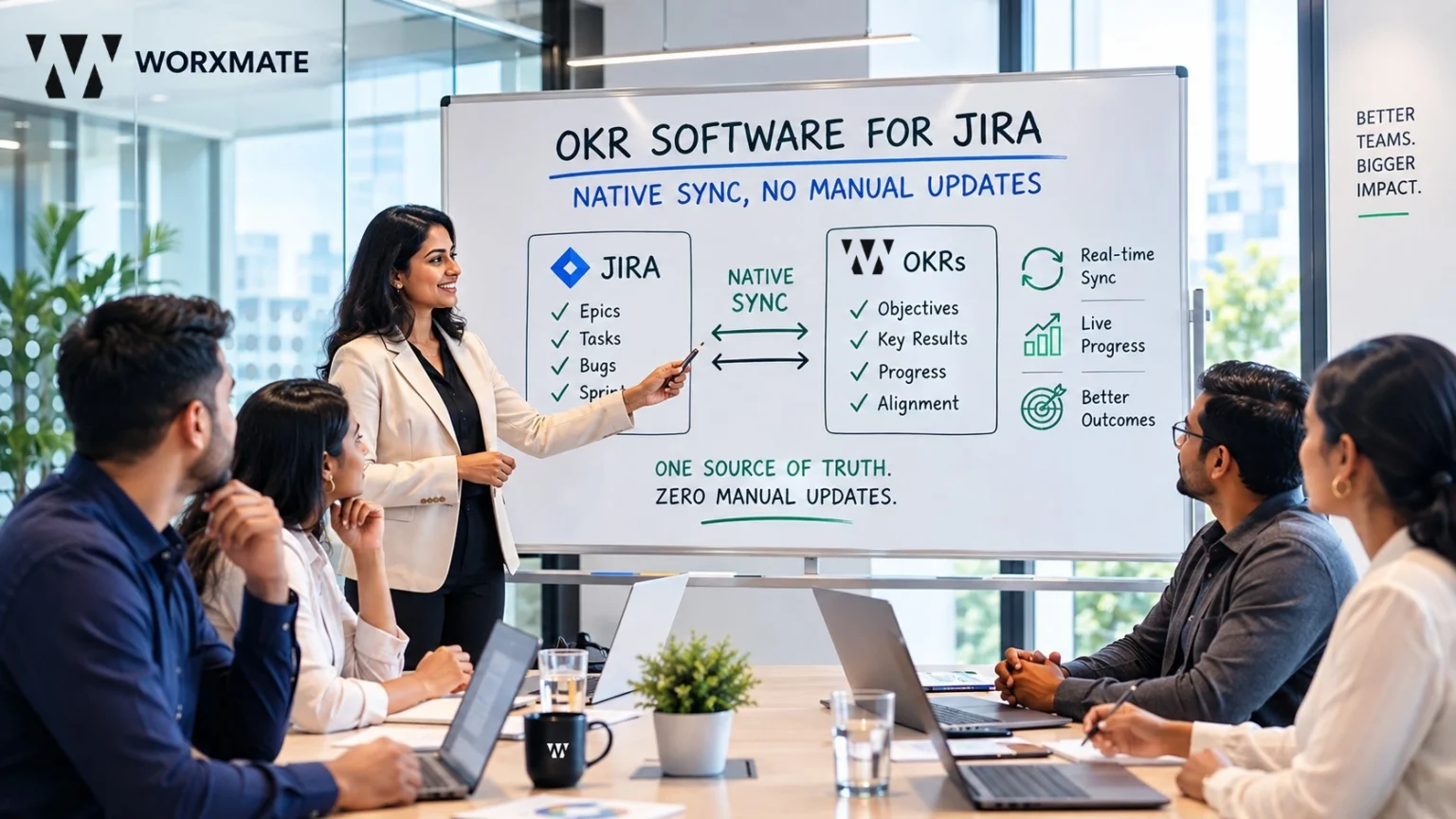
The best OKR software for Jira connects sprint and epic data directly to OKR progress automatically, without an engineering manager manually re-typing sprint velocity into a separate goal-tracking tool every week. Worxmate’s Jira integration, built on its DEEP AI™ framework, pulls sprint and epic completion data into live OKR scorecards, while Orbit, Axis, and Nexus AI read that execution data for risk signals Jira’s own dashboards were never designed to surface.
The problem with tracking OKRs outside of Jira
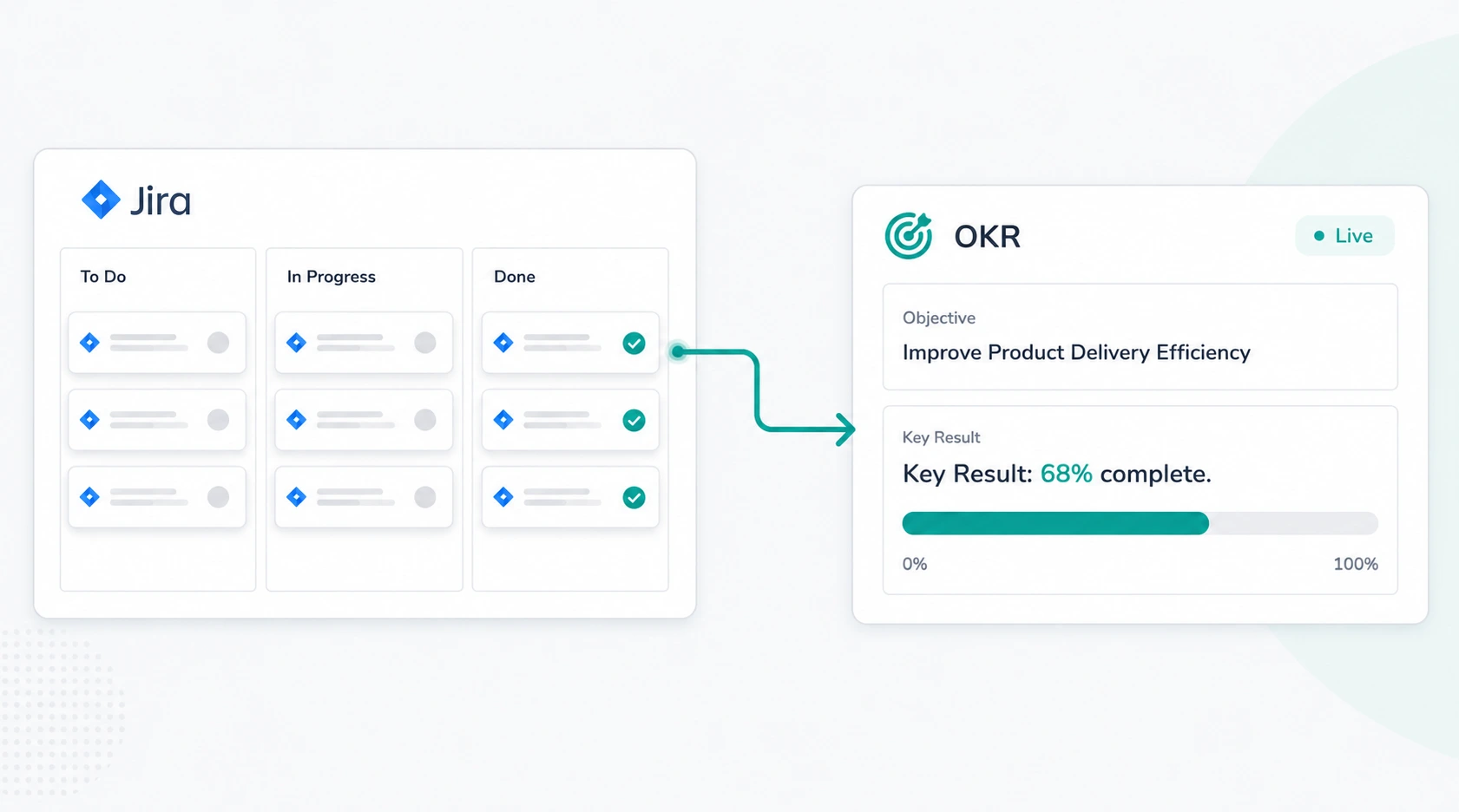
An engineering team runs its entire sprint cycle inside Jira epics, story points, burndown charts, the whole workflow lives there. Then quarterly planning arrives, and OKRs get set in a completely different tool. Every Friday, an engineering manager has to manually translate what actually happened in Jira that week into a progress update in the OKR tool, essentially re-reporting the same work twice in two different formats. Multiply that across a 40-person engineering org running four or five parallel sprints, and the manual reconciliation burden alone can eat hours of manager time every single week time that produces no new work, only a translated copy of work that was already tracked somewhere else. This is exactly the gap OKR tracking for Jira teams needs to close, and it’s rarely framed honestly enough in most OKR software marketing pages.
This is the specific gap that OKR software for Jira needs to close, and it’s a different problem from OKR software in general. Most OKR tools were built for a generic audience sales, marketing, operations where progress updates are naturally manual because there’s no underlying system of record to pull from. Engineering and product teams are different: the system of record already exists, and it’s Jira. Why OKR implementation fails covers this exact failure mode more broadly, but for engineering teams specifically, the cause is often this precise mechanical gap not a lack of discipline, but a tool stack that forces the same information to be entered twice.
The deeper cost shows up in trust, not just time. When a sprint clearly moved the needle on a key result but the OKR dashboard still shows it as “at risk” because nobody got around to the manual update that week, engineers stop believing the OKR tool reflects reality. Our CEO has written more on this exact output-vs-outcome trap specifically for engineering teams – Your Team Shipped 40 PRs This Sprint. Did Any of Them Matter? – worth reading if this pattern sounds familiar. Why OKRs feel like extra work traces back to exactly this pattern in technical teams the OKR process feels like overhead specifically because it’s duplicating effort that Jira already captured, rather than building on it. This is also precisely why so many teams searching for a way to connect Jira to OKR software are doing so out of frustration with a previous tool, not simply out of curiosity the pain of double entry is usually what triggers the search, not a proactive desire to add another integration.
This is exactly the territory genuine engineering OKR software with Jira sync needs to own: not a dashboard that displays PR and ticket counts more attractively, but one that connects that activity to whether it actually moved a key result, echoing the same output-versus-outcome distinction our CEO’s piece walks through in detail.
What “OKR software for Jira” actually means
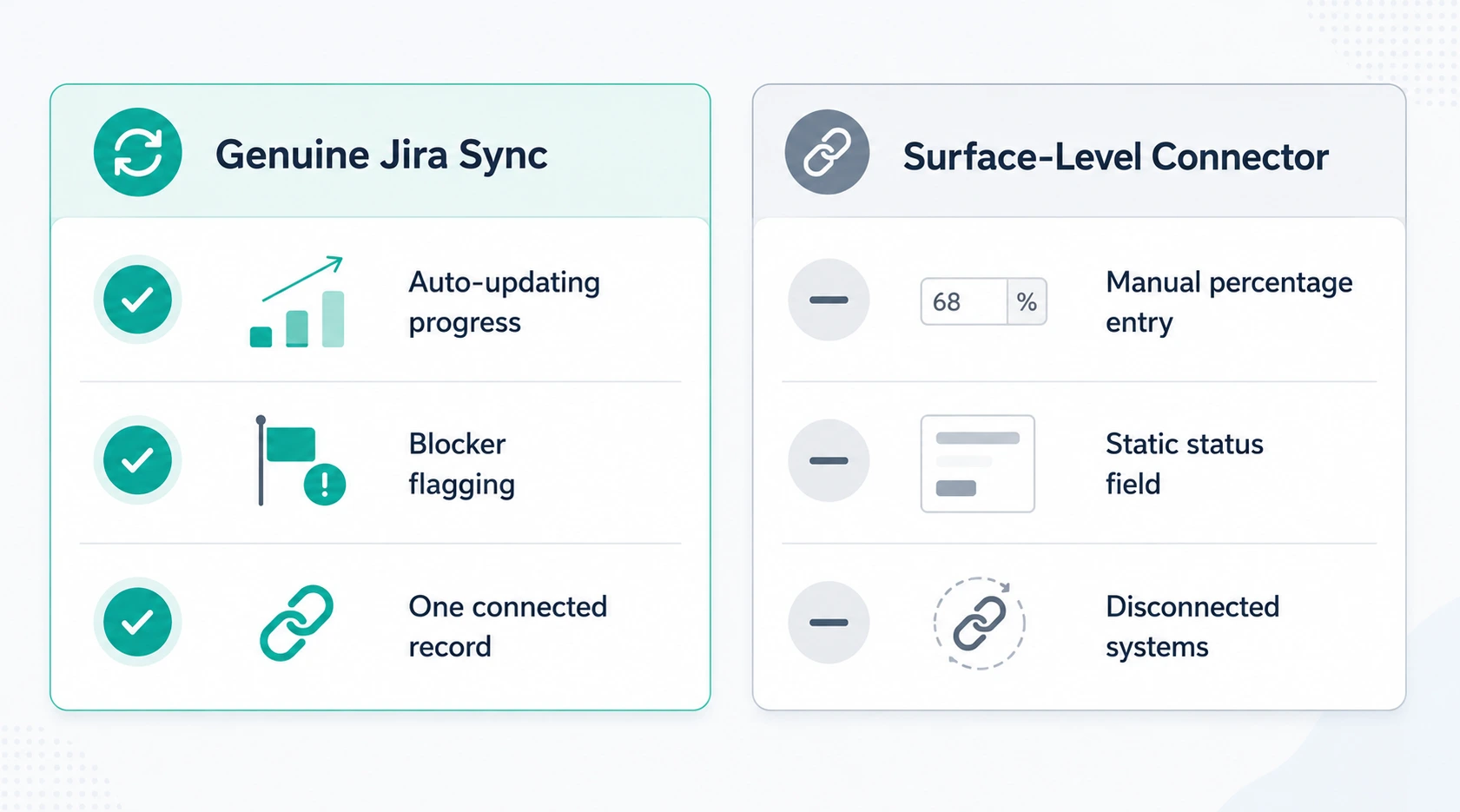
Not every tool claiming Jira integration means the same thing. There’s a meaningful difference between a surface-level connector that occasionally syncs a status field and a genuine Jira OKR integration where sprint and epic completion data actually drives OKR progress calculations.
| What a genuine Jira-native integration does | What a surface-level connector does |
|---|---|
| Epic and sprint completion auto-updates key result progress | Manager manually copies a percentage from Jira into the OKR tool |
| Blockers flagged in Jira surface as at-risk signals in the OKR view | OKR status stays “on track” until someone remembers to change it |
| One connected record between sprint work and strategic goals | Two disconnected systems a manager mentally reconciles |
| Historical sprint data feeds retrospective and forecasting | Historical Jira data never reaches the OKR tool at all |
This is the practical test for any tool marketed as OKR tool for Jira: does sprint completion actually move a key result’s progress bar automatically, or does a human still have to translate one system’s data into the other’s format every week? A connector that only syncs a status label, without touching actual progress calculation, isn’t solving the manual-update problem it’s just moving where the manual step happens. This is also the honest answer to the question does OKR software integrate with Jira in the first place: most platforms technically do, but “integrates” and “genuinely syncs progress” are not the same claim, and the difference between them is the entire subject of this comparison.
How Worxmate connects Jira to real OKR execution
Worxmate’s approach to Jira-native OKR software runs through its DEEP AI™ framework Define, Execute, Evaluate, Plan with Jira sitting as a live data source feeding the Execute and Evaluate stages directly, not as a bolted-on integration layered over an otherwise disconnected product.
Execute stage: sprint data becomes check-in data. The OKR check-in software pulls sprint and epic completion straight from Jira, so a structured check-in isn’t a manager typing a fresh update it’s the system surfacing what actually happened in the sprint and asking the manager to confirm or add context, not reconstruct the data from scratch. This is what makes OKR check-ins genuinely fast for engineering teams rather than another Friday chore.
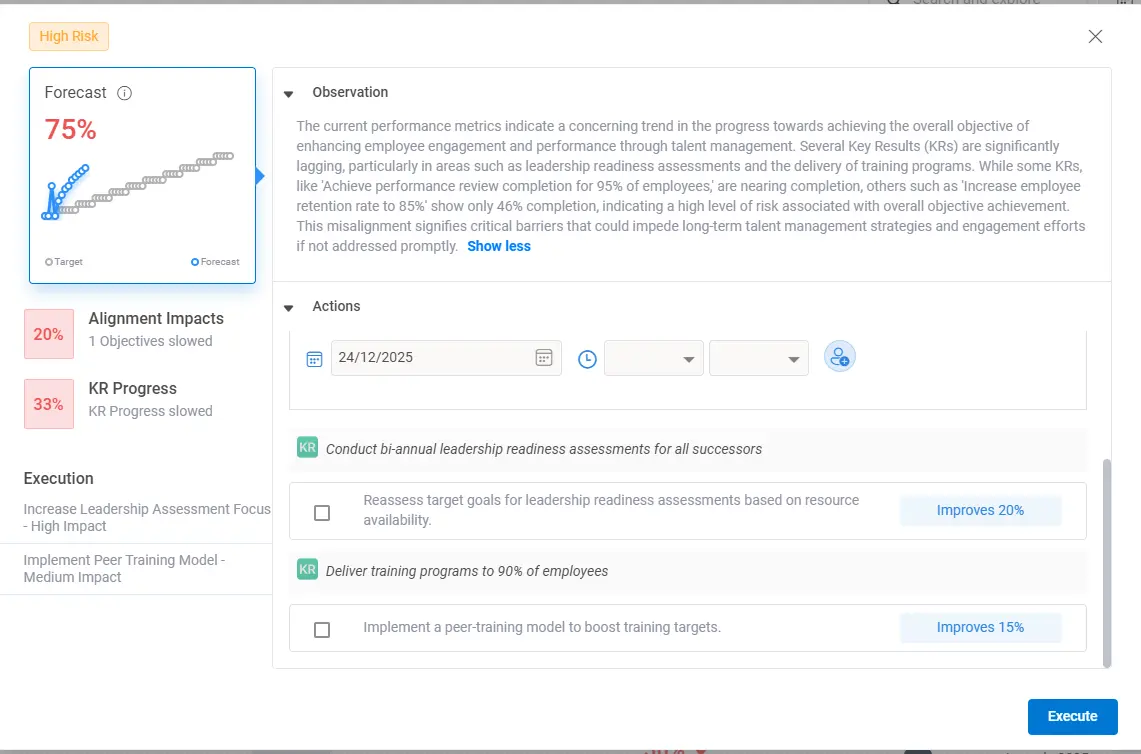
Evaluate stage: scorecards reflect real velocity, not self-reported optimism. The OKR scorecard software uses AI forecasting against actual Jira velocity data, flagging when a key result’s reported status doesn’t match what sprint burndown is actually showing catching the gap between “we said we were on track” and “the sprint data says otherwise” well before a quarterly review surfaces it the hard way.
This is also where Worxmate’s three AI intelligence layers extend well past what a standard Jira-connected dashboard offers:
Orbit AI :- Worxmate’s employee performance intelligence software, reads individual contributor patterns across sprints, flagging when an engineer’s ticket velocity or check-in language signals overload weeks before it becomes a missed deadline or, worse, a resignation.
Axis AI :- Worxmate’s business performance intelligence software, connects sprint-level engineering output to business outcomes, so leadership can see which epic actually moved a revenue or retention key result, not just which one consumed the most story points.
Nexus AI :- Worxmate’s organisational intelligence software, maps structural misalignment across engineering, product, and other departments, catching cross-team dependency blockers that live inside Jira tickets but rarely make it into a leadership-level alignment view.
What engineering and product teams actually need from OKR software
Beyond the Jira connection itself, technical teams evaluating OKR software for agile teams tend to weigh a slightly different feature set than a typical sales or marketing buyer would.
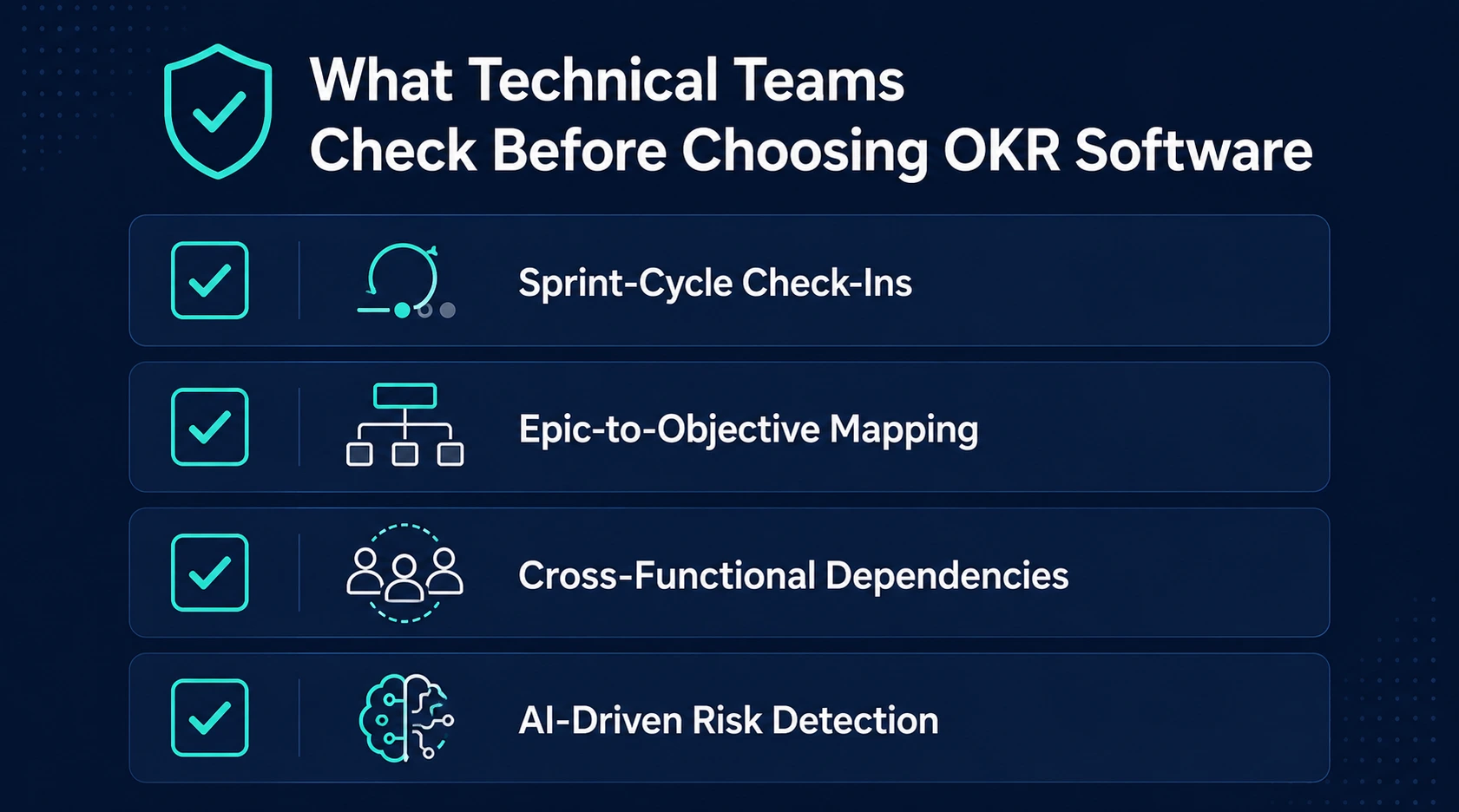
| Priority for Technical Teams | Why It Matters |
|---|---|
| Sprint-cycle-aligned check-ins, not generic quarterly-only cadence | Engineering work moves in 1–2 week increments, not quarters |
| Epic-to-objective mapping | A single epic often serves multiple OKRs across teams |
| Cross-functional dependency visibility | Blockers usually originate outside the team reporting them |
| AI-driven risk detection, not just status dashboards | Manual status review doesn’t scale across parallel sprints |
Teams evaluating this shortlist alongside other engineering-specific needs may also find it useful to read OKRs for agile software development and how to connect OKRs to Jira for the practical setup steps once a platform decision has been made this page focuses on the evaluation, not the configuration walkthrough. The broader goal across all of this is genuine Jira OKR alignment: not just a technical connection between two systems, but a working structure where Jira sprint goals and OKRs stay in sync automatically, cycle after cycle, without someone having to rebuild that connection manually every quarter.
Who needs Jira-native OKR software
- Engineering teams get the most direct benefit sprint data feeding OKR progress automatically removes the double-entry burden entirely. Engineering OKR examples and OKR for software engineers cover what strong technical OKRs actually look like once the tracking overhead is removed.
- QA and DevOps teams benefit specifically from cross-functional dependency visibility, since a QA blocker or a site-reliability incident often affects OKRs owned by a completely different team. QA engineering OKRs and DevOps OKR examples for site reliability walk through this in more depth.
- Remote and distributed engineering teams rely on this connection even more heavily, since the informal “walk over and ask what’s blocking this” conversation isn’t available. Remote engineering OKR examples covers the specific patterns that matter for distributed technical teams.
- Startup engineering teams moving fast without dedicated program management overhead benefit from not having to build a manual reconciliation process from scratch. Startup engineering OKRs covers this stage specifically.
- Product teams working alongside engineering in the same Jira instance get the same benefit from the product side product team OKR software needs, particularly around AI-assisted goal writing, are closely related to what engineering teams need from the same underlying integration. More broadly, any OKR software for engineering teams worth evaluating should be judged on this exact product-and-engineering overlap, since the two functions frequently share the same Jira instance and the same epics, even when they report through different leadership chains. Solid OKR tracking for product and engineering teams depends on exactly this shared visibility a platform that only serves one function well tends to recreate the same disconnect it was meant to solve, just between two internal teams instead of two separate tools.
The mechanics of this shared visibility come down to Jira epics to OKR mapping specifically: a single epic frequently supports goals owned by both a product manager and an engineering lead simultaneously, and a platform that can’t represent that many-to-many relationship forces one function to track progress manually anyway, defeating the purpose of automating it in the first place. Anyone weighing which is genuinely the best OKR tool for Jira users should test this many-to-many mapping specifically during evaluation, not just confirm that a single epic can link to a single key result.
This connects to the broader execution picture too a team with strong Jira-level visibility but no company-wide alignment view is only solving half the problem. Our best OKR software with visual alignment mapping page covers how team-level execution data, including what flows in from Jira, connects into that company-wide cascade. For teams still finalizing which platform genuinely offers OKR software that syncs with Jira sprints versus one that merely claims to, the safest evaluation step is requesting a live demo against your own Jira instance rather than trusting a vendor’s marketing description of “integration” at face value.
Comparing this to your broader OKR tool shortlist
If Jira integration is one requirement among several alongside cost, ease of use, or broader HR feature needs it’s worth evaluating against a wider shortlist rather than in isolation. Our OKR tool comparison and top 10 OKR software roundups cover the broader landscape, while OKR tracking tools and team OKR tracking cover the tracking-specific feature set independent of any single integration.
For teams that have already ruled out spreadsheets as a tracking method a common starting point before evaluating dedicated software, spreadsheet vs OKR software covers that earlier-stage decision, and real-time OKR tracking covers why the “real-time” claim matters as much for engineering teams as the Jira connection itself does.
Setting up OKR software with Jira
Once a platform decision is made, the practical setup connecting the Jira instance, mapping projects to objectives, and configuring which fields drive progress calculation is covered step by step in our dedicated how to connect OKRs to Jira guide, so it isn’t repeated here. For the full list of what else Worxmate connects to beyond Jira – Slack, Microsoft Teams, and 36+ other tools, the OKR software integrations page covers the complete picture.
Pricing for OKR software with Jira integration
Jira integration is available across Worxmate’s Vital, Proficient, and Enterprise tiers, with deeper AI-driven signal detection – including Orbit, Axis, and Nexu, expanding at higher tiers. Full current pricing is available on the OKR software pricing page.
See your Jira data flow into real OKR progress
If you’re ready to evaluate this on your own Jira instance: the clearest way to judge fit is watching real sprint data flow into an OKR scorecard, not a demo org’s sample project. Book a live demo and we’ll connect a real Jira project during the call.
If the gap is process, not just tooling: a Jira integration solves the manual-update problem, but it won’t fix OKRs that were poorly scoped to begin with. Our OKR consulting team can help engineering and product leaders get the underlying OKR structure right before layering integration on top of it.


Written by
An OKR Coach with 20+ years of implementation experience, Madhusudan has guided over 50 organisations through successful OKR transformations, training more than 500 leaders. Learn more about Worxmate.
