 WORXMATE
Quick Answer
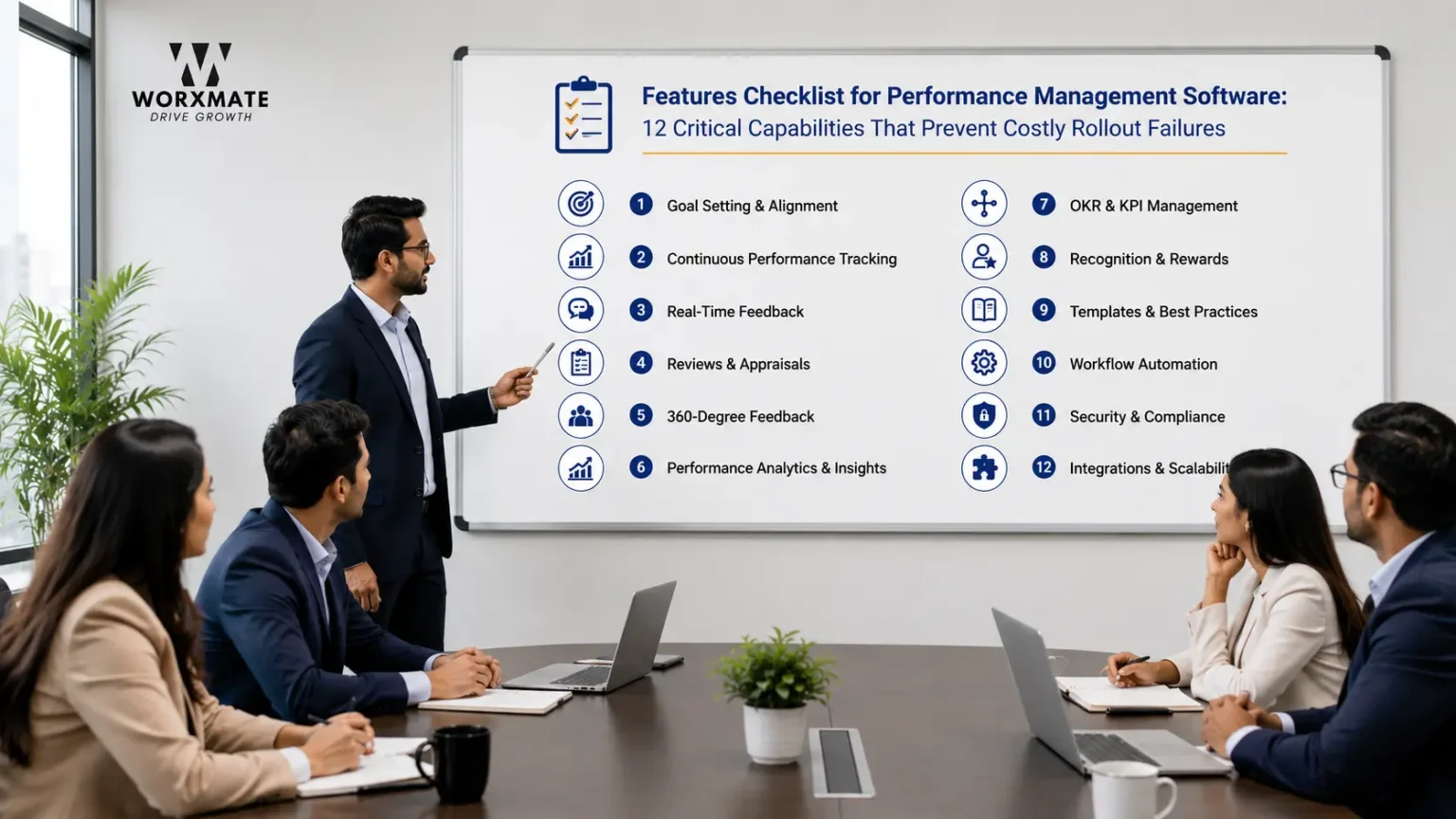
A complete features checklist for performance management software covers 12 capabilities: goal architecture that separates OKRs from KPIs, continuous check-ins (not annual reviews), real-time at-risk dashboards, AI-assisted goal writing, a defensible scoring system, 360° feedback and calibration support, deep integrations (Jira, Teams, HRIS), compensation linkage, manager enablement tools, career development planning, scalability across company stages, and low-friction mobile access. Missing even three or four of these is why most performance management rollouts get quietly abandoned by the second quarter – not because the team didn’t want structure, but because the tool added friction instead of removing it.
The Wall of Sticky Notes
A few years ago, I ran a workshop for a listed fintech company – 35+ leaders, full auditorium, the MD in the front row. Before we wrote a single OKR, I asked every leader to write their current goals, the impact of those goals, and the challenges blocking them, on sticky notes, and put them on the wall.
Then I asked the MD to walk the wall and read every note out loud.
By the end of that walk, his face had changed. Roughly 80% of the goals on that wall weren’t designed in the right direction. Not badly written – wrongly aimed. Output dressed up as outcome. Activity mistaken for progress. And every single one of those goals had, at some point, been typed into a performance management system that had a field for it, a due date for it, and a green checkmark for it once it was “done.”
That’s the part software vendors don’t put in their demo. A tool can render a goal beautifully and still be rendering the wrong goal. Which is exactly why a features checklist for performance management software has to go past “does it have goal tracking” and into “does it have the specific capabilities that catch a goal like that before it becomes 80% of the wall.”
This checklist is that list. Not a process for evaluating vendors – an inventory of what to actually check for, feature by feature, before you sign.
Why This Checklist Exists (And Why Most Buying Processes Miss It)
Most performance management software gets selected the way most enterprise software gets selected: a shortlist of three names everyone has heard of a demo where every box on the RFP gets a checkmark, and a decision made on price and brand recognition. Then, six months in, the same pattern repeats – the tool sits half-used, the OKR field turns into a KPI field with a different label, and HR is back to chasing people for updates in a spreadsheet on the side.
I’ve watched this exact failure across 50+ implementations, and it rarely traces back to the vendor lying in the demo. It traces back to nobody checking the features that only matter once real people are using the tool under real pressure – not the features that look good in a fifteen-minute walkthrough.
There’s a signal I look for in week one of any new platform rollout: how many products support queries the team is raising per day. If it’s sitting at 15-20 queries a day in the first week, the adoption curve is not going to recover. Not “might not” – will not. That volume means the tool has more friction than the team’s current goal-setting literacy can absorb, and no customer success call fixes a mismatch between tool complexity and team readiness. A genuine features checklist has to be built around removing that friction at the feature level, not around impressing a buying committee.
One completed goal – genuinely completed, with honest check-ins, real blockers surfaced, and a retrospective the team actually uses next quarter – is worth more than five that were written, half-updated, and generously scored at quarter-end. Software that makes the second pattern easy and the first pattern hard is the software that gets abandoned. That’s the filter every item on this checklist runs through. If you want to see how leading vendors score against these exact criteria, our in-depth evaluation of the top performance management software reviews platforms through this execution lens.
Unlock Goal Clarity & Accelerate Employee Growth
Looking to drive goal clarity and employee growth? Discover how Worxmate’s AI-powered Performance Management Software can help.
The Practitioner’s Lens: What “Alignment” Actually Requires From Software
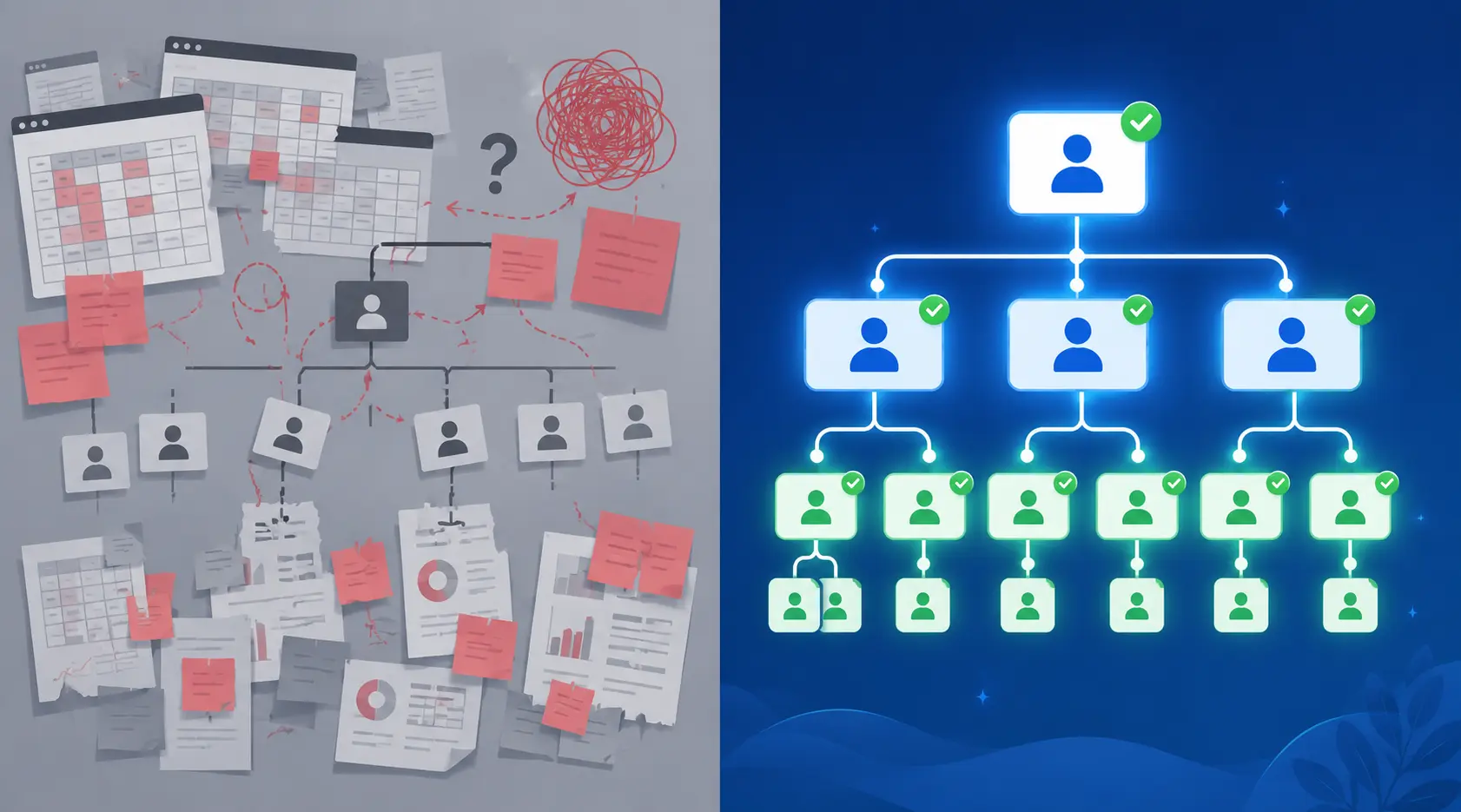
Here’s a belief I hold that most vendor comparison sites won’t tell you: alignment is agreement, not a configuration in a tool. Alignment means teams agreeing on what matters, why it matters, and how each team’s work connects to the teams around them. You cannot set that inside software. You can only display it once it already exists.
A platform that shows a beautifully cascaded goal tree is showing you the record of an agreement – or the absence of one. If the agreement was never actually reached in the room, the cascade on the dashboard is fiction with good typography. This matters enormously for a features checklist, because it changes what you’re actually checking for. You’re not checking “can this tool display a hierarchy.” Nearly every platform on the market can do that. You’re checking whether the tool has the specific mechanics – check-in cadence, comment threads tied to specific Key Results, visible dependency mapping between teams – that make it obvious when the agreement underneath the hierarchy has broken down.
This is also where the HR-ownership trap shows up. When HR owns the performance management rollout end to end, the rest of the leadership team quietly treats it as one more compliance exercise rather than a strategy execution system – regardless of how good the software is. No feature checklist fixes an ownership problem. But a good checklist can at least surface whether the software makes that ownership question harder or easier to get right – whether it’s built to be the CEO’s execution system or just HR’s appraisal tool with a nicer UI.
The 12-Point Features Checklist for Performance Management Software
Use the table below as the fast-scan version. The sections that follow it go deeper on the categories most buyers underweight.
| # | Feature Category | Must-Have Capability | Red Flag If Missing |
|---|---|---|---|
| 1 | Goal architecture | Native OKR-KPI separation, not one merged “goals” field | Everything gets typed into the same box, KPIs relabeled as Key Results |
| 2 | Check-in cadence | Weekly or bi-weekly async check-ins, not just quarterly reviews | Only way to update progress is a formal review meeting |
| 3 | Real-time dashboards | At-risk flags before the deadline, not after | Managers find out a goal failed in the retro, not before it |
| 4 | AI-assisted goal writing | Drafts and quality-scores objectives, doesn’t just autocomplete text | “AI” only means a chatbot bolted onto search |
| 5 | Scoring & grading | Consistent 0–1.0 or percentage scale applied every cycle | Every manager scores on their own private rubric |
| 6 | 360° feedback | Structured peer and cross-functional input tied to specific goals | Feedback lives in a separate module disconnected from OKRs |
| 7 | Integration depth | Native API with Jira, Teams, and your HRIS | “Integration” means exporting a CSV |
| 8 | Compensation linkage | Goal outcomes feed into review and reward conversations | Comp decisions happen in a spreadsheet nobody in the goal tool can see |
| 9 | Manager enablement | Built-in check-in prompts and coaching nudges for managers | Managers get a login and no guidance on how to run a check-in |
| 10 | Career development | Growth plans linked to skill gaps surfaced by goal data | Development conversations are disconnected from performance data |
| 11 | Scalability | Same core workflow works at 20 people and at 2,000 | Tool needs a re-platform the moment headcount doubles |
| 12 | Mobile & friction | Full check-in flow on mobile, sub-15-query-per-day onboarding | Desktop-only, or support tickets spike in week one |
1. Goal Architecture: OKR-KPI Separation, Not a Shared Field
The single most common structural mistake I see in a performance management software evaluation is treating “goals” as one undifferentiated field. Objectives and Key Results describe an ambitious, time-boxed push. KPIs are the ongoing health metrics you watch continuously. When software merges the two, teams default to typing in whatever’s easiest to measure – which is almost always the KPI, not the outcome. Before anything else on this checklist, confirm the platform lets you see when to use KPI vs OKR as two distinct, clearly labeled structures, and check how it handles using OKR and KPI together without one quietly becoming the other. If you’re migrating from a KPI-only spreadsheet, this breakdown of moving from KPIs to OKRs is worth reading before you configure a single field.
2. Check-In Cadence: Weekly Rhythm, Not Quarterly Theatre
A performance management tool that only prompts activity during formal review windows is a compliance system, not an execution system. Check the cadence options directly — does the platform support genuine OKR check-ins on a weekly or bi-weekly rhythm, with a lightweight check-in meeting template built in? Teams running OKR software with weekly planning catch drift while it’s still a five-minute fix, not a quarter-end surprise. If 1:1s are part of your management rhythm, look specifically at whether the tool offers 1:1 meeting automation and supports standardizing 1:1 meetings across managers who currently all run them differently – and whether it distinguishes continuous feedback vs performance reviews as two different rhythms serving two different purposes. For additional guidance on effective performance management practices, see SHRM’s performance management resources.”
3. Real-Time Dashboards and At-Risk Detection
A dashboard that only tells you a goal is behind after the deadline has passed isn’t a dashboard – it’s an obituary. Check for genuine OKR dashboards in real time, not a nightly batch refresh, and confirm the platform actually supports real-time OKR tracking rather than a static export. Look closely at the OKR tracking tools and understand exactly which OKR tracking metrics the system surfaces by default – a tool that buries “at risk” three clicks deep is a tool nobody checks until it’s too late. If your current process still lives in a shared sheet, this comparison of an OKR tracking spreadsheet against dedicated software shows exactly where the manual version breaks down at scale, and this deeper look at spreadsheet vs OKR software covers the same gap from the software-selection side.
4. AI-Assisted Goal Writing and Automation
“AI-powered” has become meaningless marketing on most vendor pages, so this is the item on the checklist worth the most scrutiny. Ask the vendor to show you, live, how the tool handles generative AI for employee goal setting – does it draft a genuinely structured Objective and Key Results from a rough KPI or task list, or does it just autocomplete sentences? Worxmate’s own approach runs this through the DEEP AI™ framework: Define uses an AI OKR writing tool with built-in quality scoring, Execute runs AI-guided check-ins, Evaluate produces AI-driven performance reviews through an OKR scorecard tool, and Plan closes the loop with an OKR retrospective tool that turns each cycle’s data into next-cycle recommendations. Underneath that framework sit three AI models worth checking for by name in any serious evaluation: Orbit AI for attrition-risk and burnout signals, Axis AI for isolating the fastest lever when execution stalls, and Nexus AI for mapping where strategy stops cascading down the org. For a broader view of where this category is heading, this guide to AI in performance management systems and this piece on continuous performance management software are worth reading alongside your shortlist.
5. Scoring, Grading, and Defensible Analytics
If every manager scores goals on their own private rubric, your quarter-over-quarter data is not comparable – full stop. Check whether the platform enforces a consistent OKR scoring system, whether it supports something close to the Google OKR grading scale, and whether scoring can happen through automated OKR scoring tied to actual data rather than a manager’s end-of-quarter guess. Confirm you can see what OKR metrics the platform tracks by default, and separately, what broader performance management metrics and performance analytics roll up to leadership – a scoring system that stops at the individual level without aggregating into something a CHRO can act on is only half a feature.
6. 360° Feedback and Calibration Support
Feedback that lives in a module completely disconnected from the goals it’s about is feedback nobody reads twice. Check whether 360-degree feedback is genuinely tied to specific Key Results, whether the platform has a usable 360-degree feedback report template, and how it compares 360-degree feedback vs annual review in practice – most tools claim to support both but visibly favor one. If your organization still calibrates performance ratings across managers, look closely at how the software supports (or complicates) the performance calibration process, and specifically ask about bell curve appraisal pros and cons if forced ranking is still part of your culture – some platforms make this trivial, others fight you every step.
7. Integration Depth: Native API, Not a CSV Export
“We integrate with Slack” can mean a genuine two-way sync or a once-daily CSV drop – and the gap between those two things is the gap between a tool people actually use and a tool people route around. Ask specifically about OKR software integrations depth, whether the platform connects to OKR software for Jira users at the task level (not just a link-out), and whether it offers genuine OKR tools with Microsoft Teams integration – in-chat bot commands and activity feed posts, not a browser tab wrapped in an iframe. Separately, get precise about OKR software integration with HRIS systems, since this is where most performance management rollouts quietly stall – HR data and goal data living in two systems that don’t talk. This distinction between performance management software vs HRIS matters enough that it deserves its own line item, not an assumption. HRIS platforms are excellent HR systems built around HR workflows, where OKRs are one feature among many. Dedicated OKR and performance software exists because OKR execution is the entire product – every engineering decision gets filtered through one question: does this make execution better. That’s not a knock on HRIS vendors. It’s a category distinction, and conflating the two categories during a features checklist is exactly how organizations end up with a beautifully configured HRIS goals module that nobody uses.
8. Compensation and Reward Linkage
If comp review happens in a spreadsheet the goal-tracking tool never sees, you’ve built two disconnected systems of record, and one of them is always the “real” one in people’s minds. Check whether the platform supports linking performance management to compensation and rewards directly, how it approaches OKRs and bonuses if variable pay is tied to goal outcomes, and whether reward and recognition moments get triggered by actual goal completion data rather than a manager remembering to nominate someone manually.
9. Manager Enablement, Not Just Manager Access
Giving a manager a login is not the same as equipping them to run a good check-in conversation. This is the checklist item most vendors skip in the demo because it’s harder to show off than a dashboard. Look specifically at performance management software for managers – does its prompt managers with what to ask, not just where to click? – and ask directly how performance management software reduces manager workload rather than just shifting the admin burden from HR onto line managers who now have one more system to babysit.
10. Career Development and Growth Planning
Performance data that never connects to a development conversation is data collected for its own sake. Check whether the platform links goal performance to an actual employee development plan, whether it supports smart goals for career development distinct from quarterly business OKRs, and whether it surfaces employee skill development gaps from the same data set rather than requiring a separate skills-mapping exercise. If you’re rolling this out for the first time and need starting templates, a concrete set of staff development goals: 10 examples beats a blank canvas.
11. Scalability Across Company Stage and Industry
The workflow that works cleanly for a 20-person team frequently buckles at 200, and the tool that impressed a mid-market buyer often looks thin to an enterprise one. This is genuinely different depending on where you sit: compare what matters for OKRs for 5 people vs 500 people before assuming one configuration fits your whole growth trajectory. If you’re small today, check OKR software for small businesses and performance management for small business specifically rather than an enterprise tool with the extra modules hidden. Mid-market and industry-specific buyers should look at OKR software for mid-market companies, OKR software for SaaS companies, or OKR software for pharma if regulatory or compliance workflows change what “features checklist” even means for your sector. Enterprise buyers should evaluate dedicated performance management system software built for complex organizational structures rather than extrapolating from a mid-market demo.
12. Mobile Access, Onboarding Friction, and the Week-One Test
The single best predictor of whether a rollout survives past month three isn’t a feature at all – it’s the support query volume in week one. If your pilot team is filing 15-20 tickets a day just trying to complete a check-in, the tool has more friction than your team’s current OKR literacy can absorb, and that mismatch doesn’t get fixed by more training. Test the mobile check-in flow specifically, not just the desktop demo — most abandoned rollouts I’ve seen had a perfectly good desktop experience and a mobile experience nobody could use standing in a warehouse or between meetings
| Company Stage | Features That Matter Most | Features You Can Defer |
|---|---|---|
| Startup / Seed-Series A | Fast setup, weekly check-ins, mobile access | Complex compensation linkage, forced-ranking calibration |
| Series B-D / Mid-market | HRIS + Jira/Slack integration, manager enablement | Multi-entity, multi-currency compensation modeling |
| Enterprise / GCC | Deep HRIS integration, calibration, security/SSO, multi-BU rollups | Nothing — enterprise needs the full checklist |
What This Looks Like When the Checklist Is Actually Applied
I coached a mid-market HR leader through exactly this exercise last year – not choosing based on the demo but running every shortlisted vendor through a version of this 12-point list with her own team’s real goals as the test case. What she found surprised her: the platform with the flashiest dashboard failed on manager enablement and integration depth, while a quieter, less polished competitor nailed check-in cadence and AI-assisted goal writing. She picked the second one. Eighteen months later, adoption was still climbing, not decaying – because the features that mattered in week twelve were the ones she’d actually checked for in week one, not the ones that looked best in a slide.
That’s the entire argument for treating this as a checklist rather than a gut call: the features that decide whether a system survives contact with a real organization are rarely the features a fifteen-minute demo is built to show off.
Bottom Line
A performance management platform earns its place on your shortlist by surviving the boring items on this list – check-in cadence, integration depth, manager enablement, mobile friction – not by winning the demo. The software is the infrastructure. Getting your teams to write outcome-driven goals in the first place, and coaching managers through check-ins that actually surface blockers, is the capability layer sitting on top of it. You need both, and you need them in the right order – buying the platform does not, by itself, produce the Execution Maturity Rate your organization needs; that typically sits between 5% and 15% of leaders in a first-cycle rollout, climbing to 30-40% only after twelve months of consistent, coached practice.
If your team is ready to evaluate specific platforms against this checklist, Worxmate’s OKR software and performance management software are built around exactly these 12 capabilities – book a walkthrough and bring your own goals as the test case, the way the HR leader above did. If the deeper problem is that your goals were never outcome-driven to begin with, no checklist item fixes that alone – that’s a coaching problem, and Worxmate’s OKR consulting practice exists for exactly that gap, including teams expanding into the Middle East who need both the software and the capability-building at once. Book you Demo now.
💡 Ready to compare platforms against this checklist?
Explore our comprehensive guide to the top performance management software to see how leading tools rank on goal architecture, manager enablement, and check-in cadence.
“Alignment is agreement between teams on what matters, why it matters, and how each team’s work connects to the teams around them. You cannot set that in a tool. You can only display it once it already exists.” – Madhusudan Nayak, Co-Founder & CEO, Worxmate


Written by
An OKR Coach with 20+ years of implementation experience, Madhusudan has guided over 50 organisations through successful OKR transformations, training more than 500 leaders. Learn more about Worxmate.
